
Online Tools
Instagram photo post sizes: choose a shape before resizing
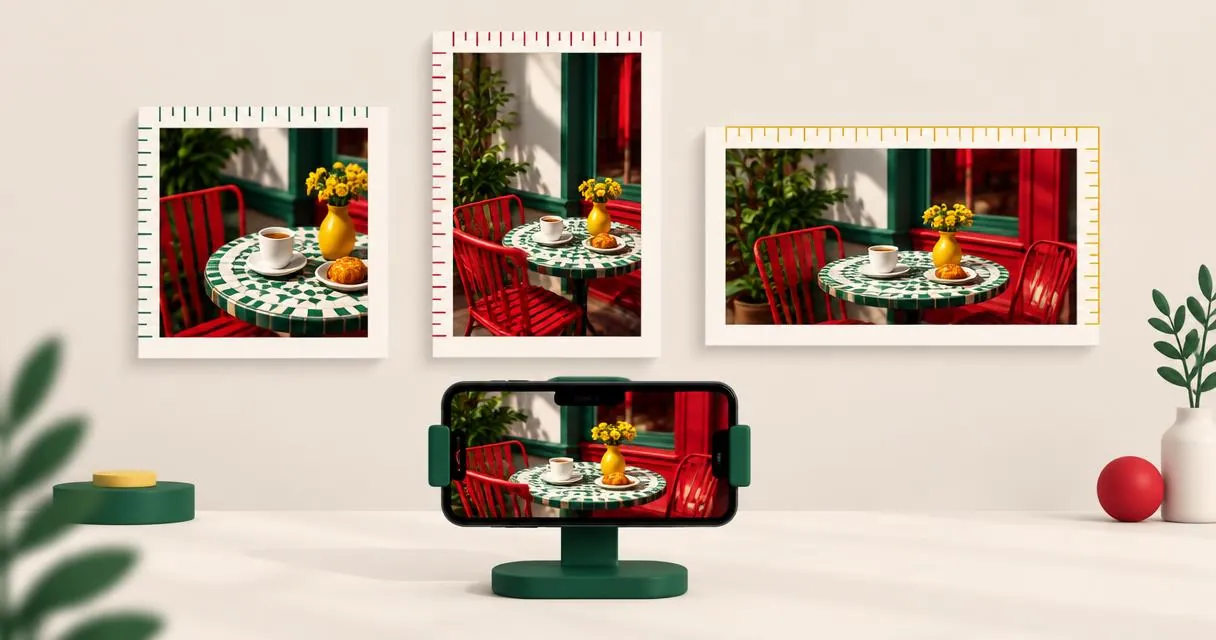
Find the right Instagram post size for square, portrait and landscape photos, including 3:4 images, with practical cropping and resizing steps.
The right Instagram post size depends on the shape of your photo. For feed photos, useful working sizes include 1080 × 1080 pixels for square, 1080 × 1350 for 4:5 portrait and 1080 × 1440 for 3:4 portrait. Instagram's current help page supports photo aspect ratios from 1.91:1 through 3:4, with a maximum retained width of 1080 pixels.
These are photo-feed guidelines, not a universal specification for Stories, Reels, adverts or every profile preview. Start with the placement you are preparing, then choose the crop and export size.
Current photo dimensions at a glance
Instagram says it keeps a photo at its original resolution when its width is between 320 and 1080 pixels and its aspect ratio is supported. Wider images are sized down to 1080 pixels; images below the lower width threshold are enlarged. Unsupported shapes are cropped.
| Photo shape | Working dimensions | Why choose it? |
|---|---|---|
| Square, 1:1 | 1080 × 1080 pixels | A balanced layout with equal sides |
| Portrait, 4:5 | 1080 × 1350 pixels | A taller composition without using the full supported portrait height |
| Portrait, 3:4 | 1080 × 1440 pixels | A taller supported photo shape |
| Wide landscape | 1080 × 566 pixels | A practical rounded size near the wide end of Instagram's stated range |
The Help Center explicitly describes a height range of 566 to 1440 pixels at 1080 pixels wide. Do not confuse the 4:5 example with the maximum portrait shape: 3:4 is also supported under the current guidance.
Understand pixels and aspect ratio
Pixels describe dimensions. Aspect ratio describes shape. A 2160 × 2700 photo and a 1080 × 1350 photo are both 4:5, but the first has larger dimensions.
Cropping changes the framing by removing edges. Resizing changes dimensions. If the original shape is wrong, resizing alone does not make it the desired shape unless you distort it. A proportion-preserving resizer deliberately avoids that distortion.
Use the image information checker to inspect width, height and aspect ratio before editing. This is more reliable than guessing from how large a photo looks on your phone screen.
Prepare a square or 4:5 photo step by step
- Decide whether the subject suits a square or portrait composition. Check the position of faces, packaging and any important detail.
- Open the image cropper and add your original photo.
- Choose 1:1 for square or 4:5 for portrait, then crop and download.
- Open the cropped result in the image resizer and set its width to 1080 pixels.
- Download the resized photo, inspect it, then check Instagram's posting preview before sharing.
MayreDukaan's cropper takes the crop from the centre. It does not let you drag the crop rectangle. If the subject is off-centre, prepare the framing in an editor with movable crop controls rather than accepting a cut-off face or product.
The cropper offers 1:1, 4:5, 4:3 and 16:9, but not 3:4. An image already shaped 3:4 can be resized proportionally to 1080 × 1440; otherwise, use a crop editor that provides that ratio.
Practical example: turn a camera photo into a portrait post
Imagine a 3000 × 4000 portrait photograph with the subject in the middle. It is already 3:4. Resizing it to 1080 pixels wide produces a height of 1440 pixels, so a crop is unnecessary if you want that supported shape.
If you prefer 4:5, crop first. A centred 4:5 crop from that source keeps 3000 pixels of width and 3750 pixels of height. Resizing the result to 1080 pixels wide then gives 1350 pixels of height. These dimensions are calculations, not an extra Instagram requirement.
Compare the two compositions before exporting. The shorter crop may remove empty space, but it may also trim something meaningful near the top or bottom.
Common mistakes that cause awkward results
- Treating every placement alike. Feed-photo guidance does not establish Story or Reel dimensions.
- Upscaling a tiny source. Instagram can enlarge a small upload, but that is not a reason to choose a lower-detail original.
- Using file size as a substitute for dimensions. Kilobytes and pixel dimensions answer different questions.
- Assuming the profile preview is the whole photo. Check the actual posting preview and composition rather than relying on a single thumbnail view.
- Confusing 4:3 with 3:4. The former is landscape; the latter is portrait.
Keep your unedited source and create separate exports for different shapes instead of repeatedly cropping the same saved copy.
Export deliberately, then preview
There is no single shape that suits every photograph. Use the subject to choose square, portrait or landscape, follow Instagram's supported range, and inspect the final posting preview. Start by checking your photo with image info, then crop only if the composition needs it.
Frequently asked questions
Is 1080 × 1350 still a valid Instagram photo size?
Yes. It is 4:5 and falls within Instagram’s currently documented photo aspect-ratio range.
Does Instagram support 1080 × 1440 photos?
Yes. That is a 3:4 image, which is included in the current Help Center guidance for feed photos.
Can the MayreDukaan cropper make a 3:4 crop?
Not directly. Its presets include 1:1, 4:5, 4:3 and 16:9; use a suitable editor for a new 3:4 crop.
Useful on MayreDukaan
Sources
Facts last checked against these sources on 15 Nov 2026, 07:42 Pakistan time.
Images: Illustration created for MayreDukaan (not a photo)
More trending articles
 EntertainmentWatch Pakistani News Live Through Official Links15 Nov 2026 · 4 min read
 Pakistani DramasWatch Pakistani Dramas Online on Official Channels15 Nov 2026 · 5 min read
 Shopkeeper GuidesTake Your Shop Online in Pakistan: Setup Guide15 Nov 2026 · 4 min read
 Shopkeeper GuidesInstall the MayreDukaan APK on Android: A Guide15 Nov 2026 · 4 min read