
Meri Dukan Online – Manage Your Shop with MayreDukaan
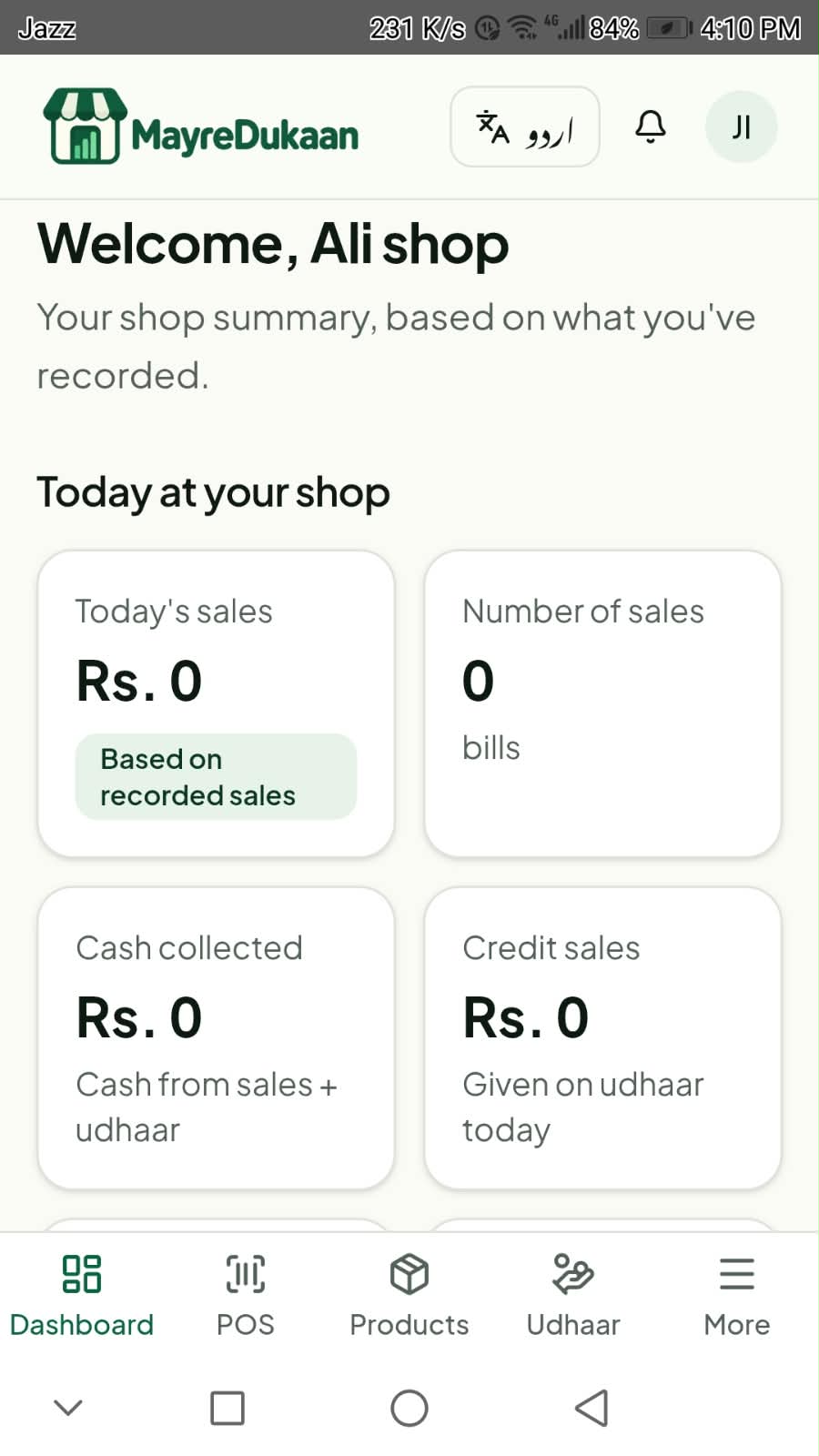
“Meri dukan” means “my shop” — میری دکان. MayreDukaan is a shop management app made for Pakistani shopkeepers. It puts your daily billing, products and stock, customer udhaar and customer records in one place, on your Android phone or your computer.
What is MayreDukaan?
MayreDukaan is a simple online store and shop management app. Instead of a register, a calculator and a separate khata, you use one app to make bills, keep your product list and stock, record what customers owe and see your sales on a dashboard. It's built for kiryana stores, general stores, mobile shops, medical stores, garment shops and other small businesses in Pakistan.
Why shopkeepers in Pakistan move their dukan online
Paper registers work until a page is torn, a total is added up wrong or a customer says they already paid. When the shop gets busy, it's hard to know what sold today, what's running out and who still owes money. Keeping these records in an app means the totals are worked out for you and everything is in one place when you need it.
- Faster billing at the counter, with correct totals.
- One product list for both billing and stock.
- Udhaar recorded against each customer's name, not on loose pages.
- A dashboard to see how sales are going.
How billing and inventory work
Add each product once with its stock. When a customer buys, create the bill from that same product list in the POS billing screen, so the bill and your product records come from one source. Update stock when new goods arrive, and check it before your market trip so you know what to buy.
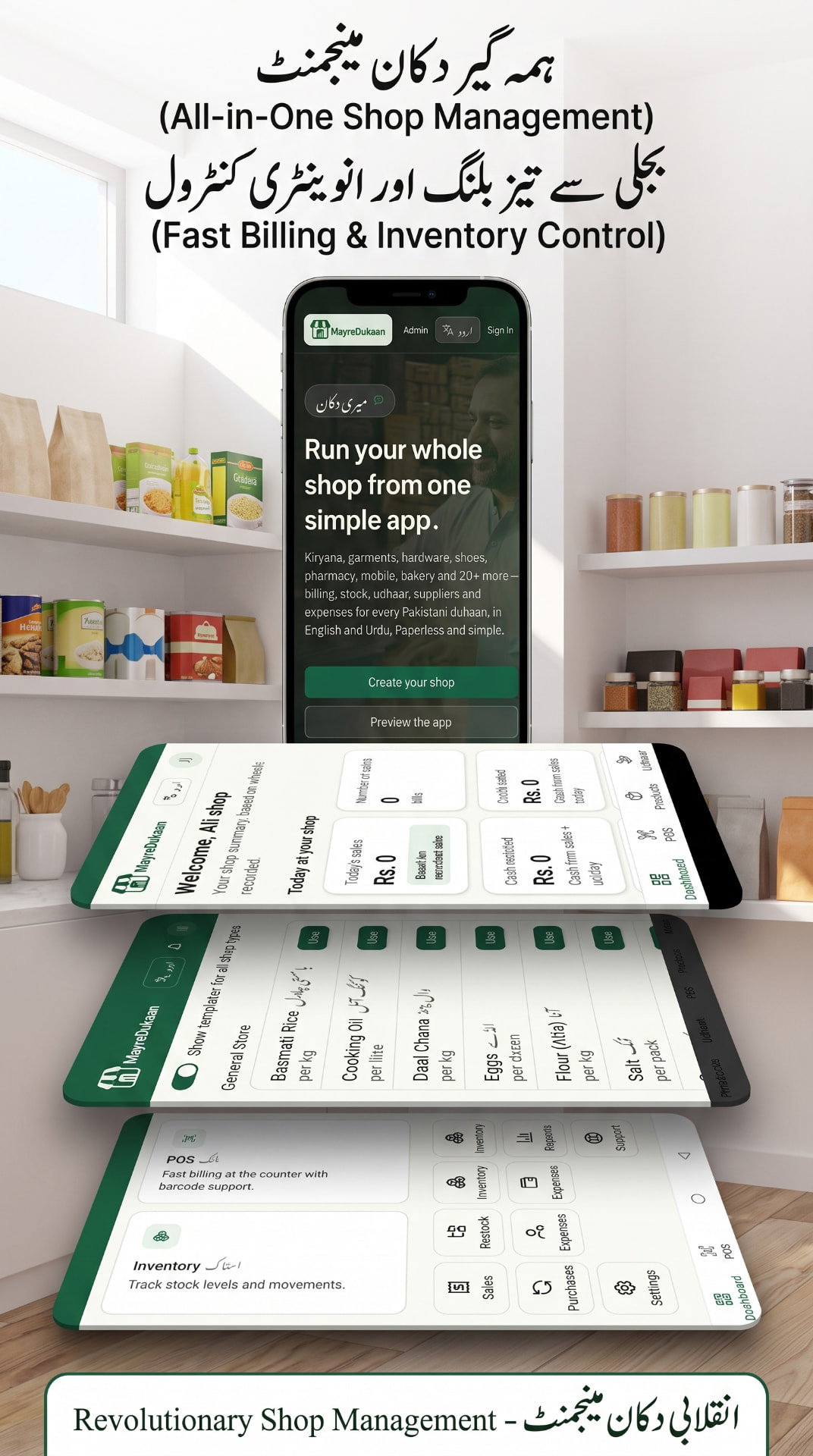
Read more: POS billing · inventory and stock · a simple stock routine
Udhaar and customer records — your digital khata
Udhaar keeps regular customers coming back, but only if you can collect it. In MayreDukaan you record credit against the customer's name when they take goods, and record the payment when they settle. Customer details stay with their udhaar, so you can see at a glance who owes what.
Read more: udhaar and digital khata · how to track customer udhaar
English and Urdu
You can use the app in English or switch it to Urdu, so you and your staff can work in the language you're most comfortable with. Whether you search for Meri Dukan, Meri Dukaan, Mayre Dukan or میری دکان آن لائن, MayreDukaan is the same app.
Phone, tablet and computer
Install the Android app on a phone or tablet running Android 8.0 or newer — it downloads directly from this website. At the counter or at home, open the web app in a browser on your laptop or PC.
How to get started
- Download the Android app, or open the web app on your computer.
- Choose English or Urdu.
- Add your products and their stock.
- Make your first bill from the POS screen.
- Add regular customers and record udhaar as it happens.
Questions
- Is MayreDukaan the same as “Meri Dukan”?
- MayreDukaan is how we write “Meri Dukan” (میری دکان, “my shop”) as a brand name. If you searched for Meri Dukan, Mayre Dukan or Meri Dukaan online, this is the app.
- Can I use MayreDukaan in Urdu?
- Yes. You can switch the app between English and Urdu.
- Does it work on a computer?
- Yes. Open the web app in a browser on your laptop or PC. On Android phones and tablets you can install the Android app.
- Which Android version do I need?
- Android 8.0 or newer. The app downloads directly from this website.
- Can I record udhaar for each customer?
- Yes. Record credit against a customer's name and record payments when they pay, so you always know who owes what.
- What about supplier and expense records?
- This page only lists features we have confirmed in the current app. Write to us if you need something that isn't listed.
MayreDukaan – Your Shop. Your Products. Your Business.
Start with the Android app or the web app — whichever suits your shop.
See all MayreDukaan features or read our shopkeeper guides.