
SEO and Website Guides
OG Image Size and Tags: A Practical Preview Guide
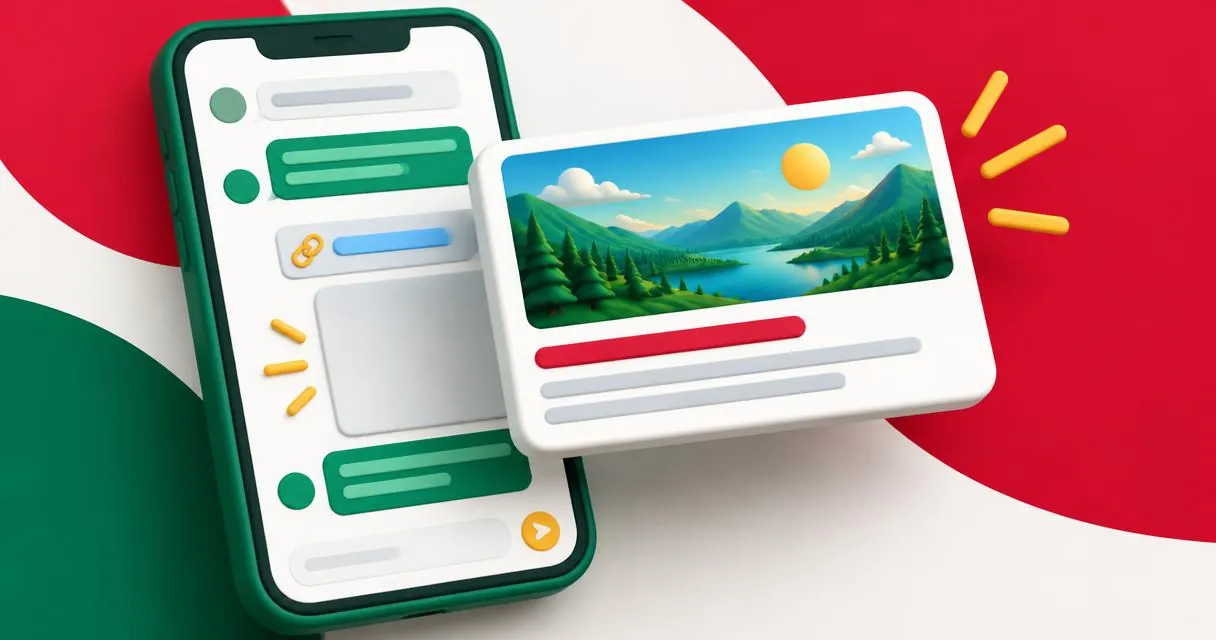
Choose an og image, understand the required Open Graph tags, and test a page preview without confusing a design starting point with a platform rule.
An og image is the image referenced by a page’s og:image metadata. It gives services consuming Open Graph a visual representation of the page. Choose an image that remains understandable when cropped, publish it at a reachable URL, and verify the metadata on the page you will actually share.
There is no single universal pixel size mandated by the Open Graph protocol. A wide 1200 × 630 canvas is a reasonable editorial starting point, not a promise that every app displays the same crop. Use the Open Graph preview to experiment with the card composition.
What Open Graph requires
The protocol describes four basic required properties: og:title, og:type, og:image, and og:url. The title names the object, the type describes its kind, the image represents it, and the URL identifies its canonical address.
The protocol also defines optional properties, including og:description and og:site_name. Image-specific structured properties include og:image:width, og:image:height, og:image:type, og:image:secure_url, and og:image:alt. The alt value describes what is in the image; it is not a caption telling people to click.
| Property | Purpose | Check before sharing |
|---|---|---|
| og:title | Page or object title | Matches the shared page |
| og:type | Object type | Appropriate for the content |
| og:image | Representative image URL | Resolves to the intended image |
| og:url | Canonical object address | Uses the preferred page URL |
| og:description | Short supporting description | Accurate and useful |
| og:image:alt | Image description | Describes the visual content |
Property names are metadata keys, not visible labels you should place inside the artwork. Add them through your website template or content-management system.
Choose a size without inventing a universal rule
Start with a wide image if your design calls for a landscape card. The suggested 1200 × 630 working canvas gives a designer a concrete starting point; the protocol itself does not require those dimensions or impose a universal file-weight target.
Keep the main subject comfortably inside the edges. Avoid tiny labels and essential details in corners. A card may be rendered at a size far smaller than your source image, so a simple object or clear illustration is usually easier to evaluate than a dense poster.
Do not treat one service’s recommendations as rules for every other service. If a particular sharing destination matters, consult its current official requirements and test there. The preview tool’s layouts are approximations, not certifications by those services.
Test the page step by step
- Publish the image and confirm its address points to the image you intended.
- Add the page’s Open Graph metadata in the website’s HTML output.
- Open the preview tool and enter the public page address.
- Press Fetch and review the title, description, image, and missing-tag messages.
- Adjust the editable fields to compare possible card designs.
- Apply the chosen changes on your own website, then fetch again.
Editing preview fields does not update the website. It only changes the local mockup. URL fetching uses a server helper to retrieve public HTML; do not assume entering a URL is an entirely local action.
A practical article-card example
Imagine a beginner’s guide to repotting a plant. A useful image could show a plant, a larger pot, and a scoop of soil against a simple background. Its title identifies the guide, while the description explains what readers will learn.
An unhelpful alternative would be a generic image unrelated to plant care, paired with an exaggerated title. Even if the metadata is technically present, it does not represent the page well. Evaluate accuracy and legibility separately from whether the tag exists.
For search-result wording, use the SERP snippet preview. Search snippets and social cards are different outputs, so review both rather than assuming a single visual test covers them.
Troubleshoot missing or unexpected images
MayreDukaan’s fetch logic prefers og:image and can fall back to twitter:image. It also resolves relative image references against the returned page URL for its preview. That convenience does not prove every external consumer will resolve or select the same image.
Use the meta tag analyzer to inspect the returned metadata. Tags inserted only after JavaScript executes may not be present in the fetched HTML. Some websites also block automated retrieval, so a failed fetch needs investigation rather than an immediate redesign.
When checking multiple images, remember that the protocol gives preference to the first tag when conflicts occur. Keep intentional ordering and avoid old template fragments competing with the page’s current metadata.
Common mistakes and a final check
Do not confuse a page URL with an image URL, describe a proposed image instead of the deployed one, or assume an attractive mockup proves production metadata is correct. Keep image dimensions truthful when providing width and height properties.
Start with a clear subject, publish the appropriate tags, and inspect the real page. Open the Open Graph preview to compare the resulting card before sharing.
Frequently asked questions
Is 1200 × 630 required by Open Graph?
No. It is a useful landscape design starting point, not a universal dimension required by the protocol.
Does editing the preview change my website?
No. Apply the final image and metadata changes in your own publishing system.
What should og:image:alt contain?
A description of what is in the image, rather than a promotional caption.
Useful on MayreDukaan
Sources
- Open Graph protocol: Basic metadata and structured properties
- Google Search Central: Control your snippets
Facts last checked against these sources on 15 Nov 2026, 07:43 Pakistan time.
Images: Illustration created for MayreDukaan (not a photo)
More trending articles
 EntertainmentWatch Pakistani News Live Through Official Links15 Nov 2026 · 4 min read
 Pakistani DramasWatch Pakistani Dramas Online on Official Channels15 Nov 2026 · 5 min read
 Shopkeeper GuidesTake Your Shop Online in Pakistan: Setup Guide15 Nov 2026 · 4 min read
 Shopkeeper GuidesInstall the MayreDukaan APK on Android: A Guide15 Nov 2026 · 4 min read