
YouTube Creator Guides
YouTube Tags Guide for Pakistani Video Creators
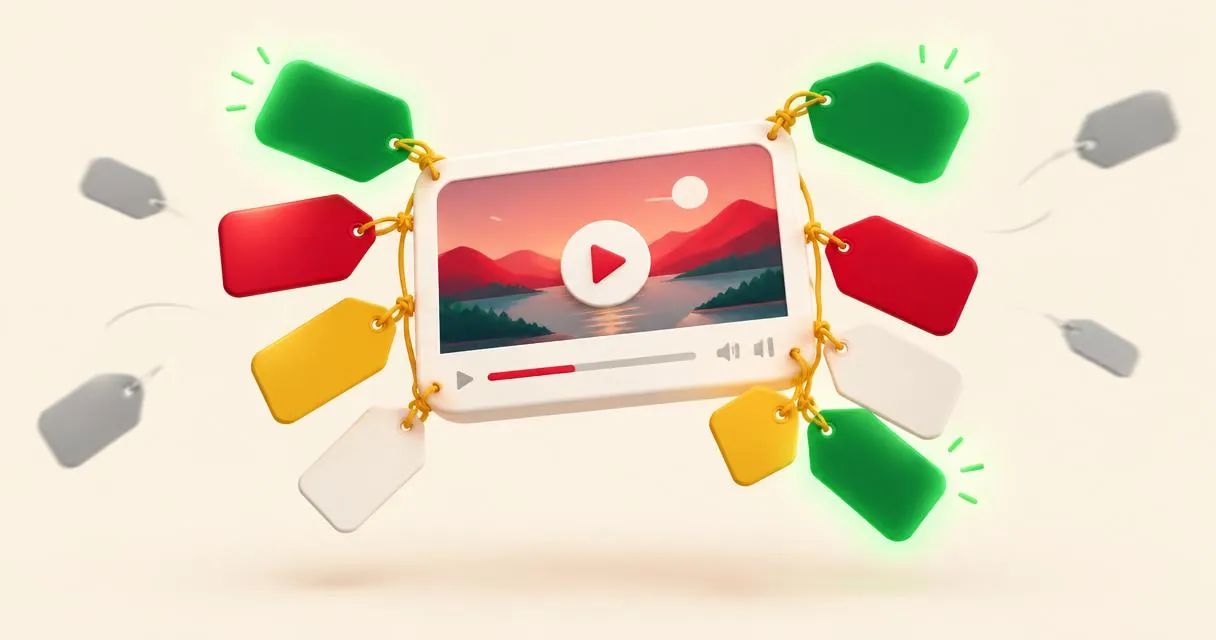
Learn what YouTube tags actually do, choose useful Urdu and Roman Urdu variants, and use tag tools without copying irrelevant or misleading lists.
YouTube tags are descriptive terms entered in a video’s tag field. They are not the same as public hashtags. YouTube says tags can help when a topic is commonly misspelled, but otherwise play a minimal role in discovery. Spend more care on your title, thumbnail, and description than on building a huge tag list.
For Pakistani creators publishing Urdu tutorials, tags can be a place to include relevant spelling variants. MayreDukaan’s tags generator supplies editable ideas; it does not know which languages your recording actually contains.
Understand the role before choosing words
YouTube explicitly identifies the title, thumbnail, and description as more important metadata for discovery. Tags are therefore a supporting field, not a shortcut around an unclear video or a misleading title.
Suppose you publish a tutorial about keeping a shop’s daily expense record. Your title should explain that task in the language your intended viewer understands. Tags can support the topic with appropriate variants, but unrelated celebrity names do not become relevant just because they are popular.
Use the title generator for wording ideas if the main promise is unclear. Fixing that promise is a more sensible starting point than collecting another page of tags.
Tags, hashtags, and descriptions are separate
| Element | Where it belongs | Practical purpose |
|---|---|---|
| Tags | Video tag field | Descriptive terms and relevant spelling variants |
| Hashtags | Title or description | Clickable topic connections |
| Description | Description field | Explain the video and provide supporting information |
Do not paste a long comma-separated tag list into the description as a substitute for readable information. YouTube warns that excessive tags in the description violate its spam and deceptive-practices policies.
For public hashtag rules, read the hashtag guide. A hash symbol does not make an irrelevant term more appropriate, and a useful tag is not automatically the right public hashtag.
Generate a focused tag list step by step
- Open the YouTube tags generator.
- Enter the actual topic, such as a daily shop-expense record tutorial.
- Add a primary keyword that accurately describes that task.
- Optionally enter extra relevant phrases separated by commas.
- Read every generated chip and tap unsuitable suggestions to remove them.
- Copy the remaining list, then review it in YouTube Studio’s tag field.
The tool builds suggestions around the supplied words. It displays a running count against its configured 500-character budget and removes duplicate suggestions in generation. That drafting budget is not a reason to fill every available position.
Importantly, its patterns can suggest Urdu and Hindi variants and a current-year phrase. Keep only languages actually supported by the content and dates that meaningfully describe it. An Urdu video should not automatically claim to be a Hindi tutorial simply because that phrase appeared in a generated list.
A practical Pakistani example
Imagine your video teaches an Urdu-speaking shopkeeper how to write daily expenses in a notebook. Start with a phrase describing the actual lesson, then consider a Roman Urdu variant your audience genuinely uses. A small set might include “daily shop expenses,” “dukaan ke rozana kharchay,” and “shop expense record in Urdu,” if those accurately match the recording.
These are illustrative editorial choices, not measured popular queries. Different Urdu transliterations can refer to the same subject, so include only variants you can explain. Do not mechanically add every spelling you can invent.
If the video uses a fictional Rs example, make clear in the footage and description that it is an example rather than a financial claim. The tag field does not supply context that should have been stated to viewers.
What a tags extractor can and cannot do
The tags extractor works on pasted text. It can inspect a description, a tag list, or page source that includes recognisable keyword data. It does not fetch a video’s metadata automatically from a link.
Paste text you are entitled to inspect, then review what the tool identifies as tags and hashtags. No result can mean the pasted material lacks the relevant data; it is not proof that your competitor has discovered a hidden technique.
Copying another creator’s list wholesale is a poor editorial shortcut. Their topic, language, and video content may differ from yours. Use extraction to organise text or review your own material, not to import irrelevant promises.
Add tags in Studio and check the surrounding text
YouTube’s instructions place tags under Show more in the upload details workflow. For an existing video, open it from Content and review its details. Save changes after editing.
Before publishing, read the title and opening description without looking at the tags. Can a viewer still understand what is being taught? If not, revise those visible elements first. Tags should not carry essential explanations that the viewer needs upfront.
Common mistakes to avoid
Avoid unrelated trending terms, duplicated lists, language claims the recording does not support, and treating tool output as verified research. There is no useful universal tag count that replaces relevance.
Finish with the tags generator: generate, remove, and review. A short list you can justify is more appropriate than a long list copied without understanding.
Frequently asked questions
Do tags guarantee views?
No. YouTube says tags normally have a minimal discovery role, except where common misspellings make them useful.
Can the extractor read a video link automatically?
No. It works on pasted text such as page source, descriptions, or tag lists.
Should I keep every language variant the tool suggests?
No. Remove any language claim that does not match your actual video.
Useful on MayreDukaan
Sources
- YouTube Help: Add tags to your YouTube videos
- YouTube Help: Find playlists and videos using hashtags
- YouTube Help: Thumbnail and title tips
Facts last checked against these sources on 15 Nov 2026, 07:43 Pakistan time.
Images: Illustration created for MayreDukaan (not a photo)
More trending articles
 EntertainmentWatch Pakistani News Live Through Official Links15 Nov 2026 · 4 min read
 Pakistani DramasWatch Pakistani Dramas Online on Official Channels15 Nov 2026 · 5 min read
 Shopkeeper GuidesTake Your Shop Online in Pakistan: Setup Guide15 Nov 2026 · 4 min read
 Shopkeeper GuidesInstall the MayreDukaan APK on Android: A Guide15 Nov 2026 · 4 min read