
Trello vs Asana: visual boards or broader project coordination?
Research-based comparison: built from official pricing pages, documentation and specifications listed under Sources. We have not tested these hands-on. Facts are separated from our editorial notes, and we use no affiliate links.
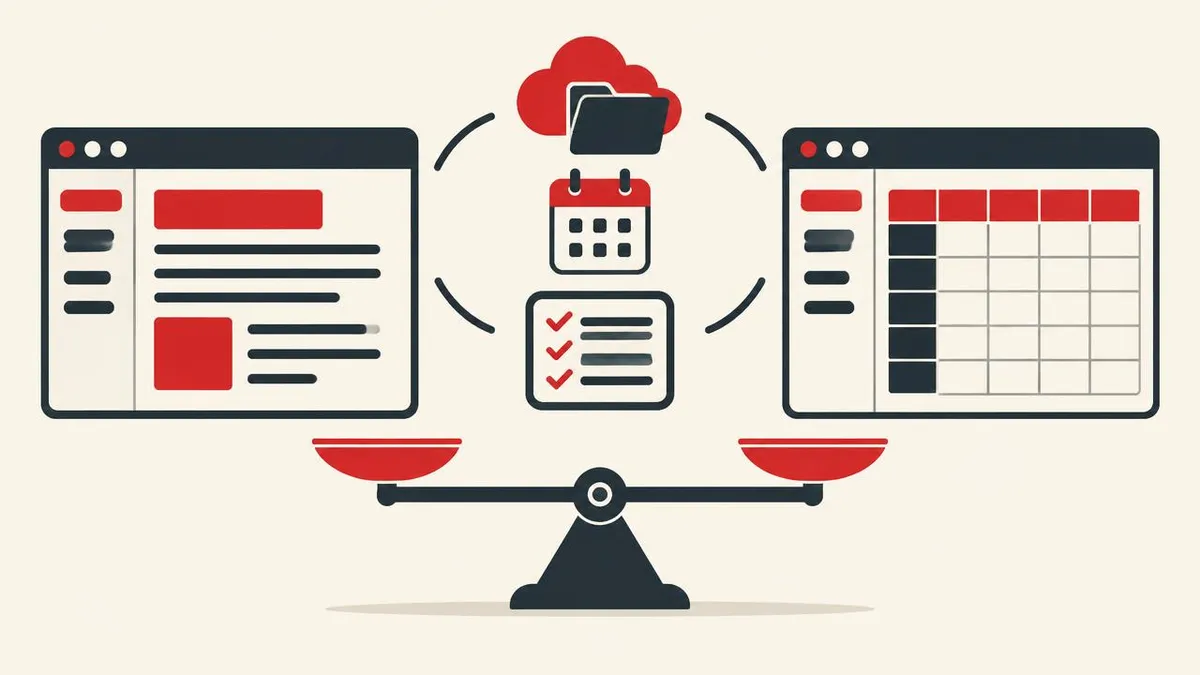
Trello and Asana both turn work into assignable items, but they encourage different ways of managing it. Trello puts cards, lists and boards at the center, making it straightforward to display a publishing queue, sales handoff or weekly task flow. Asana treats projects as collections of tasks that can be viewed in several ways, then adds planning, reporting and cross-project coordination as organizations move into paid tiers. A board screenshot alone therefore hides much of the difference between them.
This research-based comparison uses official pricing pages and supporting documentation accessed on November 17, 2026. Free-plan eligibility is particularly important: Trello permits up to 10 collaborators per Workspace, while Asana Personal currently supports two users. Paid comparisons also need matching billing terms rather than mixing annual equivalents with month-to-month charges. The useful decision is whether a team mainly needs an approachable visual queue or a system that connects schedules, requests, project reporting and eventually portfolios and goals.
Quick summary
- Trello Free supports up to 10 collaborators and 10 boards per Workspace, with unlimited cards.
- Asana Personal supports two users with unlimited tasks and projects plus list, board and calendar views.
- Trello Standard is $5 per user per month billed annually or $6 billed monthly; Premium is $10 annually billed or $12.50 monthly.
- Asana Starter is $10.99 per user per month billed annually or $13.49 billed monthly, with Timeline, Gantt, forms and reporting.
- Asana Advanced adds portfolios, goals, resource management and native time tracking rather than simply more board views.
Comparison table
| Feature | Trello | Asana |
|---|---|---|
| Free collaboration | Up to 10 collaborators per Workspace | Personal: 2 users |
| Free work containers | 10 boards per Workspace; unlimited cards | Unlimited projects and tasks |
| Free views | Board-centered workflow | List, board and calendar |
| Entry paid plan, annual billing | Standard: $5/user/month | Starter: $10.99/user/month |
| Entry paid plan, monthly billing | Standard: $6/user/month | Starter: $13.49/user/month |
| Higher self-service tier, annual billing | Premium: $10/user/month | Advanced: $24.99/user/month |
| Free attachment limit | 10 MB per file | 100 MB per file |
| Automation allowance | 250 Free; 1,000 Standard; unlimited Premium command runs/month | Unlimited automations listed on Starter |
| Schedule visualization | Premium Calendar and Timeline | Personal calendar; Starter Timeline and Gantt |
| Cross-project oversight | Premium Workspace Table and Calendar | Advanced portfolios, goals and resource management |
| Export formats | JSON; Premium adds CSV and Workspace export | Project JSON and CSV |
Boards are only the beginning of the feature comparison
Trello's central interaction is moving a card through lists on a board. Assignees and due dates turn that visual arrangement into a working queue, while Inbox captures incoming tasks from channels such as email, Slack and Teams. Standard adds advanced checklists, Custom Fields and card mirroring, so teams can attach more structure without abandoning the board model. Premium broadens the perspective with Calendar, Timeline, Table, Dashboard and Map views, plus Workspace-level Table and Calendar views for looking beyond an individual board.
Asana begins with tasks and projects rather than requiring a single visual representation: Personal already offers list, board and calendar views. Starter adds Timeline and Gantt for scheduling, forms for intake, custom fields for classification and reporting dashboards for progress. Advanced goes further with portfolios, goals, resource management, approvals and proofing. The distinction is especially relevant when a manager needs to connect several projects to an outcome; Trello's extra views and Asana's portfolio layer are not interchangeable features with different names.
Free limits and the real cost of upgrading
Trello Free permits 10 collaborators and 10 boards per Workspace, unlimited cards, 10 MB attachments and 250 monthly Workspace command runs. Standard costs $5 per user per month billed annually or $6 billed monthly, removing the board limit and raising attachments to 250 MB. Premium costs $10 annually billed or $12.50 monthly and adds the expanded views, administration features and unlimited Workspace command runs. Because the upgrade applies to a Workspace, budgeting for a single upgraded power user is not the correct purchasing model.
Asana Personal currently allows two users, unlimited projects and tasks, and files up to 100 MB. Starter costs $10.99 per user per month billed annually or $13.49 billed monthly. Advanced costs $24.99 on annual billing or $30.49 month to month. Asana's higher entry price buys a different bundle, including forms, Timeline, Gantt and dashboards on Starter. Compare the features your whole team requires, the billable seat quantity and any AI add-ons rather than treating the annual equivalent as an optional monthly payment.
Automation and integrations need a workflow-level budget
Trello advertises unlimited Power-Ups per board even on Free, which gives small teams considerable scope to connect a board to outside services. That allowance describes how many extensions can be enabled, not a guarantee that every connected vendor is free or that every capability is included. Automation has a separate quota: 250 Workspace command runs monthly on Free and 1,000 on Standard, pooled at Workspace level. Premium removes that command-run ceiling. A busy board that automatically assigns cards or reacts to status changes can therefore have a different upgrade trigger from a quiet board with many human participants.
Asana lists more than 100 free integrations on Personal and unlimited automations on Starter. Its paid intake and classification tools can also reduce the need for a chain of separate extensions: forms, custom fields and templates are part of Starter itself. Advanced names connections with Salesforce, Tableau and Power BI alongside its broader reporting functions. Evaluate which service owns each step of a process, which integration needs access to content and whether an external subscription remains necessary. Unlimited automations should not be read as unlimited use of every separately metered AI capability.
Cloud privacy, everyday access and export limitations
Both products provide browser access, Windows and macOS desktop applications, and Android and iOS mobile apps. Neither should be evaluated as if it were simply a private local file collection. Atlassian's policy says it collects and stores content posted, sent, received and shared through its services, processing that material on customers' behalf. Asana describes collecting submitted task and project content as well as usage metadata. It also makes an important organizational point explicit: administrators can access or retain workspace content and logs. An employee's project account is therefore not equivalent to a personal confidential notebook.
Their exit routes differ in practical ways. Trello permits raw JSON board exports for board members, but CSV and bulk Workspace exports require Premium. CSV leaves out comments, while a Workspace export can include original attachments. Trello also warns that importing its JSON or CSV export does not directly recreate a board. Asana exports individual projects as JSON or CSV and supports CSV task import. For either system, confirm that the chosen export preserves the history and attachments you actually need, rather than assuming a spreadsheet is a full-fidelity backup.
Choose for the coordination problem, not the prettier board
Trello makes a strong case for an editorial queue, lightweight hiring pipeline or small team's weekly handoffs. Its free collaborator allowance can accommodate a group that would already exceed Asana Personal's two-user limit. Standard is a relatively inexpensive way to remove the board ceiling, add advanced checklists and record structured fields. Premium becomes relevant when the same card collection needs timeline, calendar or dashboard perspectives. That progression is easy to justify when the board itself remains the team's natural shared language.
Asana is the stronger candidate when work arrives through forms, must be scheduled across tasks and needs recurring progress reporting. Starter brings those capabilities together, while Advanced addresses portfolio visibility, goals, capacity and approval processes. Paying for Advanced only to obtain another board would be difficult to justify; paying for it to coordinate several interdependent initiatives is a more coherent case. A sensible selection exercise maps one actual project into each product, identifies the lowest sufficient tier and calculates the full team invoice without assuming that every department needs the same level of sophistication.
Pricing (verified facts)
Trello · Freemium
Free: Up to 10 collaborators and 10 boards per Workspace, unlimited cards and Power-Ups per board, 10 MB per attached file, 250 Workspace command runs per month, Inbox, assignees and due dates.
Paid: Standard (annual billing): $5 per month (US) · Standard (monthly billing): $6 per month (US) · Premium (annual billing): $10 per month (US) · Premium (monthly billing): $12.50 per month (US)
US per-user prices. Annual-billing entries are monthly equivalents paid annually; monthly-billing entries are month-to-month rates. Standard and Premium upgrade the Workspace, not just one individual's account; guest billing rules and taxes can affect totals. Checked 2026-11-17. Official pricing
Asana · Freemium
Free: Personal supports two users, unlimited tasks and projects, list, board and calendar views, status updates, 100+ integrations and unlimited storage with a 100 MB maximum per file.
Paid: Starter (annual billing): $10.99 per month (US) · Starter (monthly billing): $13.49 per month (US) · Advanced (annual billing): $24.99 per month (US) · Advanced (monthly billing): $30.49 per month (US)
US per-user rates. Annual-billing prices are monthly equivalents charged annually; monthly-billing prices apply to a monthly subscription. Enterprise tiers require a quote. Seat quantities, taxes and separately billed AI usage or add-ons can change the purchase total. Checked 2026-11-17. Official pricing
Trello: strengths and limits
By Atlassian · Web, Windows, macOS, Android, iOS · Official website
A visual task-management service built around cards moving through lists on boards.
Key features
- Unlimited cards with assignees and due dates
- Inbox for capturing tasks from email, Slack and Teams
- Power-Ups extending individual boards
- Workspace automation with plan-specific command quotas
- Standard advanced checklists, Custom Fields and card mirroring
- Premium Calendar, Timeline, Table, Dashboard and Map views
- Premium Workspace-level Table and Calendar views
Advantages
- The free collaborator allowance accommodates a small team rather than only a pair
- Standard removes the board limit and increases attachments to 250 MB
- Unlimited Power-Ups per board are available even on Free
- Premium combines several board views with unlimited Workspace command runs
Limitations
- Free Workspaces stop at 10 collaborators and 10 boards
- Standard automation is pooled at 1,000 Workspace command runs per month
- Calendar, Timeline and Dashboard views require Premium
- CSV export requires Premium, and CSV omits comments
- Privacy:
- Atlassian's privacy policy says its products collect and store content users post, send, receive and share, processing that content on customers' behalf; it also collects account and service-usage information.
- Export:
- Board members can export raw JSON; Premium adds CSV and Workspace exports, with an option to include original attachments. Trello does not directly import those JSON or CSV exports to recreate a board.
- Integrations:
- Power-Ups and connections with services including Slack and Microsoft Teams; unlimited Power-Ups does not make every third-party service free.
- Support:
- Atlassian documentation and community resources, with paid support coverage determined by Trello plan.
Asana: strengths and limits
By Asana, Inc. · Web, Windows, macOS, Android, iOS · Official website
A work-management platform connecting tasks and project schedules with reporting, portfolios and goals.
Key features
- Personal list, board and calendar project views
- Starter Timeline and Gantt views
- Starter forms, custom templates and custom fields
- Starter reporting dashboards and unlimited automations
- Advanced portfolios and goals
- Advanced resource management and native time tracking
- Advanced approvals, proofing and branching forms
Advantages
- Personal includes calendar as well as list and board views
- Starter puts forms, custom fields, schedules and dashboards in one tier
- Advanced connects project delivery with portfolios and organizational goals
- Native time tracking and approvals are available on Advanced
Limitations
- The current Personal plan is limited to two users
- Timeline and Gantt require Starter rather than Personal
- Portfolios, goals and native time tracking require Advanced
- SAML authentication and SCIM provisioning sit in Enterprise rather than Starter
- Privacy:
- Asana collects content drafted or submitted in tasks, messages, projects, portfolios and goals, plus usage metadata; its privacy statement says organizational administrators can access or retain workspace content and usage logs.
- Export:
- Projects export as JSON or CSV; CSV importing is supported for bringing tasks into projects. An exported project is not a complete backup of all organizational settings and permissions.
- Integrations:
- 100+ free integrations on Personal, including supported connections with Google Calendar, Slack, Gmail and Zoom; Advanced lists Salesforce, Tableau and Power BI connectivity.
- Support:
- Help Center, learning resources and support channels; enterprise services and enhanced support depend on the purchased agreement.
Who should choose which
Choose Trello if…
- Your group of up to 10 collaborators needs a usable free shared board
- The work moves through a clear sequence of card-based stages
- Standard's checklists, Custom Fields and unlimited boards cover your needs
- You prefer adding board-specific Power-Ups rather than adopting portfolio management
Choose Asana if…
- You need list, board and calendar representations of project tasks
- Forms, custom fields, Timeline and dashboards belong in your everyday workflow
- Management needs portfolios and goals across several projects
- Approvals, resource management or native time tracking justify Advanced
Verdict
Editorial assessment based on the facts above
Trello is the more economical starting point for a small collaborative visual queue, especially within its 10-person free allowance. Asana earns its higher paid entry price when structured intake, scheduling and reporting are central requirements, and Advanced makes sense for genuine cross-project oversight. Select the lowest tier that solves the coordination problem rather than buying Premium or Advanced merely because it sounds more complete.
Frequently asked questions
Is Trello or Asana better for a free team account?
For a group of three to ten people needing shared boards, Trello's free allowance is more accommodating: it supports 10 collaborators per Workspace. Asana Personal supports two users, although it includes unlimited projects and list, board and calendar views.
How much are Trello and Asana when billed monthly?
Trello Standard is $6 per user per month and Premium is $12.50 on monthly billing. Asana Starter is $13.49 per user per month and Advanced is $30.49. The lower advertised annual-billing equivalents require an annual commitment.
Does Trello Free have a calendar view?
Trello's native Calendar view is a Premium feature, alongside Timeline, Table, Dashboard and Map. Asana Personal includes a calendar view at no charge. A Trello Power-Up is a separate extension and should not be confused with the native Premium view.
Can I export Trello and Asana to CSV?
Asana projects can be exported as CSV or JSON. Trello board JSON exports are available to board members, but CSV requires Premium. Trello CSV exports omit comments, so JSON or a fuller Workspace export may be necessary for archiving.
Which plans include time tracking and portfolios?
Asana Advanced includes native time tracking, portfolios, goals and resource management. Personal lists time tracking through integrations instead. Trello's published Standard and Premium feature bundles center on boards, views and automation rather than an equivalent native portfolio-and-goals package.
Free tools that help with this
Sources
- Trello pricing and plan comparison — accessed 2026-11-17
- Asana pricing — accessed 2026-11-17
- Exporting data from Trello — accessed 2026-11-17
- Asana project importing and exporting — accessed 2026-11-17
- Atlassian privacy policy — accessed 2026-11-17
- Asana privacy statement — accessed 2026-11-17
Related comparisons
Notion vs Obsidian: a shared workspace or a local knowledge base?
Compare Notion and Obsidian for team wikis, linked notes, offline access, privacy and paid extras, with verified pricing and practical buying advice.
Facts checked 2026-11-17Google Docs vs Microsoft Word
Compare Google Docs and Microsoft Word for collaborative drafts, complex formatting, offline editing, DOCX compatibility, storage and US pricing.
Facts checked 2026-11-17LibreOffice vs Microsoft 365
Compare LibreOffice and Microsoft 365 on desktop apps, DOCX files, Excel macros, collaboration, privacy and subscription costs for home users.
Facts checked 2026-11-17