
YouTube Creator Guides
How to Write a YouTube Title That Fits Your Video
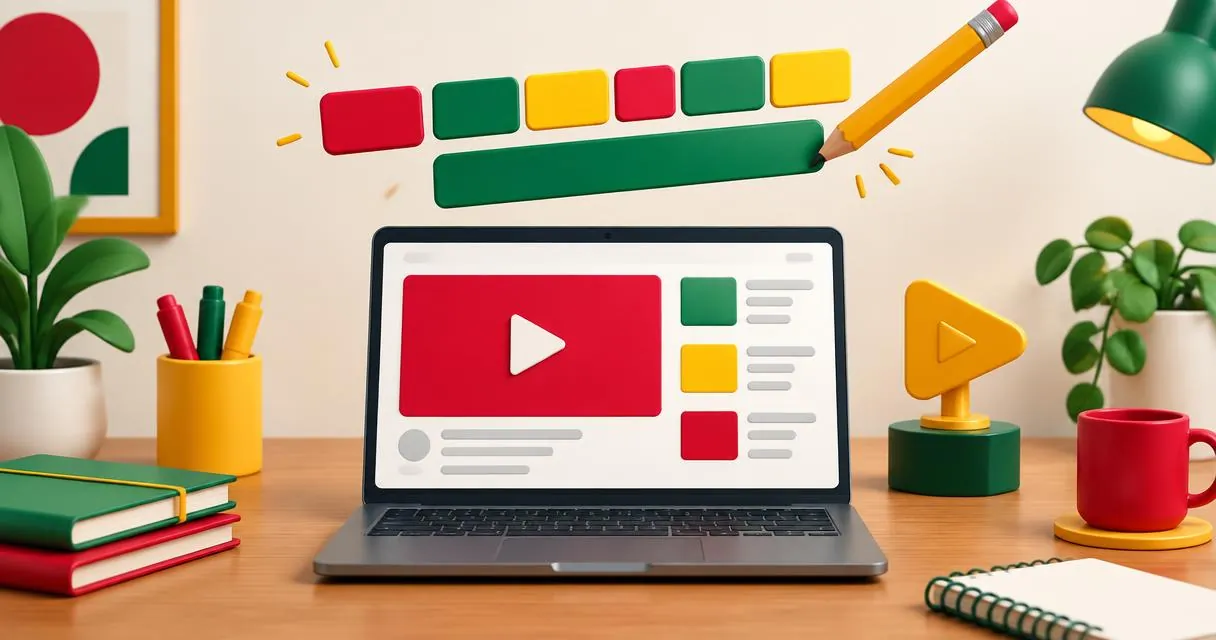
Write a clear YouTube title with honest examples, useful editing checks, and a practical generator workflow. Avoid clickbait and empty promises.
A useful YouTube title tells the right viewer what the video delivers. Start with the topic and a specific outcome, then remove wording you cannot support with the actual footage. MayreDukaan’s YouTube title generator can supply starting patterns, but the final promise is yours to check.
YouTube recommends accurate, succinct titles with important words near the beginning. It also advises using capitals and emoji carefully. These are editorial principles, not a formula that guarantees discovery or views.
Decide what the viewer needs to know
Write a plain sentence describing the video before trying to make it appealing. “This video shows a beginner how to set up a desk light” gives you a stronger foundation than “This changes everything.” The first statement names a task you can verify against the recording.
Next identify the intended viewer. A beginner may need a basic setup; an experienced viewer may want a particular comparison. Do not attach “for beginners” to an advanced demonstration simply because a template suggests it.
Your title does not need to explain every section. Pick the central promise and let the description carry supporting details. The description generator can help organise that additional context.
Searchable titles and curiosity-led titles
YouTube distinguishes searchable titles, which clearly describe what to expect, from intriguing titles, which create curiosity. Either approach still needs to represent the content accurately.
| Video | Clear searchable option | Curiosity-led option to verify |
|---|---|---|
| Desk-light setup | Desk Lighting Setup for Small Workspaces | The Small Change That Fixed My Desk Lighting |
| First bread bake | First Loaf of Bread: A Beginner Walkthrough | What I Learned From My First Loaf |
| Camera comparison | Two Desk Camera Angles Compared | Which Desk Camera Angle Worked Better? |
These are examples, not performance predictions. The lighting title only works if the video genuinely demonstrates the change. The comparison title only works if both angles receive a meaningful comparison.
Use the title generator step by step
- Open the title generator.
- Enter the video topic as a specific task or subject.
- Add a primary keyword that naturally describes that subject.
- Select an audience and tone. A category selector is also displayed, but category does not change the underlying title-pattern logic.
- Review the generated suggestions and their character counts.
- Copy a promising candidate and rewrite it against the finished video.
- Check the result beside the actual thumbnail before publishing.
The suggestions are built from fixed patterns around your inputs. The tool does not watch your footage, study competitors, or measure current viewer demand. Audience and tone affect some wording; they do not verify that a suggested claim is true.
Some patterns include a year, a time promise, or a comparison with alternatives. Delete these unless the recording supports them. A title promising a guide in under ten minutes is inappropriate for a longer explanation that never delivers a shorter version.
Edit for meaning before length
YouTube notes that viewers may only see part of a title. Put the subject near the start and save branding or episode numbers for the end where practical. There is no single visible character count that guarantees the whole title appears across all devices and surfaces.
The tool displays character counts and highlights longer ideas, but that is a drafting aid, not an official truncation rule. Read the opening on its own: would a viewer still understand the subject if the remaining words were not visible?
For example, “Weekly Workshop Update Episode Seven: How I Position a Desk Light” delays the useful information. “How I Position a Desk Light | Workshop Update 7” makes the task easier to identify without changing the video’s claim.
Make the thumbnail and title complementary
Use the thumbnail preview with your local image and candidate title. Its approximate layouts help you inspect the pair, but do not reproduce every YouTube surface or forecast performance.
If the picture already shows two camera positions, the title can explain what you compared rather than repeating labels from the image. If the title introduces a result, the image should not imply a different result. This consistency check is more useful than adding another attention-grabbing adjective.
For a fuller visual checklist, see the thumbnail size guide. Export requirements and title wording are separate tasks, but both should be reviewed before publishing.
A practical rewrite exercise
Suppose your original title is “AMAZING CAMERA SECRET YOU MUST TRY.” Your recording actually shows a desk camera moved from overhead to an angled position. Write down what changes and who benefits.
A more precise draft is “Overhead vs Angled Desk Camera: My Setup Comparison.” If you never discuss trade-offs, change it again to “How I Set Up an Angled Desk Camera.” The second revision avoids promising a comparison the footage does not contain.
Read the final version aloud. Remove duplicated words, unsupported superlatives, and phrases that could describe almost any video. Keep a short list of rejected options so you can see why the chosen one fits better.
Common mistakes and a final review
Avoid filling the title with unrelated popular topics, decorative character substitutions, or multiple promises. A “YouTube title font” trick cannot substitute for a clear description of the subject. Prefer ordinary, readable wording over stylised text that distracts from meaning.
Do not treat an independent readiness score as an official platform assessment. Tools can flag patterns, but they cannot establish that your audience will enjoy the video.
Start with the title generator, select an honest candidate, and check every promise against the footage. Publish the title that describes your video most clearly, not the one that makes the largest unsupported claim.
Frequently asked questions
Does the generator understand my video?
No. It builds ideas from your inputs and fixed patterns. Review every suggested promise yourself.
Should every title include a year?
Only when the year is relevant and the video supports it. Remove automatically suggested dates that add no useful meaning.
Will a short title always appear in full?
No single character count guarantees full display everywhere. Put important information early and preview the title with its image.
Useful on MayreDukaan
Sources
Facts last checked against these sources on 15 Nov 2026, 07:43 Pakistan time.
Images: Illustration created for MayreDukaan (not a photo)
More trending articles
 EntertainmentWatch Pakistani News Live Through Official Links15 Nov 2026 · 4 min read
 Pakistani DramasWatch Pakistani Dramas Online on Official Channels15 Nov 2026 · 5 min read
 Shopkeeper GuidesTake Your Shop Online in Pakistan: Setup Guide15 Nov 2026 · 4 min read
 Shopkeeper GuidesInstall the MayreDukaan APK on Android: A Guide15 Nov 2026 · 4 min read