
Calculators and Converters
MB to GB explained: why 1,000 and 1,024 are different
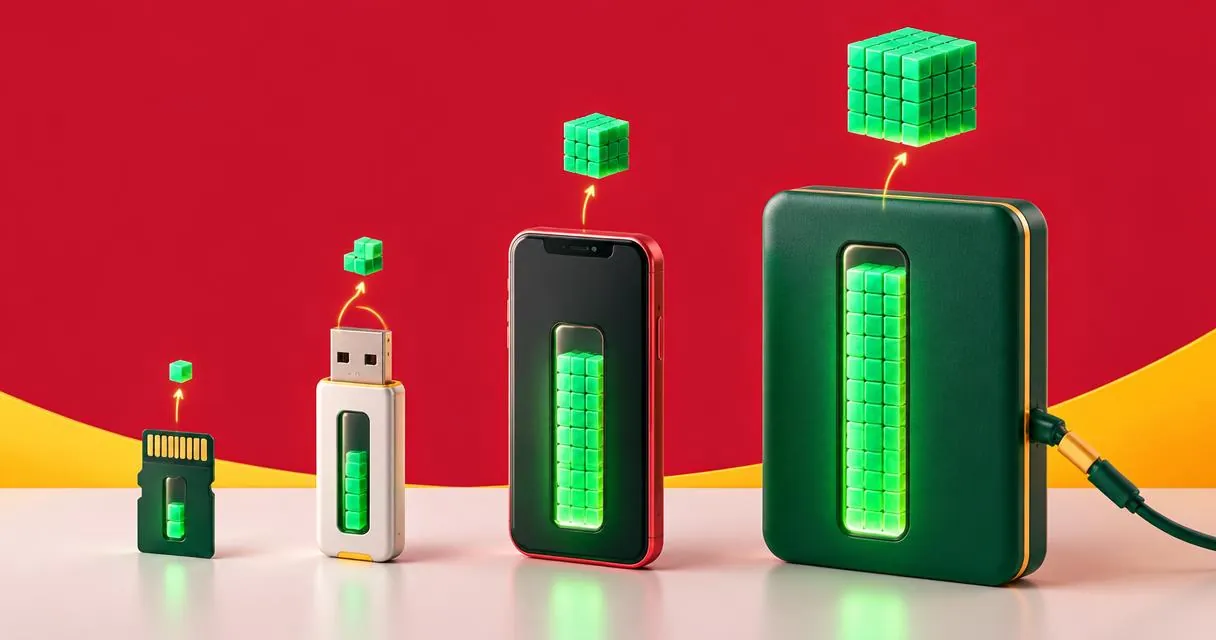
Divide MB by 1,000 to get GB. Learn when binary MiB and GiB are relevant and why a 1,024 shortcut needs the correct unit labels.
For MB to GB using standard decimal units, divide the number of megabytes by 1,000. That means 1,000 MB equals 1 GB, and 500 MB equals 0.5 GB. If you have seen 1,024 used instead, the missing detail is usually the distinction between decimal and binary units.
The MayreDukaan MB to GB converter uses decimal conversion in its main fields. Before converting a storage figure, check the source’s unit definition rather than assuming that every screen uses MB or GB consistently.
MB and GB are decimal units
NIST’s reference lists one megabyte as 1,000,000 bytes and one gigabyte as 1,000,000,000 bytes. Dividing those quantities shows that a gigabyte contains 1,000 megabytes.
The practical formulas are straightforward:
- GB = MB ÷ 1,000.
- MB = GB × 1,000.
For example, a collection totalling 2,500 MB is 2.5 GB in decimal units. A 4 GB allowance expressed in the same units is 4,000 MB. These are unit conversions only: they do not estimate extra application data, filesystem overhead or the size of a future download.
Keep the unit attached to the value. Writing only 500 or 2.5 makes a storage calculation hard to audit and invites mistakes when comparing figures from different interfaces.
MiB and GiB are different units
IEC and NIST distinguish binary prefixes from the decimal ones. A mebibyte, written MiB, is 1,048,576 bytes. A gibibyte, written GiB, is 1,073,741,824 bytes. There are 1,024 MiB in one GiB.
| Unit | Name | Bytes |
|---|---|---|
| MB | Megabyte | 1,000,000 |
| GB | Gigabyte | 1,000,000,000 |
| MiB | Mebibyte | 1,048,576 |
| GiB | Gibibyte | 1,073,741,824 |
The extra i is meaningful. It is not a decorative alternative spelling. Converting 1,024 MiB to GiB uses division by 1,024, while converting 1,024 MB to GB gives 1.024 GB.
IEC explains that inconsistent historical use of decimal-looking labels for binary quantities causes confusion. Do not resolve an ambiguous label simply by choosing whichever divisor gives the number you expected. Look for the source’s documentation or an exact byte total.
Use the converter step by step
- Open the MB to GB converter.
- Confirm that your input is decimal MB or GB.
- Enter a megabyte value in the Megabytes field to obtain gigabytes.
- Alternatively, enter gigabytes in the Gigabytes field to calculate megabytes.
- Use the swap control if you prefer the fields in the opposite visual order.
- Keep the displayed unit labels with the copied or recorded value.
The main fields update in both directions. The tool also shows a common-conversions table and a reset control. Its code performs these calculations in the browser; you do not upload a file for it to inspect.
For an example, enter 750 in the MB field. The decimal result is 0.75 GB. Enter 1.5 in the GB field instead and the reverse result is 1,500 MB. Swapping the field positions does not change the definition of a megabyte.
Reading the binary line in the converter
Below the main fields, the converter also shows the same size in GiB, the binary unit many operating systems display while labelling it "GB". It works this out from bytes: the decimal MB figure is multiplied by 1,000,000 to get bytes, then divided by 1,073,741,824 (1,024 × 1,024 × 1,024). For example, 64,000 MB is 64 GB, but about 59.6 GiB — which is why a new memory card or phone can appear smaller on a computer than on its box.
Bits are not bytes
NIST identifies one byte as eight bits. A value expressed in megabits is therefore not the same quantity as the same number of megabytes. When comparing storage and data-transfer figures, read the full unit name and documentation rather than relying only on a familiar-looking abbreviation.
This converter is a byte-unit calculator, not a download-time estimator. It does not ask for a connection rate or account for variable throughput. If your task is simply a ratio or a share of a capacity, the separate percentage calculator can help after both quantities have been put in the same units.
Common mistakes and a useful final check
Avoid mixing an MB numerator with a GiB denominator in a capacity comparison. Convert both sides to bytes or to the same explicitly defined unit first. Do not round every intermediate step if several quantities will later be added together; round the reported answer to a useful level instead.
A difference in displayed capacity does not by itself prove that bytes have disappeared. First compare the unit definitions; then investigate any separate storage allocation or usage issue. Unit conversion alone cannot diagnose a device.
For more measurement tools, browse unit converters. When the source really means decimal megabytes, open the MB to GB converter and divide by 1,000 with confidence.
Frequently asked questions
Is 1 GB equal to 1,000 or 1,024 MB?
With standard decimal units, 1 GB equals 1,000 MB. The binary relationship is 1 GiB equals 1,024 MiB.
What is 1,024 MB in GB?
It is 1.024 GB using decimal units. Do not silently reinterpret MB as MiB.
Can I use the page’s secondary binary line for MB to GiB?
Not for a standards-based decimal MB input. That line divides by 1,024; convert MB to bytes and then divide by 1,073,741,824 for GiB.
Useful on MayreDukaan
Sources
Facts last checked against these sources on 15 Nov 2026, 07:43 Pakistan time.
Images: Illustration created for MayreDukaan (not a photo)
More trending articles
 Calculators and ConvertersLoan EMI Calculator: A Practical Pakistan Guide15 Nov 2026 · 4 min read
 Calculators and ConvertersCelsius to Fahrenheit: Formula and Useful Examples15 Nov 2026 · 4 min read
 Calculators and ConvertersHow to Convert kg to lbs: Formula and Weight Chart15 Nov 2026 · 4 min read
 EntertainmentWatch Pakistani News Live Through Official Links15 Nov 2026 · 4 min read