
US Technology News
Outlook Not Sending or Receiving? Teams Not Working? 10 Practical Fixes

First rule out a Microsoft 365 outage, then work through these fixes in order: Work Offline, stuck Outbox, restart, web test, updates and profile repair for Outlook; sign-in, cache and device checks for Teams.
Start here: before changing any settings, check whether Microsoft itself is down. If there is an active incident on the Microsoft 365 status page (or in *Service health* for work accounts), wait — no local fix will help. If Microsoft shows no problem, work through the steps below in order. Most issues are solved by step 4.
These are general steps for Outlook and Teams on Windows and Mac. Menu names can differ slightly between versions. If your device is managed by work or school IT, talk to them before reinstalling anything.
Outlook: 6 fixes for sending and receiving
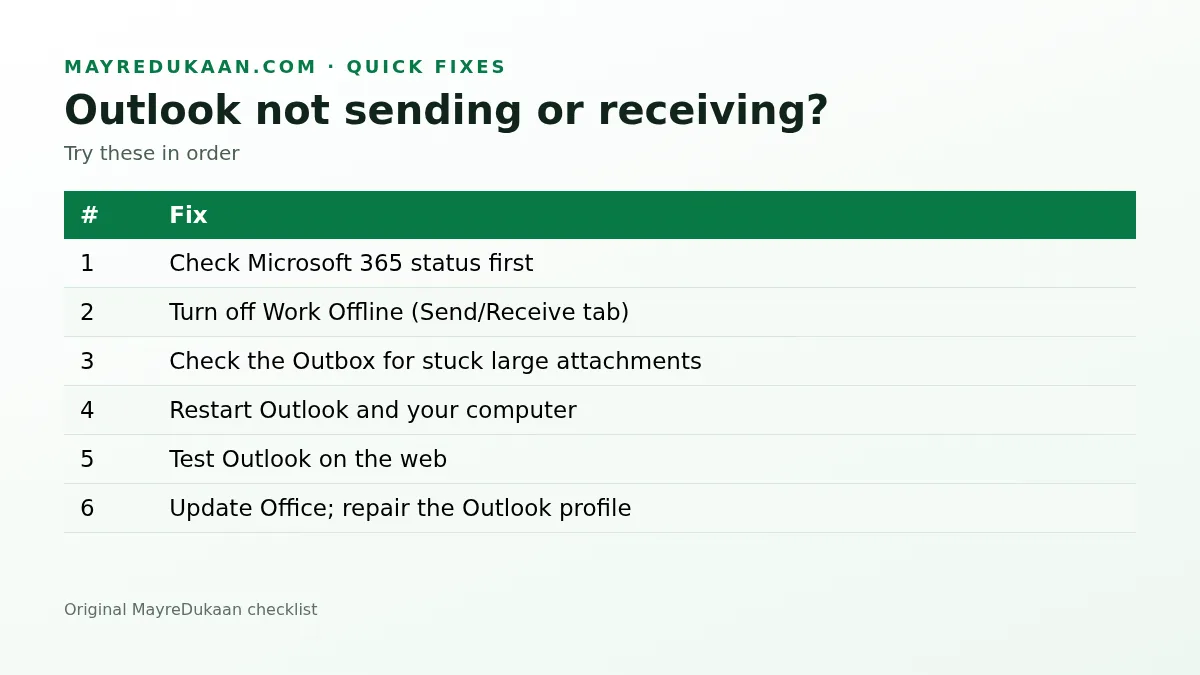
1. Check Microsoft 365 status
See our Microsoft 365 outage explainer for how to check status.
2. Turn off Work Offline
In classic Outlook for Windows, open the Send/Receive tab. If Work Offline is highlighted, click it to turn it off. The status bar at the bottom should then say *Connected*.
3. Clear a stuck Outbox
A large attachment can block everything behind it. Open the Outbox, move or delete the stuck message, and resend it with a smaller file or a cloud link.
4. Restart Outlook and your computer
It sounds basic, but a full restart clears stuck connections and pending updates.
5. Test Outlook on the web
Sign in at outlook.office.com (work) or outlook.com (personal). If mail works there, your account is fine and the problem is in the desktop app.
6. Update Office, then repair your profile
Install pending Office updates. If problems continue, Windows users can repair the account (*File > Account Settings*) or create a new Outlook profile from the Mail settings in Control Panel. Your mail stays on the server, so a new profile downloads it again.
Teams: fixes for login, meetings and calendar
7. Can't sign in
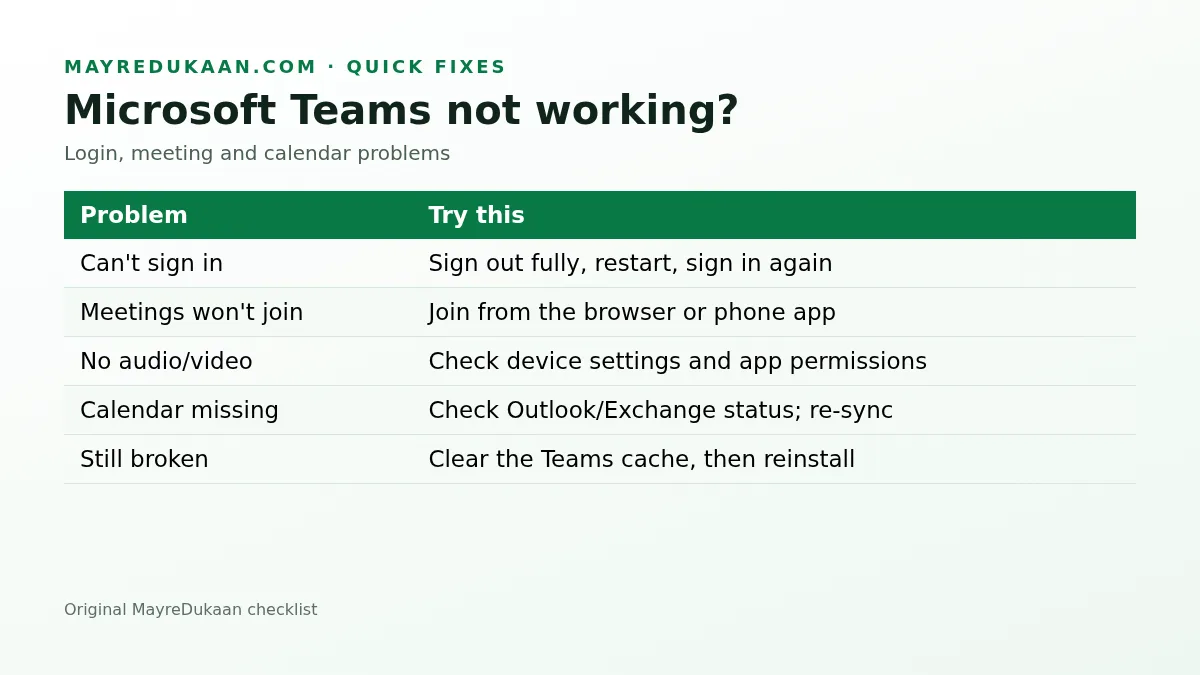
Sign out of Teams completely, quit the app, restart your device and sign in again. Check your device's date and time are set automatically — a wrong clock breaks sign-in.
8. Meetings won't join
Join from the meeting link in a web browser, or from the Teams phone app. That tells you whether the problem is the desktop app or your account.
9. No audio or video
In Teams, check Settings > Devices and pick the right microphone, speaker and camera. On Mac and Windows, make sure the operating system allows Teams to use them.
10. Calendar missing or blank
The Teams calendar relies on your Exchange mailbox. If Outlook calendar is also missing, it is an account or service issue. If only Teams is affected, clear the Teams cache (quit Teams, then remove its cache folder per Microsoft's support instructions) and restart.
When to contact support
- Work or school accounts: contact your IT help desk with the exact error message and time.
- Personal accounts: use Microsoft Support's *Get Help* app.
Frequently asked questions
Why are my Outlook emails stuck in the Outbox?
Often a large attachment or Work Offline mode. Turn off Work Offline and remove or shrink the stuck message.
How do I know if Outlook problems are on Microsoft's side?
Check the Microsoft 365 status page or Service health in the admin center.
Will creating a new Outlook profile delete my email?
No for Microsoft 365 and Outlook.com accounts; mail is stored on the server and downloads again.
Why can't I join a Teams meeting?
Try joining from a browser or the phone app to see if the desktop app is the problem.
Useful on MayreDukaan
Sources
Facts last checked against these sources on Nov 13, 2026, 9:14 PM ET.
Images: Illustration created for MayreDukaan (not a news photo) · Original MayreDukaan graphic
More trending articles
 US Technology NewsMicrosoft 365 Outage: Are Outlook, Teams and Copilot Back Up?14 Nov 2026 · 3 min read
 EntertainmentThe Bachelor Season 30: Sam Hartman Named Lead, Premiere Date14 Nov 2026 · 2 min read
 SportsCommanders vs Giants: 24-21 Final, Diggs Late TD, Highlights14 Nov 2026 · 2 min read
 Consumer Updates and RecallsCostco Whipped Cream Recall 2026: Item 1777000, States, Refund14 Nov 2026 · 2 min read