
Android Bluetooth Audio Latency: A Gaming Guide
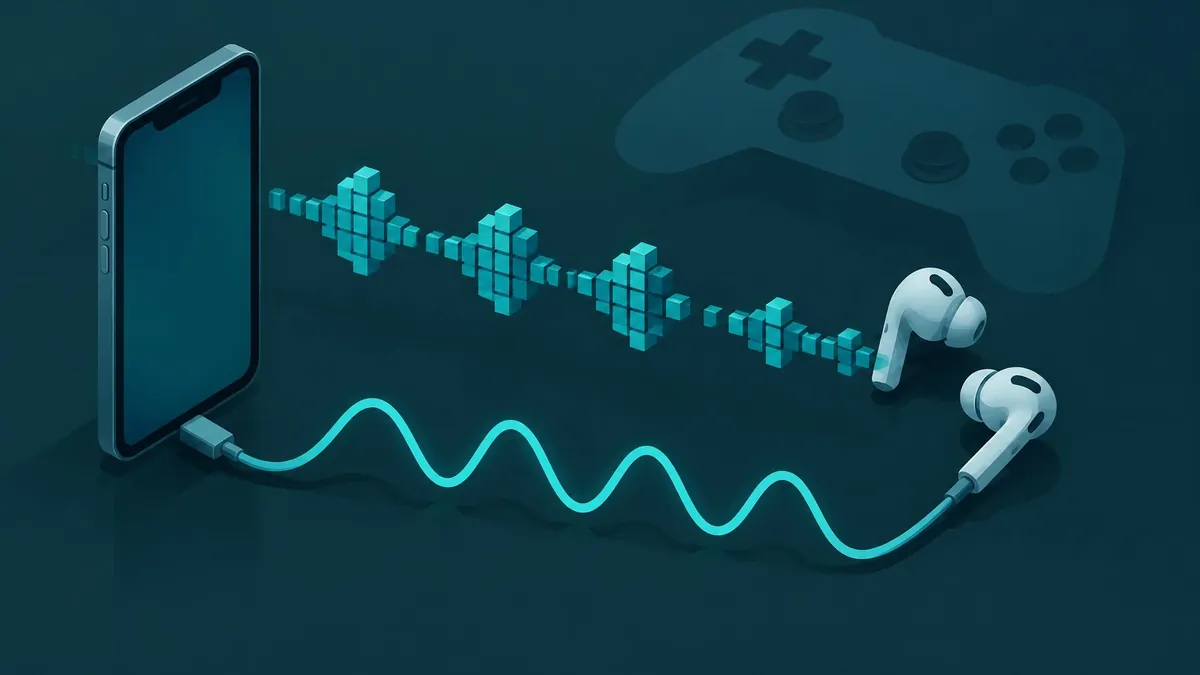
Bluetooth game audio can arrive after the action. Diagnose the output path, understand low-latency claims, and choose practical changes without promised numbers.
Bluetooth audio latency on Android is the delay between an event in a game and the sound reaching your ears through a wireless headset. There is no universal Android setting that removes it for every phone, game, and headset. The most useful first step is to compare the same action through the phone speaker, a compatible wired output, and Bluetooth before changing codecs or buying hardware.
This guide explains the audio path and a practical troubleshooting method. It does not report measured headset performance or promise a particular millisecond result.
Where game-audio delay comes from
Sound must be generated by the game, passed through Android's audio system, sent to the output device, and converted to sound. A wireless path also involves transmission and processing at the receiving device. Delay can accumulate at several stages, so the headset is not the only possible cause.
Android's audio latency documentation distinguishes latency concepts and the difficulty of measuring the complete path. A figure for one component should not automatically be presented as the total event-to-ear delay a player experiences.
For gaming, the important question is whether sound follows your input promptly enough for the task. A rhythm game and a slow turn-based game may make the same delay feel very different. That difference in tolerance does not establish a universal acceptable number.
Separate audio delay from other kinds of lag
If an animation reacts late as well as its sound, investigate the game's responsiveness rather than assuming Bluetooth is solely responsible. Network delay, frame delivery, touch response, and audio output are different parts of the experience.
Bluetooth controller latency is also a separate topic from Bluetooth audio latency. A delayed button response and a delayed gunshot sound may happen together, but a remedy for one should not be advertised as a guaranteed fix for the other.
Write down exactly what happens: does the action appear immediately while the sound trails behind, or do both arrive late? This simple observation makes later comparisons more useful.
Run a controlled comparison
Use one familiar game scene with a clear, repeatable sound. Avoid changing the game, headset mode, graphics settings, and connection type all at once.
- Try the phone's speaker at a comfortable volume.
- Repeat the same action using a compatible wired headset or USB audio device, if available.
- Repeat it through the Bluetooth headset.
- Keep the phone, game settings, and test action as consistent as possible.
- Record whether the difference is obvious, subtle, or not noticeable.
This is a subjective comparison, not a laboratory latency measurement. It can help localize the problem, but it cannot justify a precise performance claim. If only Bluetooth produces a noticeable delay, focus next on that route. If every output is similarly late, the game or broader device behavior deserves attention.
Do not use a random online synchronization video as proof of gaming response. A playback experience is not the same workload as sound generated immediately after player input.
Try supported headset settings first
If your headset maker documents a gaming or low-latency mode, try it using the official instructions. Check whether it applies to the connection you are actually using and whether the manufacturer describes trade-offs. A mode name alone is not a standardized performance guarantee.
Update the phone, game, and headset firmware through official channels when updates are available. Then repeat your original comparison. An update may address a specific issue, but “update everything” should not be presented as a promise that wireless transport delay disappears.
If the problem began with one game update, compare another game before resetting the phone. If it appears only with one headset, check that product's support documentation before assuming every Android Bluetooth device behaves the same way.
Why changing codecs is not a universal fix
A codec name does not describe the entire audio pipeline. Compatibility, buffering, device implementation, and app behavior still matter. Avoid choosing a setting solely because a forum calls it the fastest.
Developer options can expose audio settings on some phones, but availability and actual negotiated behavior vary. This guide does not recommend a universal forced codec or sample rate. A change that is unsupported, ignored, or reverted is not evidence of a hidden latency cure.
Likewise, higher audio quality and lower response delay are not interchangeable claims. Evaluate the mode your actual phone and headset support, not a specification belonging to a different model or transport.
Does LE Audio solve gaming delay?
Android's Bluetooth Low Energy Audio overview says Android 13 includes built-in LE Audio support and identifies LC3 as the LE Audio codec. It describes capabilities including efficient audio and improved microphone use cases.
Those platform capabilities are not a guarantee that every Android 13+ phone and headset combination uses LE Audio or delivers the same gaming latency. Check both products' documented compatibility and how the connection is implemented.
The microphone path also matters for multiplayer chat. Android's documentation notes that classic Bluetooth reduces audio quality when using Bluetooth microphones, whereas LE Audio supports improved input/output scenarios. That is a reason to test gameplay with chat both enabled and disabled, not a promise of zero delay when switching standards.
What game developers control
Google's low-latency game-audio checklist recommends Oboe, low-latency performance mode, appropriate sample-rate handling, callbacks, and buffer tuning. It also discusses exclusive sharing and avoiding blocking work in audio callbacks.
These are implementation choices for developers, not toggles a player can necessarily enable. Google notes that an app may request exclusive access without receiving it. Good app-side engineering helps the pipeline, but should not be sold as eliminating every downstream Bluetooth delay.
If you report a problem to a developer, include the phone, Android version, game version, headset, output route, and whether speaker or wired playback behaves differently. That is more actionable than simply saying “audio lag.”
Choose the practical compromise
For timing-sensitive play, try a supported wired connection if your comparison shows it feels more responsive. For casual play, a headset's supported gaming mode may be an acceptable compromise. Base the choice on the actual combination you use, without inventing a latency figure.
Changing an audio file format is not a system-wide Bluetooth fix. The MP3-versus-WAV guide explains file-format differences, and the video-to-MP3 guide concerns extracting audio from a file. Neither changes a game's live wireless output path.
The reliable approach is controlled comparison, documented settings, and realistic expectations—not a single magic developer-option setting.
Frequently asked questions
Can I remove all Bluetooth audio delay on Android?
There is no universal setting that eliminates delay for every phone, game, and headset combination.
How can I check whether Bluetooth is the problem?
Compare a repeatable game action through the speaker, a compatible wired route, and Bluetooth while holding other settings steady.
Does Android 13 guarantee LE Audio on every setup?
No. Platform support does not establish that a particular phone and headset combination supports or uses it.
Will converting MP3 to WAV fix game audio lag?
No. File conversion does not change the live Bluetooth audio path used by a game.
Useful on MayreDukaan
Sources
- Android Open Source Project: Audio latency
- Android Developers: Low latency audio
- Android Developers: Bluetooth Low Energy Audio
Facts last checked against these sources on 16 Nov 2026, 06:47 Pakistan time.
Images: Illustration created for MayreDukaan (not a photo)
More trending articles
 Android and SmartphonesGalaxy S27 Ultra: What Is and Is Not Confirmed16 Nov 2026 · 5 min read
 PDF and Document ToolsAdd Page Numbers to a PDF Without Covering Content16 Nov 2026 · 5 min read
 PDF and Document ToolsExtract Images from PDFs Without Saving Whole Pages16 Nov 2026 · 5 min read
 PDF and Document ToolsPDF to JPG: Convert Pages Without Losing Detail16 Nov 2026 · 5 min read