
Android Private Space: Separation Is Not Total Secrecy
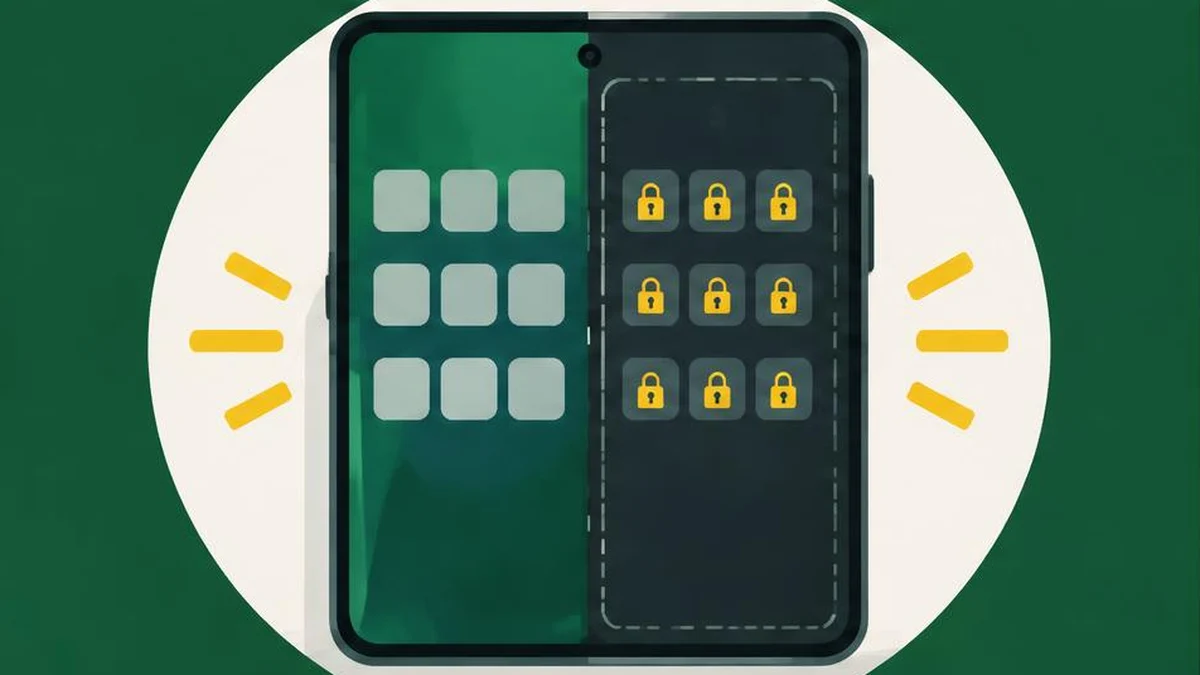
Android private space separates apps and their data from your main profile, but it is not an invisibility guarantee. Before relying on it, check device eligibility, account syncing, background behavior, and what happens if you delete or reset the space.
Android private space separates apps and their data from your main profile, but it is not an invisibility guarantee. Before relying on it, check device eligibility, account syncing, background behavior, and what happens if you delete or reset the space.
Check support and user eligibility
The current private space guide requires Android 15 or later. Some steps require supporting hardware, and manufacturers can disable the feature. An Android version number by itself does not guarantee that your phone offers it. Some launchers may not support private space either.
You must be the main user, not a guest or secondary user. The device must not be managed, there must not be a supervised account signed into the main space, and the device cannot have more than four users or profiles. Enterprise administration can also disable the feature. Check the actual device’s settings and manufacturer guidance instead of assuming every Android phone qualifies.
Set up separation deliberately
On a supported device, open Settings, Security & privacy, then Private space under Privacy. Authenticate with the device screen lock and follow setup. You can use the device lock or choose a separate private-space lock. A separate lock provides an additional authentication boundary, but it does not remove the need for a strong device lock.
Google recommends a dedicated Google Account that is not signed in elsewhere. Reusing an account can expose synced photos, files, email, browsing history, saved passwords, recommendations, and other information outside private space. A hidden app container does not undo cloud synchronization.
If you need a new account password, the password generator can help create one; it does not configure Android security. Do not paste an existing password into a comparison tool. Use text compare only for nonsensitive setup notes, such as checking which configuration choices you recorded before and after setup.
Know what locking actually does
| State | Important behavior |
|---|---|
| Private space locked | Apps stop and cannot provide background activity or notifications |
| Private space unlocked | Apps and notifications can appear on supported system surfaces |
| Container hidden while locked | Reduces ordinary visibility, not forensic discoverability |
Do not place an app in private space if you depend on it to work continuously while that space is locked. Google specifically warns about functions such as medical tracking. An app outside private space is not affected by these private-space restrictions.
Review the automatic-lock choices instead of assuming the space always locks with the screen. The documented options include every device lock, five minutes after screen timeout, or only after restarting. Choose according to your needs and verify the selected setting. Hiding the container is a separate setting that takes effect when the space is next locked.
Do not confuse installing with moving
Installing an app in private space creates a new app instance; it does not copy or modify the main-space instance. Main-space app data is not automatically transferred into the new instance. Check the app’s supported sign-in and synchronization behavior before assuming your records will appear.
The current guide also documents adding files into private space with Copy or Move. Copy leaves the original in the main profile; Move removes that original from its previous location after transfer. Neither choice automatically cleans up cloud copies, sent attachments, or other previously shared versions.
Before transferring important documents, identify where the authoritative copy lives and how you can recover it. A PDF made from setup screenshots can preserve a nonsensitive checklist, but avoid including passwords or private content. Keep any necessary recovery record somewhere you can access without depending on the locked space itself.
Understand visibility and data-loss limits
Google explicitly says private space can be discovered through computer access including Android Debug Bridge, device logs, or other apps. It is not protection against every person with technical access. Current help also says private-space apps bypass the device VPN, so do not assume a main-profile VPN covers them.
Private-space on-device data is not included in normal device backup and is not restored with a device backup. Deleting the space deletes its apps and local data without that backup. An app may recover cloud-synced data after signing in again, but that is not the same as restoring every local record.
If you forget the private-space unlock factor, the guide says you cannot recover access through an unlock-factor recovery feature. Resetting or deleting is not a way to preserve the contents. Review export and recovery options in each important app before relying on the space. The 2024 Android announcement provides history, not a promise about today’s supported devices.
Sources and verification
Official documentation read on November 17, 2026. This is a documentation-based guide, not a device test, channel experiment, or guarantee of availability. The 2024 Android announcement supplies historical context; current Android Help controls the eligibility described here.
Frequently asked questions
Does every Android 15 phone support private space?
No. Hardware, manufacturer, administration, and user-profile restrictions apply.
Can a secondary user set it up?
No. The documented feature is for the main user.
Do locked private apps keep sending notifications?
No. Locked private-space apps are stopped and cannot provide background functions.
Does hiding mean nobody can discover it?
No. Apps, logs, and computer access can reveal its existence.
Is private-space data in device backup?
No. Google says on-device private-space data is not backed up as part of device backup.
Should I reuse my main Google Account?
Google recommends a dedicated account to reduce data showing outside private space through syncing.
Useful on MayreDukaan
Sources
Facts last checked against these sources on 17 Nov 2026, 06:44 Pakistan time.
Images: Original AI-generated illustration by MayreDukaan; conceptual, not a product screenshot.
More trending articles
 Android and SmartphonesAndroid Unknown Tracker Alerts: A Safety-First Guide17 Nov 2026 · 5 min read
 Android and SmartphonesAndroid App Archiving vs Uninstalling: What Stays17 Nov 2026 · 4 min read
 Android and SmartphonesAndroid Theft Protection: Check Locks Before a Loss17 Nov 2026 · 4 min read
 Shopping and DealsUK Fake Online Shops: Check the Seller Before Paying17 Nov 2026 · 5 min read