
Image Base64 Data URLs: When Inline Images Cost More
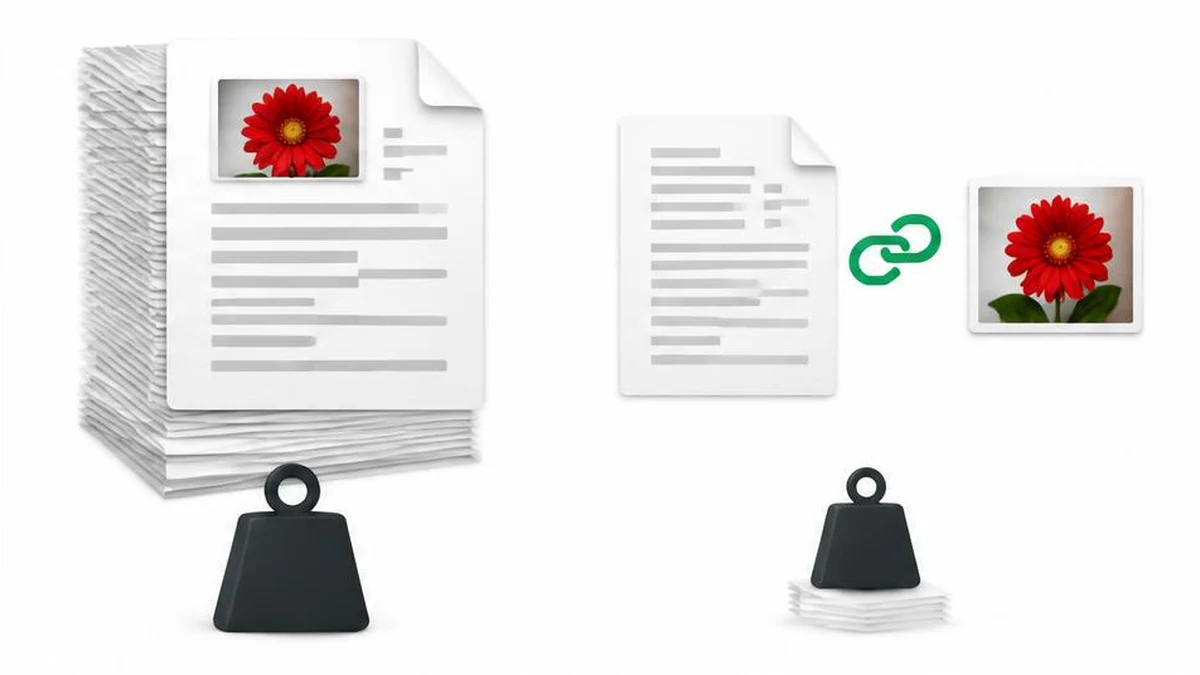
Inlining can be useful for small self-contained assets, but it also enlarges text payloads and changes caching behavior. Learn how to evaluate the real delivery trade-off without assuming fewer requests always means faster pages.
Inlining moves the image; it does not remove its cost
A data URL puts resource content inside a string rather than pointing to a separate image file. That can be convenient for a small generated document, a self-contained preview or an API that explicitly expects an encoded image. It is not automatically a web-performance improvement.
The page or document still has to transport, parse and decode the image data. When the string is included in HTML, CSS or JSON, that containing resource becomes larger. Removing one request can help in a particular context, but request count alone does not measure loading speed or memory use.
Understand the representation
A typical image data URL contains a data scheme, a media type, a Base64 indicator, a comma and the encoded payload. For example, the prefix data:image/png;base64, identifies a Base64-encoded PNG payload. The prefix is metadata; it is not part of the original PNG bytes.
Base64 maps each group of three input bytes to four output characters, with padding for an incomplete final group. For n bytes, the usual padded length is 4 times the ceiling of n divided by 3. For large inputs that is roughly one-third more characters than the original byte count, before adding the prefix or container syntax.
Transport compression can change the actual transferred size of an HTML or JSON response, so that mathematical expansion is not a universal measured network penalty. Compare the delivered resources in the actual environment rather than claiming every inline image makes a page exactly 33 percent slower.
What the image tool produces
The image to Base64 tool uses FileReader.readAsDataURL in its inspected implementation. It produces a full data URL from the selected file; it does not redraw the image through a canvas or compress it first. Calling the result a compressed image would be inaccurate.
If an API requests only raw Base64, follow that API's contract about whether to remove the data URL prefix. If it expects a complete data URL, keep the prefix. Do not guess from the fact that both values contain a long sequence of similar-looking characters.
Compare inline and external delivery
| Consideration | Inline data URL | Separate image URL |
|---|---|---|
| Packaging | Travels with containing document | Requires a resource reference |
| Reuse across pages | Payload may be repeated in each document | Same URL can be reused under its cache policy |
| Independent updates | Image change alters containing resource | Image and page can have separate lifecycles |
| Encoding size | Base64 adds representation overhead | Binary image can be delivered directly |
Inlining removes the separate image request, so it also removes that request's independent HTTP caching opportunity. The containing document may still be cached. Avoid the overly broad statement that inline images cannot be cached at all; the distinction is independent resource reuse.
Reduce the source cost first
Use image information to check dimensions and file size before encoding. A huge photograph does not become suitable for a tiny badge simply because it is represented as text. Start with dimensions appropriate to the intended display.
Where lossy optimization is acceptable, the image compressor is a relevant preparation step. Inspect its output before encoding it. Compression and Base64 are different operations: the former aims to reduce image storage cost, while the latter expresses existing bytes in a text-compatible alphabet.
Do not treat Base64 as encryption or a way to hide confidential content. Anyone who receives the string can generally recover the encoded bytes. Avoid including private images in diagnostic logs, repository fixtures or public example payloads just because their encoded form looks unreadable.
Test the real container
- Confirm whether the destination accepts data URLs and which media types it permits.
- Check its payload limits and the application's content-security policy.
- Compare the compressed transfer size of inline and external versions.
- Test repeated navigation, not only a cold load of one page.
- Inspect memory use and responsiveness for large generated strings.
- Verify that copy-and-paste or serialization has not truncated the value.
MDN warns that canvas.toDataURL creates an in-memory string and recommends considering Blob-based alternatives for larger image workflows. That warning is relevant background, but it is not the implementation used by this file-encoding tool. Choose inlining for a demonstrated packaging need or measured benefit, not as a blanket optimization rule.
References
Frequently asked questions
Does Base64 compress an image?
No. It is an encoding and usually expands the representation; compress or resize the image separately if appropriate.
How much does Base64 add?
Padded Base64 uses 4 times the ceiling of byte count divided by 3 characters, plus any data URL prefix. Transfer compression can affect network results.
Does this tool return raw Base64?
The inspected helper returns a complete data URL using FileReader.readAsDataURL.
Are inline images never cached?
The containing resource can be cached, but the embedded image has no separate HTTP response cache entry for independent reuse.
Is Base64 private?
No. Encoding does not provide encryption or access control.
When is inlining useful?
It can suit small self-contained assets or APIs requiring encoded input, subject to the actual payload, policy and performance constraints.
Useful on MayreDukaan
Sources
Facts last checked against these sources on 17 Nov 2026, 06:40 Pakistan time.
Images: Original AI-generated illustration by MayreDukaan; conceptual, not a product screenshot.
More trending articles
 Shopping and DealsUK Fake Online Shops: Check the Seller Before Paying17 Nov 2026 · 5 min read
 AI and SoftwareVerify an AI Summary Against the Original Document17 Nov 2026 · 5 min read
 Artificial IntelligenceGemini Activity Privacy: History, Training and Deletion17 Nov 2026 · 5 min read
 AI and SoftwarePrepare a Spreadsheet for Safer Gemini Analysis17 Nov 2026 · 4 min read