
Load More vs Pagination: Keep Product Links Discoverable
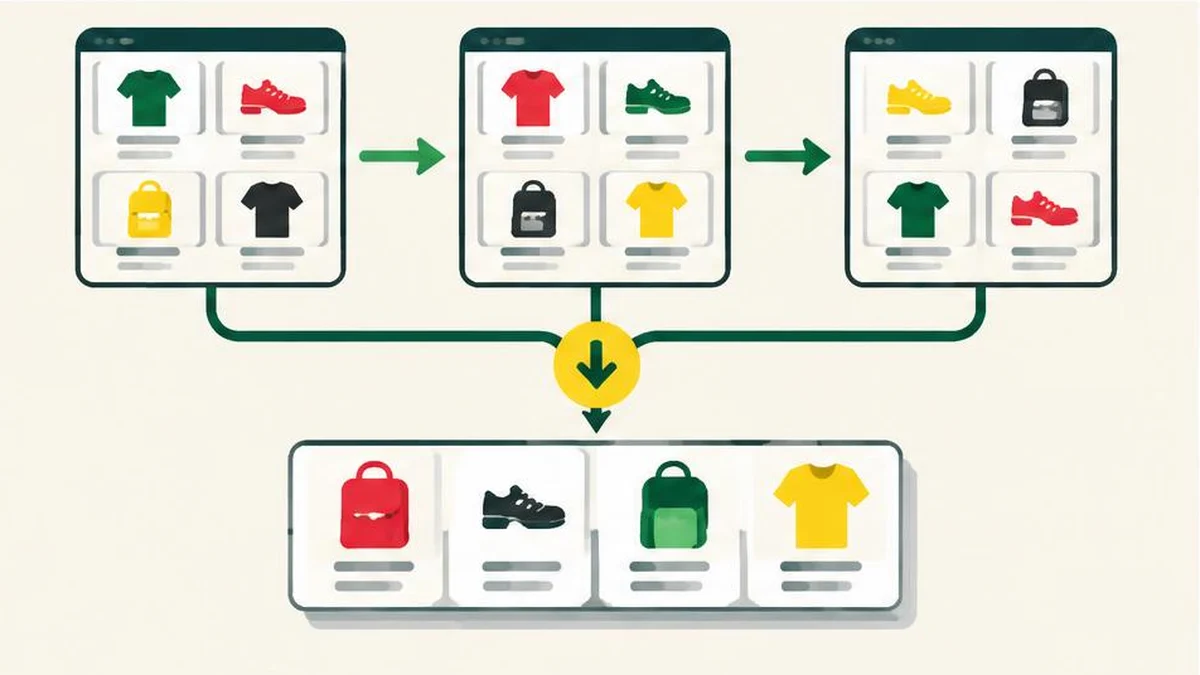
A practical audit for stores using pagination, load-more buttons or infinite scrolling: expose product links through stable pages and test discovery beyond the first batch.
Separate the interface from the discovery path
A shopper may enjoy a load-more button while a search crawler needs ordinary links to reach the same products. These are different requirements, not a reason to ban JavaScript or force every store into the same design. Start by asking whether a product in the last batch has a reliable discovery path that does not depend on someone clicking a button.
Google’s incremental-loading guidance explains that its crawlers generally do not trigger user actions that update page contents. Google can process JavaScript, but that does not mean it will scroll or click through your collection like a customer. A working storefront demonstration therefore does not establish crawlability.
Inventory what each interaction exposes
Choose a category with enough products to require several batches. Record the initial URL, a product visible immediately, a product revealed after one interaction and a product near the end. Then record whether each batch has its own directly accessible URL.
Distinguish three patterns:
- Pagination takes the visitor to another page of results.
- Load more adds another batch after a button action.
- Infinite scrolling adds content as the visitor moves down the page.
These patterns can share an underlying paginated discovery structure. The important test is whether the additional content remains reachable through crawlable links and useful URLs, rather than existing only in a temporary browser state. Keep the audit focused on actual category pages; do not confuse a site-search form with a navigable product collection.
Give each results page a real address
Google recommends a unique URL for each page in a paginated sequence, such as a page query parameter. Open each address directly in a fresh session and confirm it returns the intended batch. A copied URL that always starts at the first products does not reliably identify the later page.
Do not use fragment identifiers alone to distinguish page numbers. Google’s guidance says it ignores fragments for this purpose, so changing only the text after a hash is not a dependable way to expose another results page.
Use the URL encoder and decoder when inspecting encoded parameter values. It can help make a value understandable, but it cannot determine whether the server returns the right products. Follow the ecommerce URL-design guidance when defining consistent routes and avoiding unnecessary alternatives.
Link the sequence and check canonicals
Include ordinary anchor links with href attributes from each page to the following page. Google also suggests considering links back to the first page of the collection. Make sure individual product destinations are exposed as links, not solely as click handlers attached to decorative elements.
Do not canonicalize every page in the sequence to page one. Google’s pagination guidance recommends that each page have its own canonical URL. Later pages normally contain different products; treating them as copies of the first page sends an unsuitable consolidation signal.
The meta tag analyzer can assist a metadata review. Treat its output as one observation, not proof of Google’s rendered view or successful discovery. Inspect the actual response and rendered page with suitable browser and Search Console tools where necessary.
Test discovery separately from visual behaviour
Create a short acceptance checklist before a release. Direct access to a later-page URL should work. Its next-page link should lead to the expected address. Its product links should point to real product destinations. Its canonical and indexing instructions should match the intended policy.
Compare the recorded before-and-after URL and metadata lists with text compare. This helps spot accidental template changes, but cannot execute JavaScript or verify crawler rendering. Also test the shopper experience: back navigation, returning to a product list and reaching the final batch should not become confusing just because crawlable links were added.
Keep filters and monitoring in scope
A sound pagination sequence can still be surrounded by unlimited sort and filter combinations. Decide separately which of those variations deserve indexing or crawling. Avoid applying a broad parameter rule that unintentionally blocks every later page in the main collection.
Sitemaps and Merchant Center feeds can help Google discover products, as the incremental-loading documentation notes, but should not excuse a broken navigational path. After deployment, inspect representative later pages and products, review discovery evidence and investigate discrepancies. Passing this checklist improves the technical opportunity for discovery; it does not guarantee that every product will be indexed or ranked.
Frequently asked questions
Does Google click load-more buttons?
Google says its crawlers generally do not trigger user actions that update page content; provide crawlable links instead.
Can I keep infinite scrolling?
Yes, provided the underlying content also has an appropriate crawlable discovery path and distinct page URLs.
Should later pages canonicalize to page one?
No. Google’s pagination guidance recommends each page have its own canonical URL.
Can page numbers use hash fragments?
Do not rely on fragments for pagination discovery; Google ignores them for this purpose.
Does a sitemap guarantee discovery and indexing?
No. It can assist discovery, but neither a sitemap nor a working pagination sequence guarantees indexing.
Useful on MayreDukaan
Sources
- developers.google.com — pagination-and-incremental-page-loading
- developers.google.com — designing-a-url-structure-for-ecommerce-sites
Facts last checked against these sources on 17 Nov 2026, 06:44 Pakistan time.
Images: Original AI-generated illustration by MayreDukaan; conceptual, not a product screenshot.
More trending articles
 Shopping and DealsUK Fake Online Shops: Check the Seller Before Paying17 Nov 2026 · 5 min read
 AI and SoftwareVerify an AI Summary Against the Original Document17 Nov 2026 · 5 min read
 Artificial IntelligenceGemini Activity Privacy: History, Training and Deletion17 Nov 2026 · 5 min read
 AI and SoftwarePrepare a Spreadsheet for Safer Gemini Analysis17 Nov 2026 · 4 min read