
SHA-256 Checksums: Verify Bytes, Not Trust
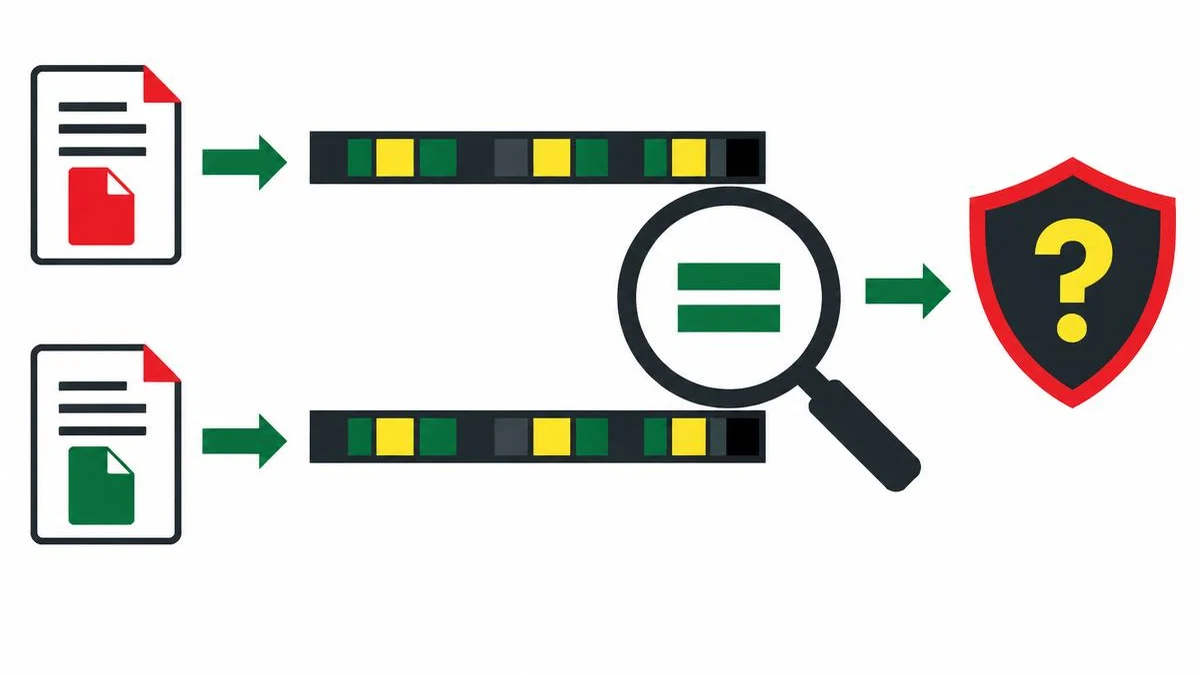
A checksum can detect a mismatch against a trusted expected digest, but it cannot establish that a download is harmless. Follow a byte-oriented verification workflow and avoid confusing text tools with file hashers.
A checksum answers a narrow question
A SHA-256 checksum helps answer whether the bytes you have match the bytes represented by an expected digest. It does not independently tell you who created the file, whether the software is safe, or whether the publisher's account was compromised. Integrity is not the same as trust.
SHA-256 produces a 256-bit digest, commonly displayed as 64 hexadecimal characters. The same input bytes produce the same digest. Distinct inputs can theoretically collide because the output space is finite; practical verification relies on the algorithm's security properties, not a mathematical promise that every possible file has a unique hash.
Get the expected value before comparing
Start from the publisher's official release channel. Confirm the exact version, operating system and architecture. An expected digest for a different installer will not help, even if the filenames look similar. Keep the download address and release details with your verification notes.
If an attacker can replace both a file and the checksum beside it, a successful comparison cannot reveal that substitution. Where the publisher provides signed release metadata or a verifiable digital signature, follow its documented verification procedure as well. A hash you obtained from the same untrusted message as the download is not independent reassurance.
Follow a byte-for-byte workflow
- Save the complete download without opening or executing it.
- Use a file-hashing utility that reads the downloaded file's bytes and select SHA-256.
- Compare its full digest with the expected SHA-256 value for that exact release.
- If they differ, stop and investigate the source, version and download completion.
- If they match, continue with your normal publisher, signature and endpoint-security checks.
Hexadecimal letter case does not change a digest's numeric value. A missing digit, extra digit or changed digit does. Compare the digest field, not an entire checksum-file line that also contains a filename. Do not shorten the comparison to the first and last few characters.
The linked hash generator hashes text, not downloads
Source inspection shows that the SHA-256 hash generator passes the input string through TextEncoder and then crypto.subtle.digest. It returns hexadecimal text. The interface does not supply a file-byte hashing input for this task.
That makes it useful for controlled text examples, not for checking an installer by pasting its filename. Hashing a pathname computes a digest of the pathname's characters. Hashing a Base64 representation computes a digest of that encoded text, not of the original binary file.
Use text comparison to inspect two short digest strings or compare harmless input samples when diagnosing a text mismatch. It is a comparison aid, not an automatic provenance or malware check. Keep confidential source material out of diagnostic examples.
Why apparently identical text can disagree
A digest operates on bytes rather than appearance. A final newline, different line-ending sequence, changed encoding or invisible character can change the input. Even visually similar Unicode strings need not have identical byte representations.
For a reproducible test, write down the encoding, whether a newline is present and exactly which content is hashed. The inspected text tool uses UTF-8 encoding through TextEncoder. Do not edit a downloaded text file to make its checksum match; verify the original artifact instead.
SRI uses a different representation
An HTML integrity value is not simply the hexadecimal digest with a prefix added. MDN documents algorithm-prefixed Base64 digests, such as a SHA-256 identifier followed by Base64 representing the digest bytes.
The Base64 encoder and decoder is useful for understanding encoded text, but encoding the 64 hexadecimal characters as ordinary text is not the same as Base64-encoding the 32 digest bytes. Use a byte-aware SRI workflow rather than improvising a conversion between these representations.
Know the browser API's limit
MDN states that SubtleCrypto.digest does not stream its input: the entire input must be available in memory. That matters when evaluating browser-based file-hashing designs for large downloads. It is not evidence that the linked text interface supports files, nor a reason to paste binary data into a text box. Choose a tool whose input model matches the artifact you need to verify.
References
Frequently asked questions
Does a matching hash mean malware-free?
No. It establishes agreement with the expected digest, subject to the hash security assumptions, not that the content is harmless.
Can I paste a filename into the hash generator?
You can hash that text, but the result is not a checksum of the file it names.
Why is SHA-256 usually 64 characters?
A 256-bit digest takes 64 hexadecimal digits, with four bits represented by each digit.
Is SHA-256 encryption?
No. A digest is not encrypted content and has no decryption key.
Can I use a hex digest directly as SRI?
No. SRI uses an algorithm prefix and Base64 of the digest bytes, not the raw hex spelling.
Does the inspected browser tool stream files?
No file hashing input is present. Its text helper uses SubtleCrypto.digest, which itself does not stream input.
Useful on MayreDukaan
Sources
Facts last checked against these sources on 17 Nov 2026, 06:40 Pakistan time.
Images: Original AI-generated illustration by MayreDukaan; conceptual, not a product screenshot.
More trending articles
 Shopping and DealsUK Fake Online Shops: Check the Seller Before Paying17 Nov 2026 · 5 min read
 AI and SoftwareVerify an AI Summary Against the Original Document17 Nov 2026 · 5 min read
 Artificial IntelligenceGemini Activity Privacy: History, Training and Deletion17 Nov 2026 · 5 min read
 AI and SoftwarePrepare a Spreadsheet for Safer Gemini Analysis17 Nov 2026 · 4 min read