
Size and Color Variants: Keep Product Data Consistent
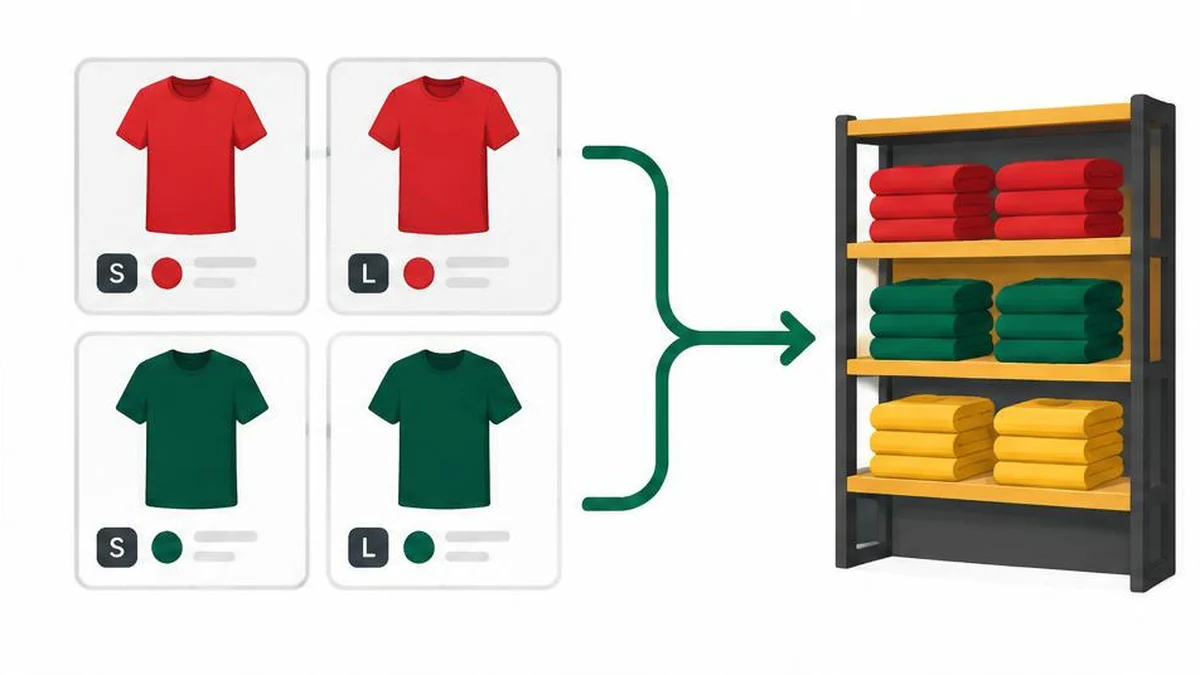
A variant is not just a different photograph. Start with the combination a customer can actually buy, such as a blue shirt in medium. Assign responsibility for its identifier, stock, price, image and destination page. A parent style groups related combinations but should not hide their differences. Google’s product data specification is the reference for feed attributes and their conditions. Do not invent identifiers or assume a group identifier can replace every variant’s individual identity.
Define one sellable combination
A variant is not just a different photograph. Start with the combination a customer can actually buy, such as a blue shirt in medium. Assign responsibility for its identifier, stock, price, image and destination page. A parent style groups related combinations but should not hide their differences. Google’s product data specification is the reference for feed attributes and their conditions. Do not invent identifiers or assume a group identifier can replace every variant’s individual identity.
Create a compact comparison sheet
Build a working sheet with one row for each sellable combination. Include the internal SKU, submitted ID, grouping value where applicable, color, size, price, availability, product URL and image URL. Keep it separate from customer-order data. Ask the stock owner to confirm which combinations genuinely exist. A size-color matrix often contains gaps: a particular color may never have been manufactured in the largest size. Do not publish every theoretical combination just because a spreadsheet can generate it.
Follow the customer’s landing path
Open each representative product link and check the selected option. A feed describing a green large jacket should not land on an unavailable black small one without a clear route to the advertised offer. Compare the visible price, stock message and image after selection. Check both desktop and mobile rendering if option selectors behave differently. Record whether the URL preserves the selected combination when copied into a fresh browser session. Do not assume an internal SKU is visible to the customer.
Keep feed data and structured data distinct
Google Search documents ProductGroup and related properties for describing product variants in structured data. That is a separate implementation layer from a Merchant Center data source, even when both describe the same inventory. Ask your developer to align the underlying facts rather than assuming one automatically updates the other. Valid structured data creates eligibility for supported search appearances, not a promise of rich results. The linked tools do not implement ProductGroup markup or test its full search eligibility.
Inspect transformations before bulk changes
Use CSV to JSON or JSON to CSV when a different representation makes a small, non-sensitive sample easier to review. Preserve the original export. Check that leading zeros, quoted fields and missing values survive your actual workflow. Conversion is not schema validation, and a file opening successfully does not show that every product attribute is acceptable. Inspect several rows after any transformation before using the output as the basis for an upload.
Investigate duplicates without deleting variants
A repeated title is not necessarily a duplicate: sizes often share titles while requiring separate records. The duplicate line remover works on text lines, not product relationships. Use it only for a deliberately prepared list where repeated lines really are redundant, such as a scratch list of identifiers for investigation. Use text compare to review a small before-and-after export and locate unintended changes. Neither tool knows whether two inventory items are commercially interchangeable.
Agree an update and exception process
Decide which system is authoritative for price, stock and product identity. Record who corrects a mismatched image, who updates the data source and how a sold-out variant is handled. Test promotional price changes and the return to regular pricing. Keep discontinued variants distinct from temporarily unavailable ones according to your actual inventory workflow. A weekly spot check can be useful, but choose a review frequency based on how quickly your catalog changes rather than treating any schedule as a Google requirement.
Final review checklist
- Keep one record for each genuine sellable combination.
- Compare feed, inventory, page selection and images.
- Inspect transformations before a bulk update.
Evidence and scope
Research checked on 17 November 2026. The linked primary guidance supports this workflow; illustrative scenarios are not measured market results. Recheck the current official requirements before a consequential decision. 1 2
Frequently asked questions
Can variants share a title?
They may, but each offer still needs accurate distinguishing information and applicable identifiers.
Is ProductGroup the same as a feed?
No. Structured data and Merchant Center submissions are separate layers.
Can I delete all repeated lines?
No. Repeated-looking records may represent genuine size or color combinations.
Does valid markup guarantee rich results?
No. Google describes eligibility rather than guaranteed appearance.
What should a variant audit compare?
Compare identifiers, options, price, availability, image and landing-page selection.
Useful on MayreDukaan
Sources
Facts last checked against these sources on 17 Nov 2026, 06:40 Pakistan time.
Images: Original AI-generated illustration by MayreDukaan; conceptual, not a product screenshot.
More trending articles
 Shopping and DealsUK Fake Online Shops: Check the Seller Before Paying17 Nov 2026 · 5 min read
 AI and SoftwareVerify an AI Summary Against the Original Document17 Nov 2026 · 5 min read
 Artificial IntelligenceGemini Activity Privacy: History, Training and Deletion17 Nov 2026 · 5 min read
 AI and SoftwarePrepare a Spreadsheet for Safer Gemini Analysis17 Nov 2026 · 4 min read