
UPI Payee Checks in India: Pause Before Authorizing
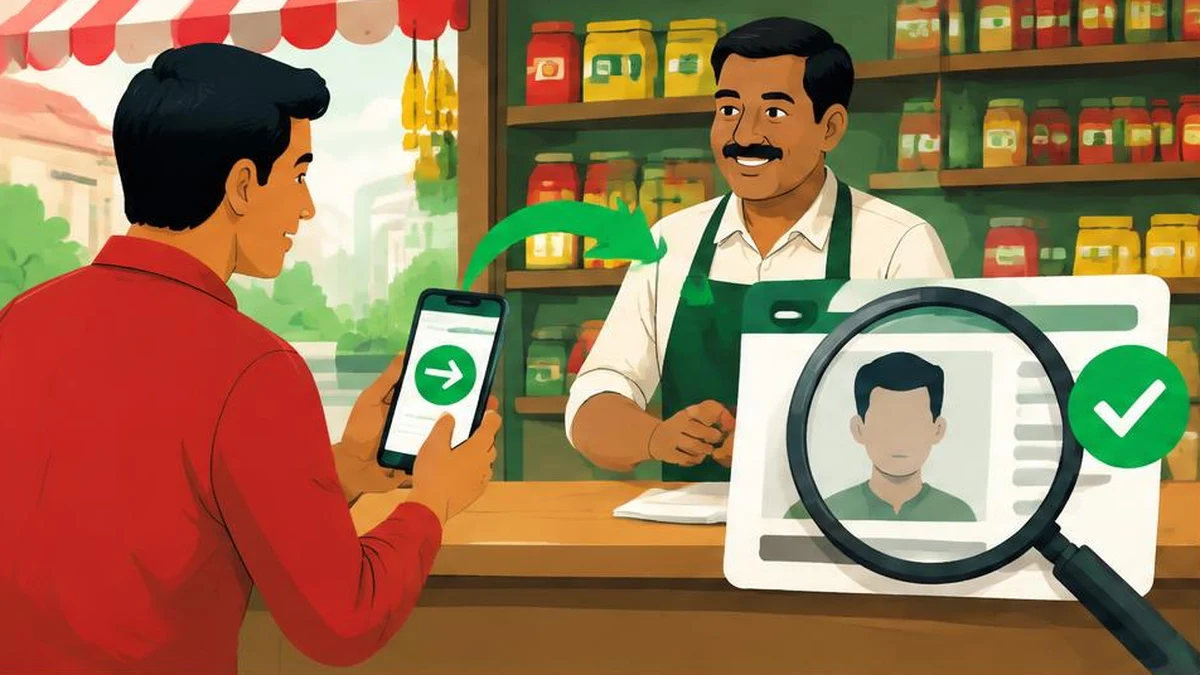
Before paying a seller through UPI, compare the recipient shown by your payment app with the business you intended to pay. A QR image or refund story is not a substitute for understanding the action you are authorizing.
UPI shopping safety starts before authorization, not after a confirmation screenshot arrives. Open your own payment app, read the recipient and amount it displays, and resolve any mismatch before continuing. A QR code can start a payment journey; it does not establish that the person who sent it is the seller you intended to pay.
Use verified guidance, not the seller’s explanation
NPCI’s fraud-awareness guidance explains that scanning a QR code and entering a UPI PIN is for making payments, not receiving them. It advises checking in-app notifications, obtaining bank contact details from the bank’s website and not following unknown people’s instructions to install apps. See the primary guidance 1.
DBS Bank’s published UPI FAQ separately advises checking the receiver’s name when verifying a UPI ID, entering the PIN only on the app’s UPI PIN page and not sharing it. These are useful checks for an ordinary seller payment, not a promise that every app has identical screens or that a displayed name proves the merchant is honest 3.
This is an evergreen authorization routine. The research reviewed on 17 November 2026 does not establish a seasonal rise in UPI shopping fraud or measured demand for a particular search phrase.
A practical check before you pay
- Confirm what you are buying and the agreed amount through the seller channel you already trust.
- Open your own installed payment app rather than an unfamiliar payment page supplied by a stranger.
- Read the recipient name and UPI identifier shown for the transaction, where displayed.
- Compare those details with the seller you intended to pay.
- Check the amount and whether the action is a payment rather than a promised receipt.
- Stop if a caller or chat contact tells you to ignore a mismatch or rush through a warning.
A trading name and account name can differ for legitimate reasons. That is a reason to clarify through an independently established seller channel, not an automatic finding of fraud. Do not let the person controlling the questionable QR image provide the only explanation. If the relationship remains unclear, do not authorize the payment.
Treat last-minute recipient changes as a new decision
Suppose you agreed to buy from a shop but are then told to pay an unfamiliar individual because the shop’s usual account is unavailable. Pause and verify the change with the shop through a known contact route. Do not assume that the earlier conversation authenticates later payment details. A genuine order number can be copied into a fraudulent instruction.
Separate receiving money from paying money
A refund promise can be used to disguise a debit. For the QR-and-PIN scenario described in NPCI’s warning, entering your PIN is not a step needed to receive the promised money. Refuse instructions to scan a new QR and enter a PIN to “release” a shopping refund. Resolve a refund question through the merchant and bank’s verified channels.
The table below is a practical decision aid based on the primary safety guidance above, not a description of every UPI product or app flow.
| What happens | Safer response |
|---|---|
| App recipient differs from expected seller | Pause and verify independently |
| Someone asks for your PIN in chat or by phone | Do not disclose it |
| A refund requires scanning a QR and entering a PIN | Stop; that is the payment pattern NPCI warns about |
| Stranger asks you to install a screen-sharing app | Do not follow the instruction |
| Seller sends a successful-payment screenshot | Check your own transaction record instead |
Verify status before considering another payment
After an attempt, review the transaction in your own app and account records. Save the reference and status displayed. If the status is unclear or a debit and seller claim conflict, use the app’s official help route or your bank’s independently verified support details. Do not make another payment simply because a message says the first one failed.
Do not infer a guaranteed reversal time from a screenshot or a caller’s assurance. Ask the relevant provider how it is handling your specific transaction. Keep the support reference so that later conversations can be tied to the original issue. This article does not promise a refund, automatic recovery or a universal dispute deadline.
Keep useful evidence, not shared secrets
Record the intended merchant, amount, time, recipient identifier, transaction reference and your own app’s status. Preserve relevant order messages and any changed payment instructions. Never include your PIN or OTP in a report, and do not send full bank credentials to someone claiming to investigate.
Text Compare can help compare redacted old and new seller instructions. Image to PDF can organize redacted screenshots for your records. Neither verifies a UPI payee or connects to a bank. Use the Date Difference Calculator to record elapsed days if useful, but take actual complaint deadlines from the provider’s current instructions, not a calculator result.
If you suspect fraud, contact your bank promptly through a verified channel. NPCI’s awareness page directs complaints to bank or police authorities. Saving a record is helpful, but it should not delay reporting an unauthorized or suspicious transaction.
Frequently asked questions
What should I compare before authorizing?
Compare the intended seller with the recipient name and identifier shown by your app, and check the amount. Resolve mismatches before paying.
Does a familiar-looking QR prove the seller is genuine?
No. A copied or replaced QR image does not authenticate the person receiving the money.
Must I scan a QR and enter a PIN to receive a refund?
NPCI warns that scanning a QR and entering a UPI PIN is for making payments, not receiving money. Do not follow that refund instruction.
Does a different payee name always mean fraud?
No. Trading and account names may differ, but you should independently establish the relationship before authorizing.
Should I repay when the seller says payment failed?
Check your own app and account records first. If status is unclear, contact official support before considering another attempt.
What evidence should I keep?
Keep the amount, time, recipient identifier, transaction reference, app status and relevant order messages. Never share PINs or OTPs.
Useful on MayreDukaan
Sources
Facts last checked against these sources on 17 Nov 2026, 06:40 Pakistan time.
Images: Original AI-generated illustration by MayreDukaan; conceptual, not a product screenshot.
More trending articles
 Shopping and DealsUK Fake Online Shops: Check the Seller Before Paying17 Nov 2026 · 5 min read
 AI and SoftwareVerify an AI Summary Against the Original Document17 Nov 2026 · 5 min read
 Artificial IntelligenceGemini Activity Privacy: History, Training and Deletion17 Nov 2026 · 5 min read
 AI and SoftwarePrepare a Spreadsheet for Safer Gemini Analysis17 Nov 2026 · 4 min read