
YouTube Title and Thumbnail Tests: Read the Results
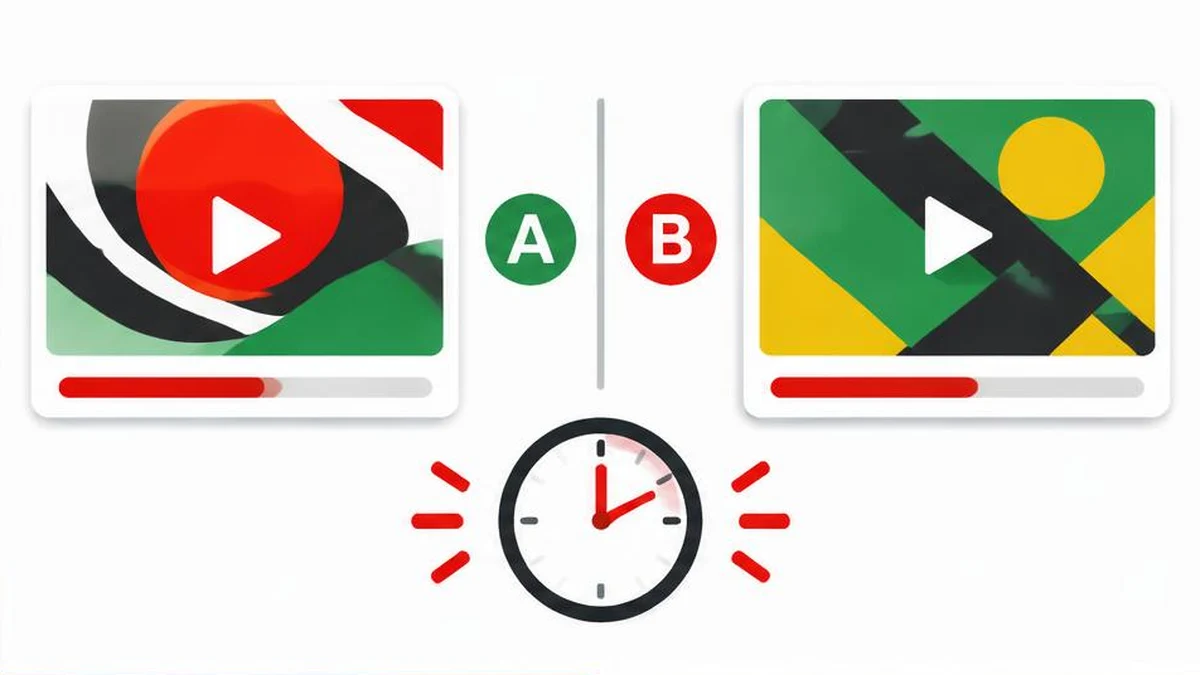
YouTube’s native title and thumbnail experiments are not a promise of higher click-through rates. They compare options using watch time, and the official report may reasonably finish without a winner. Start with eligibility, then interpret the result YouTube actually reports.
YouTube’s native title and thumbnail experiments are not a promise of higher click-through rates. They compare options using watch time, and the official report may reasonably finish without a winner. Start with eligibility, then interpret the result YouTube actually reports.
Check eligibility before preparing variants
The current A/B testing documentation limits the feature to computers through YouTube Studio and requires access to advanced features. Eligible creators can compare up to three titles, thumbnails, or title-and-thumbnail combinations. This is not a mobile editing feature.
Shorts, scheduled live streams, and Premiere videos cannot currently be tested. Live archives can be tested; a Premiere becomes eligible after it ends and converts into a long-form video. Videos made for kids, mature audiences, or set to private are excluded. Follow the content restrictions rather than changing an accurate audience or age classification to access testing.
Design a comparison you can interpret
Write down the viewer promise before creating options. For a repair tutorial, one title might emphasize the symptom while another emphasizes the supported repair. Both must describe the same actual video. Do not promise a result the footage does not demonstrate.
Use the title generator to brainstorm wording, then edit for accuracy. Review the wording differences with text compare. Inspect legibility with the thumbnail preview tool; a preview is not a YouTube experiment or a predicted performance score.
If you change both title and thumbnail in each option, the result belongs to the combination. It cannot tell you which individual change caused the difference. Title-only or thumbnail-only tests are easier to interpret when your question concerns one element. Choose meaningfully different but honest options instead of tiny spelling changes.
Start and protect the experiment
In desktop Studio, open a video’s details and select A/B Testing in the title box or under Thumbnail. Choose Title only, Thumbnail only, or Title and thumbnail, add your options, and select Done. YouTube says tests should complete within two weeks, although the duration depends on impressions and other factors. This is not a guaranteed reporting deadline for every circumstance.
Changing the title or thumbnail during a test automatically stops it; you must restart. Keep a dated note of your options and avoid casual edits while waiting. YouTube recommends trying older videos first to reduce the effect on overall channel views. That recommendation does not establish an ideal video age or an impressions threshold.
Read the official result, not a CTR promise
| Result | Official meaning | Sensible next step |
|---|---|---|
| Winner | One option clearly outperformed on watch time share with statistical significance | Record the option and context |
| Performed Same | Options performed about the same without a clear winner | Choose the accurate option you prefer |
| Inconclusive | No strong statistical difference in engagement | Keep the default or choose manually |
At the end, YouTube shows the highest-watch-time option; without a clear winner it uses the first uploaded title or combination. You can change the title or thumbnail manually afterward. Review results on Details or the Reach tab in Analytics.
The reason for measuring watch time is practical: a click that leads to immediate disappointment is not the same as useful viewing. A winner is not proof of improved CTR, revenue, ranking, or future performance. The documentation supplies no universal percentage gain, and this guide reports no channel results.
Understand uncertainty before testing again
Low impressions or options that differ too little can prevent a clear winner. Do not translate an inconclusive report into proof that two options are identical for every audience. Conversely, do not announce a winner based on a small visible difference when YouTube has not declared one.
Native tests show alternatives concurrently. A third-party sequential test can disagree because the audience changes over time, even on the same video. YouTube also notes that some traffic may remain in a control group excluded from experiment calculations. Record the report date and audience context, retain the exact tested wording, and treat the result as evidence for that experiment—not a permanent formula for all uploads.
Sources and verification
Official documentation read on November 17, 2026. This is a documentation-based guide, not a device test, channel experiment, or guarantee of availability.
Frequently asked questions
How many options can I test?
Up to three titles, thumbnails, or combinations.
Can I test Shorts?
No. The current native feature excludes Shorts.
Does a winner guarantee better CTR?
No. YouTube selects results using watch time, not a CTR guarantee.
What happens if I edit the title during testing?
The test automatically stops and must be restarted.
What if the result is inconclusive?
The first option becomes the default; you can also choose an option manually.
Can I run tests on my phone?
Current help limits this feature to computers through YouTube Studio.
Useful on MayreDukaan
Sources
Facts last checked against these sources on 17 Nov 2026, 06:44 Pakistan time.
Images: Original AI-generated illustration by MayreDukaan; conceptual, not a product screenshot.
More trending articles
 YouTube Creator GuidesReplace Claimed YouTube Music Without Rights Shortcuts17 Nov 2026 · 4 min read
 YouTube Creator GuidesYouTube Copyright Claim vs Strike: Read the Notice17 Nov 2026 · 4 min read
 YouTube Creator GuidesYouTube AI Disclosure: Realistic Edits and Minor Changes17 Nov 2026 · 4 min read
 YouTube Creator GuidesYouTube Chapters Not Showing: A Troubleshooting Guide17 Nov 2026 · 4 min read