
YouTube Chapters Not Showing: A Troubleshooting Guide
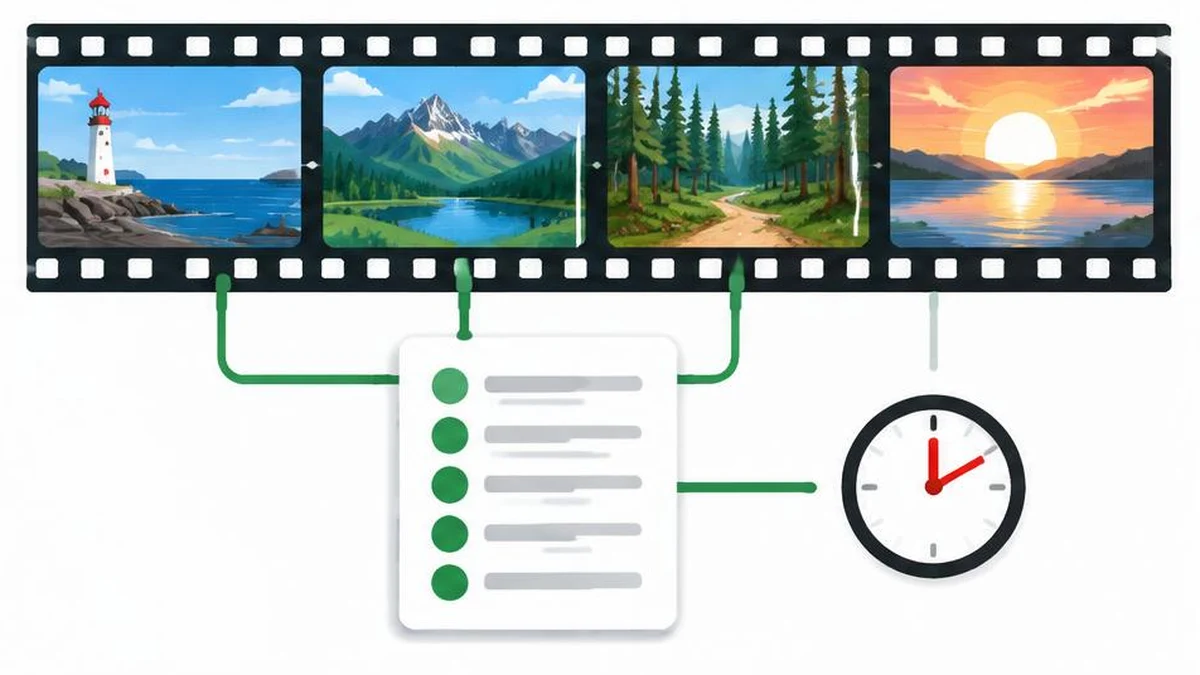
When YouTube chapters do not appear, audit the timestamp list before repeatedly rewriting the description. A valid list has a precise structure, but structure alone does not override channel eligibility or guarantee automatic chapters.
When YouTube chapters do not appear, audit the timestamp list before repeatedly rewriting the description. A valid list has a precise structure, but structure alone does not override channel eligibility or guarantee automatic chapters.
Start with the manual chapter requirements
The official Video Chapters guide gives three concrete requirements: the first timestamp must start at 00:00, there must be at least three timestamps in ascending order, and the minimum chapter length is ten seconds. Each timestamp needs a title.
Check the final chapter against the end of the video, not just the gaps between listed timestamps. A last chapter that begins too close to the end can undermine an otherwise tidy list. Work from the actual published video duration rather than an earlier editing timeline that may have changed.
Build a clean list you can verify
Here is a hypothetical structure for a video that actually contains these sections and runs long enough:
- 00:00 Introduction
- 00:30 Preparation
- 01:10 Demonstration
- 02:00 Review
These are illustrative timestamps, not a verified video or a ready-made list for your upload. Replace every time and title after watching your own footage. If the video ends at 02:05, the final section is too short under the ten-second rule.
Keep each timestamp and its title on its own line for easy checking. Read down the timestamps as numbers: an accidental backward entry is easy to miss while proofreading only the words. Avoid claiming that decorative spacing or a particular heading is an official requirement when the documentation does not say that.
Save the list in the right location
Open YouTube Studio, select Content, open the video, and add the timestamp-and-title list to Description. Select Save. Reopen the details to confirm you saved the intended version and edited the correct video. The video settings guide explains where these details are managed.
A description generator can help organize supporting copy, but it cannot watch your video, establish timestamp accuracy, or grant chapter access. Use text compare to see whether an older description replaced the corrected list. A character counter helps measure the surrounding text; character count is not an eligibility check.
Before changing anything else, retain a copy of the old description. That lets you isolate the repair instead of accidentally removing attribution, safety information, or useful links while fixing chapter formatting.
Separate manual chapters from automatic chapters
| Situation | What the official documentation says |
|---|---|
| Valid creator-entered chapters | Override automatic chapters |
| Automatic chapters enabled | Not a guarantee that chapters will appear |
| New uploads | The automatic chapter checkbox is checked by default |
| No access to chapters | Apply for advanced-feature access |
To enable automatic chapters for a video, open its details, select Show more, and check Allow automatic chapters, then save. You can opt out per video or through upload defaults. Do not delete a useful manual list merely to force an automatic result: not every eligible video receives automatic chapters.
The documentation also says chapters are unavailable if the channel has active strikes or the content may be inappropriate to some viewers. Editing timestamps does not remove those restrictions. Review the account’s actual status rather than assuming a formatting error is always responsible.
Use a final diagnostic pass
Check in a fixed order: video identity, saved description, 00:00 opening, three or more ascending entries, ten-second minimum sections, and eligibility. Then decide whether you expect manual or automatic chapters. This order prevents a disabled automatic checkbox from distracting you when you have already supplied a manual list that takes precedence.
If everything appears correct, consult the current official help and channel feature access rather than repeatedly pasting the same description. The cited documentation does not provide a universal processing countdown, a guaranteed repair interval, or a view-count threshold for chapters. Avoid inventing one.
Keep a dated record of the list and settings you checked if you need further support. Describe the observable problem—timestamps saved but chapters absent—rather than claiming that the account is penalized without evidence. A clean audit makes the next troubleshooting step more useful even when no immediate fix is available.
Sources and verification
Official documentation read on November 17, 2026. This is a documentation-based guide, not a device test, channel experiment, or guarantee of availability.
Frequently asked questions
Must chapters start at 00:00?
Yes. The first listed timestamp must start at 00:00.
How many timestamps are required?
At least three, in ascending order.
How long must a chapter be?
At least ten seconds.
Do manual chapters override automatic ones?
Yes, creator-entered chapters override automatic chapters.
Does enabling automatic chapters guarantee them?
No. Not all videos qualify, and not every eligible video receives them.
Can an active strike matter?
Yes. Current help says chapters are unavailable when the channel has active strikes.
Useful on MayreDukaan
Sources
Facts last checked against these sources on 17 Nov 2026, 06:44 Pakistan time.
Images: Original AI-generated illustration by MayreDukaan; conceptual, not a product screenshot.
More trending articles
 YouTube Creator GuidesReplace Claimed YouTube Music Without Rights Shortcuts17 Nov 2026 · 4 min read
 YouTube Creator GuidesYouTube Copyright Claim vs Strike: Read the Notice17 Nov 2026 · 4 min read
 YouTube Creator GuidesYouTube AI Disclosure: Realistic Edits and Minor Changes17 Nov 2026 · 4 min read
 YouTube Creator GuidesYouTube Title and Thumbnail Tests: Read the Results17 Nov 2026 · 4 min read