
YouTube Copyright Claim vs Strike: Read the Notice
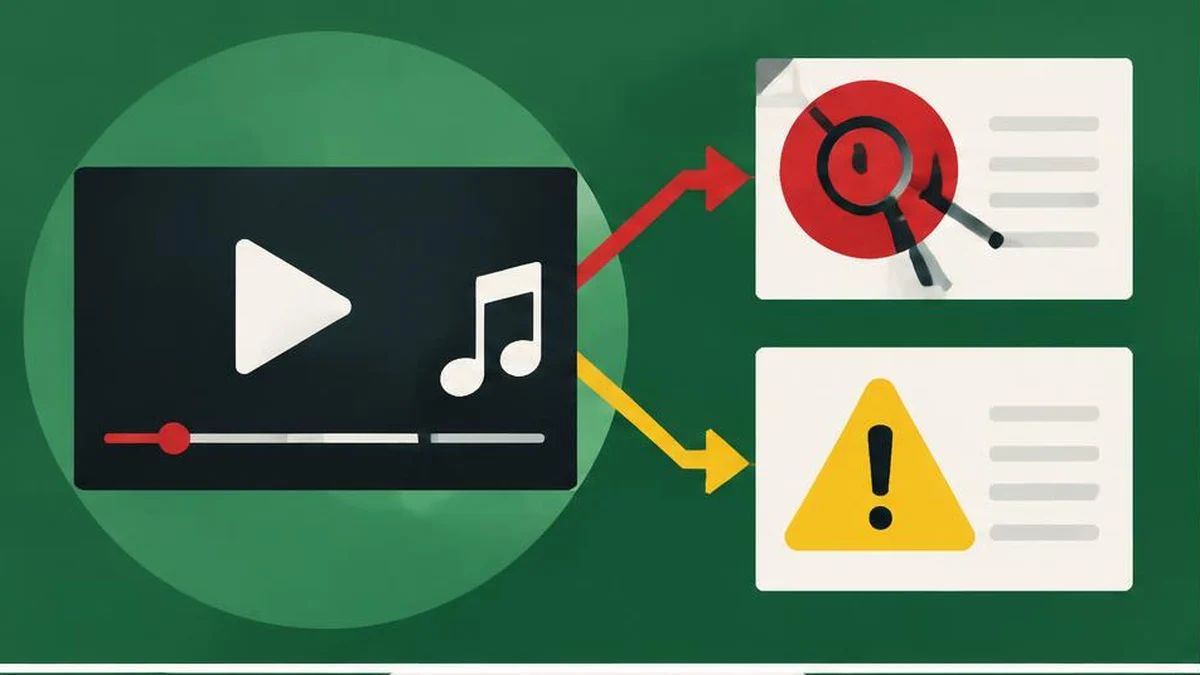
A copyright claim is not automatically a copyright strike. Before deleting a video or disputing anything, identify the notice, the affected material, and the restriction. The correct response depends on the rights and the actual notice—not the label used in a comment or third-party warning.
A copyright claim is not automatically a copyright strike. Before deleting a video or disputing anything, identify the notice, the affected material, and the restriction. The correct response depends on the rights and the actual notice—not the label used in a comment or third-party warning.
Identify which process you are facing
The official copyright claims guide explains that Content ID can generate a claim when uploaded material matches another video or a segment in its system. A claim can block the video, monetize it through ads, or track viewing statistics. These actions can differ by country or region.
Copyright removal requests and copyright strikes are separate from these Content ID claims. Read the notice in Studio rather than assuming every restriction is a strike. A video remaining online does not prove the claim is harmless, and a blocked video does not by itself prove that your channel received a strike.
Read the effect, not just the claimant name
| Notice detail | Why it matters |
|---|---|
| Matched segment | Identifies the material you need to investigate |
| Claimant | Helps match the notice to your license records |
| Policy applied | Distinguishes tracking, monetization, or blocking |
| Affected countries | Explains why availability can differ by viewer |
| Response options and dates | Defines the process available for this notice |
For videos longer than three minutes, claimed videos remain viewable when tracked or monetized, but blocking policies are also possible. Current help gives one-to-three-minute Shorts special treatment: an active claim blocks them regardless of policy, without a copyright strike just for that active claim. Do not apply the long-form viewing rule to those Shorts.
Check all relevant entries, not just the first one. Resolving one issue is not evidence that every rights question on the upload has been resolved.
Check your rights before choosing an action
Locate the original license, permission correspondence, invoice, and any terms covering the material. Confirm the permitted platform, territory, duration, and intended use. A purchase receipt alone may not describe those rights. Likewise, a familiar track name does not establish that a license covers your particular recording or project.
YouTube’s copyright guidance explains why giving credit is not the same as permission. Noncommercial intent, owning a copy, or adding a disclaimer does not automatically provide rights. Exceptions such as fair use or fair dealing vary by country and require more than a slogan. Obtain qualified advice when the stakes justify it.
A text comparison can help you inspect differences between two versions of a license. It cannot interpret the law or verify the sender’s authority. Preserve the original documents instead of replacing them with a summary that omits conditions.
Choose a response grounded in evidence
If the claim is accurate, review the actions available in Studio and decide whether to accept the restriction or use an appropriate authorized editing option. If you have a genuine basis to challenge it, read the current dispute instructions and consequences before submitting. Do not file a dispute simply because the restriction is inconvenient or because another creator used the same material.
Draft a factual account: identify the material, explain the rights you rely on, and refer to supporting records. The word counter can help keep a draft readable, but there is no special word count that makes a dispute valid. Do not paste private financial or account details into a public explanation.
If the notice includes a deadline, record its exact wording and relevant timezone. A date difference calculator can help plan reminders from dates you supply; it does not establish a legal deadline or account for every procedural rule.
Avoid shortcuts that create new problems
Do not try to defeat detection by changing pitch, speed, cropping, or repeatedly re-uploading someone else’s work. Those changes do not grant permission. Converting a file format is equally unrelated to ownership or licensing.
Keep a dated record of the notice, your supporting documents, the action taken, and the resulting status. Recheck the official restriction after any processing finishes rather than assuming a submitted action succeeded. If the notice is actually a removal request or strike, follow that notice’s specific official process instead of applying a Content ID claim checklist. This article is triage guidance, not legal advice or a promise that a particular response will remove a restriction.
Sources and verification
Official documentation read on November 17, 2026. This is a documentation-based guide, not a device test, channel experiment, or guarantee of availability.
Frequently asked questions
Is a Content ID claim a strike?
No. Content ID claims are different from copyright removal requests and strikes.
Can a claim affect only some countries?
Yes. Claim policies can be geography-specific.
Why is my one-to-three-minute Short blocked?
Current help says those Shorts are blocked when an active claim applies, regardless of policy.
Does credit equal permission?
No. Attribution alone does not grant the rights needed to use material.
Should I always dispute?
No. Dispute only when you have a genuine basis and understand the current process and consequences.
Does conversion remove copyright restrictions?
No. Changing the file format does not create a license or resolve ownership.
Useful on MayreDukaan
Sources
Facts last checked against these sources on 17 Nov 2026, 06:44 Pakistan time.
Images: Original AI-generated illustration by MayreDukaan; conceptual, not a product screenshot.
More trending articles
 YouTube Creator GuidesReplace Claimed YouTube Music Without Rights Shortcuts17 Nov 2026 · 4 min read
 YouTube Creator GuidesYouTube AI Disclosure: Realistic Edits and Minor Changes17 Nov 2026 · 4 min read
 YouTube Creator GuidesYouTube Chapters Not Showing: A Troubleshooting Guide17 Nov 2026 · 4 min read
 YouTube Creator GuidesYouTube Title and Thumbnail Tests: Read the Results17 Nov 2026 · 4 min read