
JPG, PNG, WebP and AVIF compared
By MayreDukaan Research · Researched 2026-11-17
An image extension describes more than a filename ending: it points to a format with particular compression and display capabilities. JPG is a familiar choice for photographs, while PNG preserves raster image data without lossy compression. WebP and AVIF offer both lossy and lossless modes, plus features such as transparency that ordinary JPG files do not provide. [1](https://developer.mozilla.org/en-US/docs/Web/Media/Guides/Formats/Image_types)
The comparison separates those capabilities from practical checks. A format that supports transparency is not automatically the smallest option for every transparent image. Likewise, a newer codec is not automatically the best choice for every application. Compare exports using your own image, inspect important details, and verify that the software receiving the file can decode it. [2](https://developer.mozilla.org/en-US/blog/image-formats-codecs-compression-tools/)
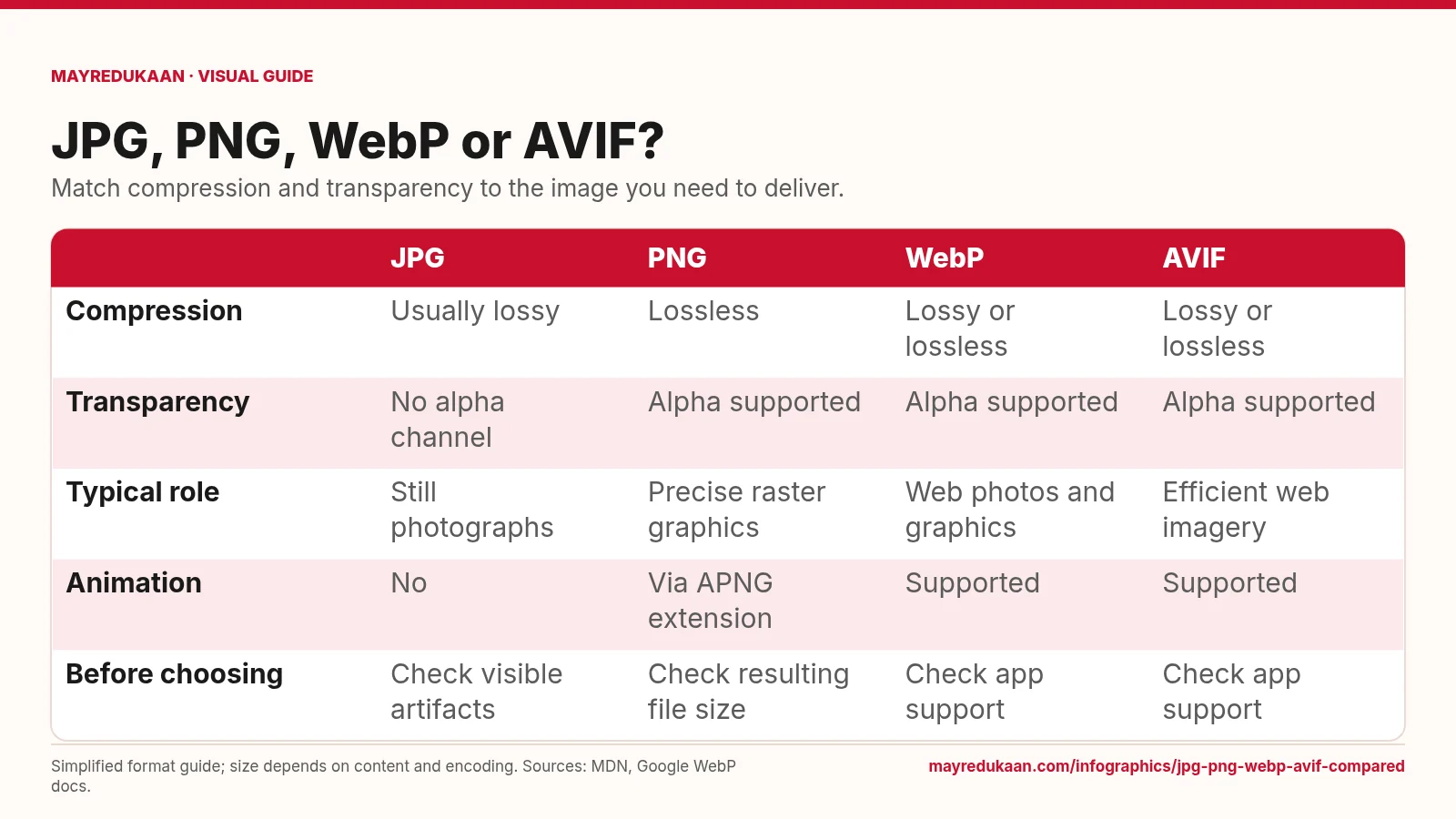
What the diagram shows
| JPG | PNG | WebP | AVIF | |
|---|---|---|---|---|
| Compression | Usually lossy | Lossless | Lossy or lossless | Lossy or lossless |
| Transparency | No alpha channel | Alpha supported | Alpha supported | Alpha supported |
| Typical role | Still photographs | Precise raster graphics | Web photos and graphics | Efficient web imagery |
| Animation | No | Via APNG extension | Supported | Supported |
| Before choosing | Check visible artifacts | Check resulting file size | Check app support | Check app support |
Simplified format guide; size depends on content and encoding. Sources: MDN, Google WebP docs.
Read the compression and transparency rows
The first row distinguishes the familiar lossy JPG workflow from PNG's lossless compression. It lists both lossy and lossless modes for WebP and AVIF, so their extensions alone do not tell you whether an export discarded image information. The transparency row identifies another independent capability: ordinary JPG lacks an alpha channel, whereas PNG, WebP and AVIF support alpha transparency. These rows answer different questions. A transparent image can still use lossy color compression in a format that permits it, and a lossless image need not be transparent. Choose the compression mode and transparency support separately when preparing an export. [1](https://developer.mozilla.org/en-US/docs/Web/Media/Guides/Formats/Image_types)
Match the image and animation requirements
The typical-role row points to JPG for still photographs, PNG for precise raster graphics, and WebP or AVIF for web imagery. These are useful starting points rather than exclusive assignments. Photographs contain gradual transitions that often suit lossy compression, whereas text and sharp graphical edges can make compression damage conspicuous. The animation row says JPG does not provide animation, WebP and AVIF can provide it, and PNG-family animation uses the APNG extension. Do not assume that an application supporting still images in a format also supports every animated variant; check the actual delivery environment before relying on animation. [1](https://developer.mozilla.org/en-US/docs/Web/Media/Guides/Formats/Image_types)
Test the actual export
The final row turns the feature table into an export checklist. For JPG, look for visible artifacts in the output rather than treating a quality slider as a universal guarantee. For PNG, inspect the resulting size instead of assuming lossless compression will always be compact enough. For WebP and AVIF, verify that the receiving applications support the files you produce. Across all four columns, compare versions that meet your visual and functional requirements. Encoding speed, image content, output size and compatibility can all matter, so the diagram intentionally avoids promising a universal size winner or a fixed compression saving. [2](https://developer.mozilla.org/en-US/blog/image-formats-codecs-compression-tools/)
Key facts
- PNG uses lossless compression.
- WebP supports both lossy and lossless image compression.
- AVIF supports alpha transparency.
- Ordinary JPG images do not support an alpha channel.
- Animated PNG uses the APNG extension.
Frequently asked questions
Is WebP always lossy?
No; WebP provides both lossy and lossless compression modes.
Can JPG preserve a transparent background?
Ordinary JPG cannot preserve alpha transparency; PNG, WebP and AVIF support it.
Is AVIF always the best export?
No; the choice also depends on image content, encoding requirements and support in the receiving software.
Related comparisons
Sources
- MDN: Image file type and format guide — accessed 2026-11-17
- MDN: Image formats, codecs and compression tools — accessed 2026-11-17
- Google: WebP compression techniques — accessed 2026-11-17
More visual guides
Lossy versus lossless compression
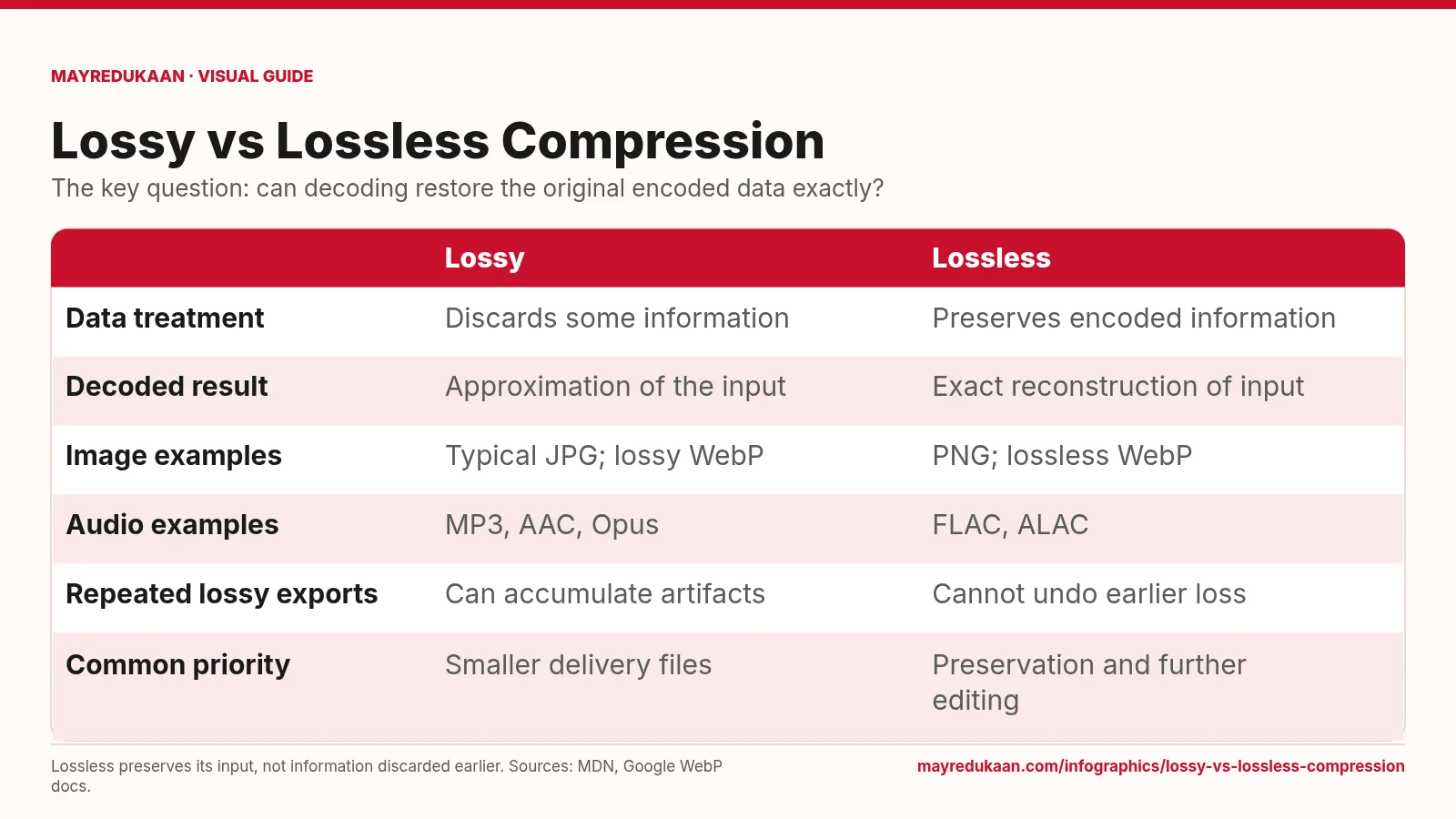
Lossless compression reconstructs its input exactly, but cannot repair information that was already discarded.
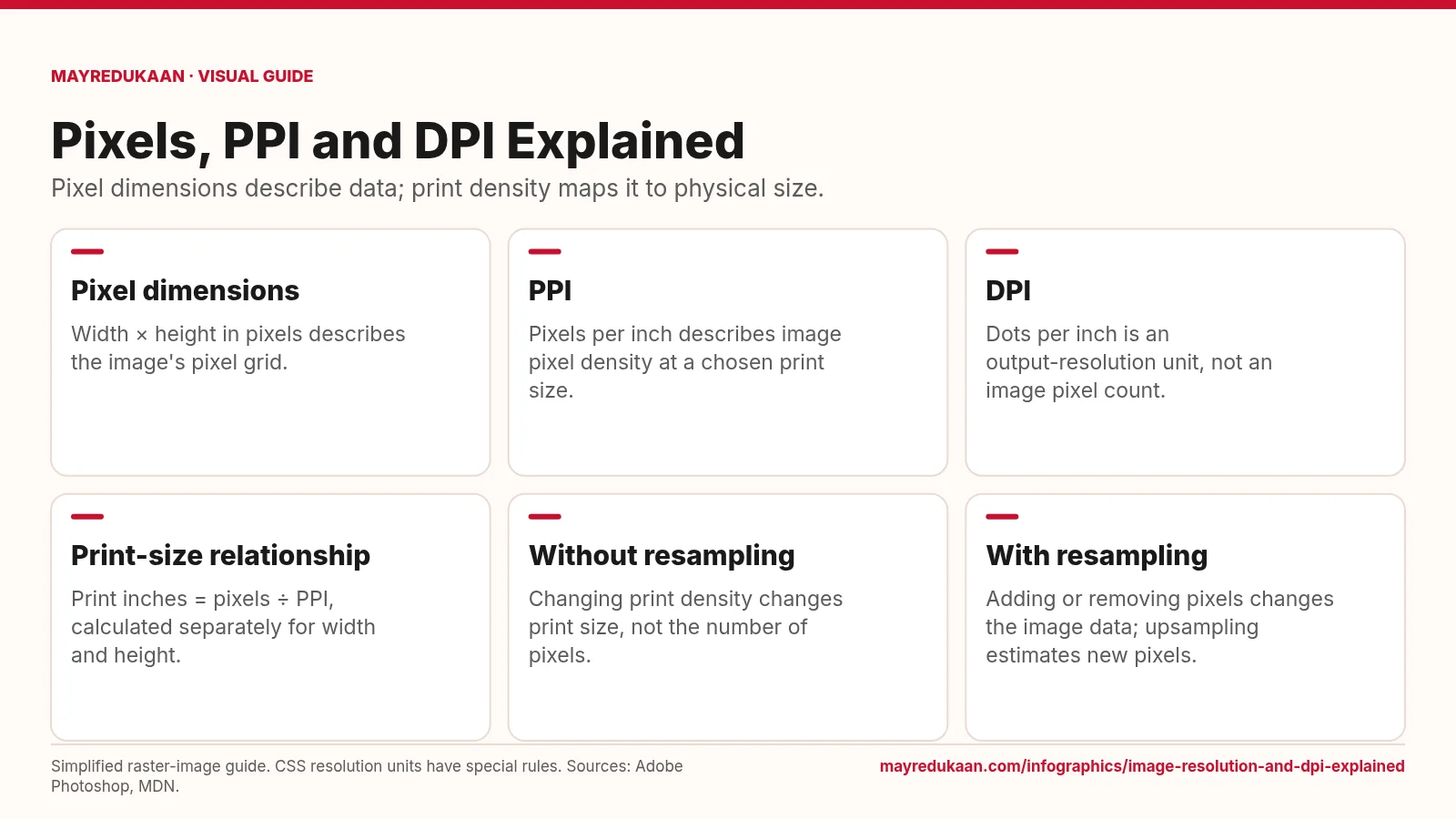
Image resolution and DPI explained
Changing a print-resolution setting is different from changing the image's pixel dimensions.
How PDF compression works
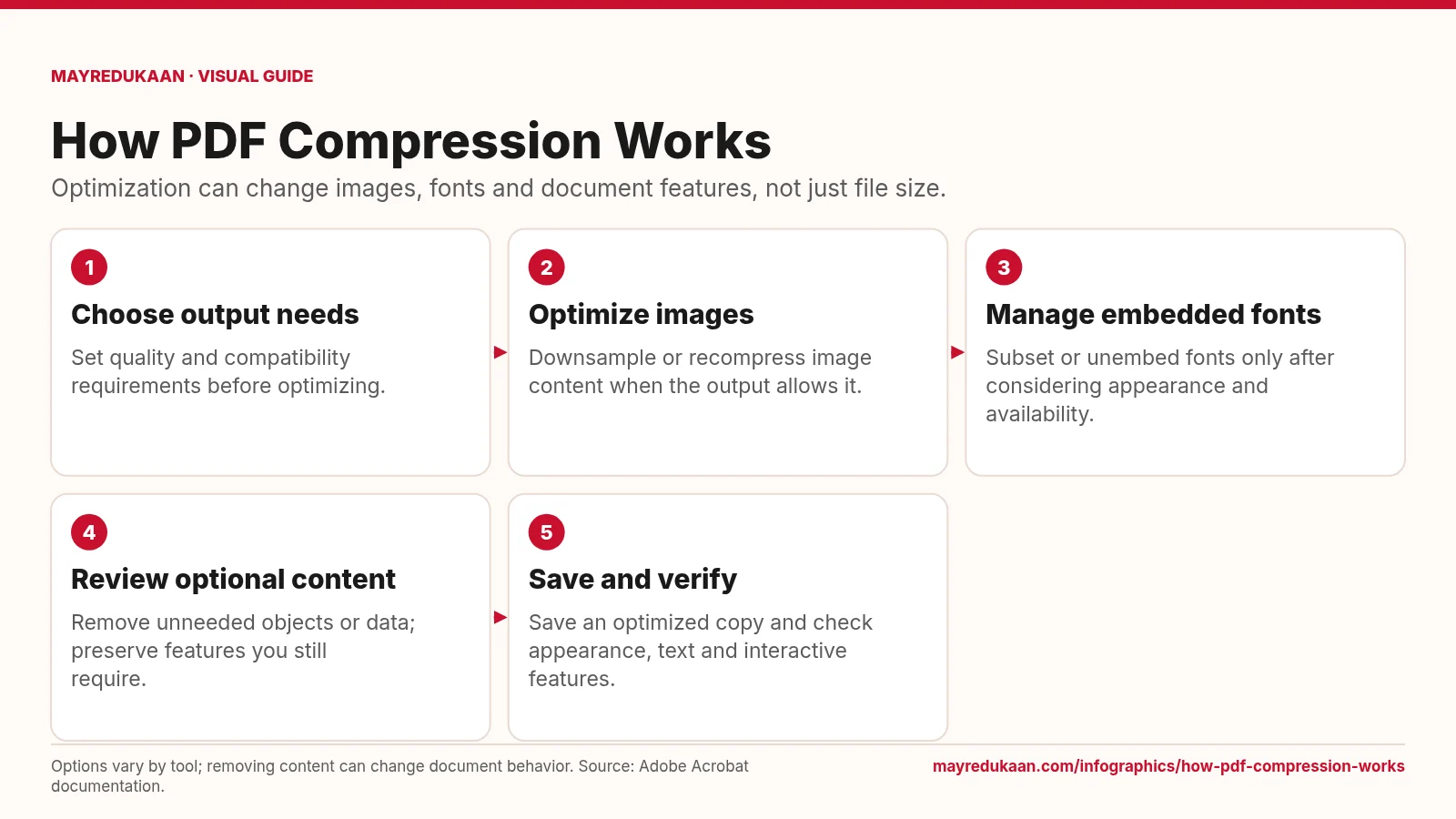
PDF optimization combines several operations whose effects depend on the document and selected settings.