
Visual explainers for the web, files and security
30 original diagrams, each built from official documentation and standards and explained in full text below the picture. Download them free as PNG or WebP, in four shapes.
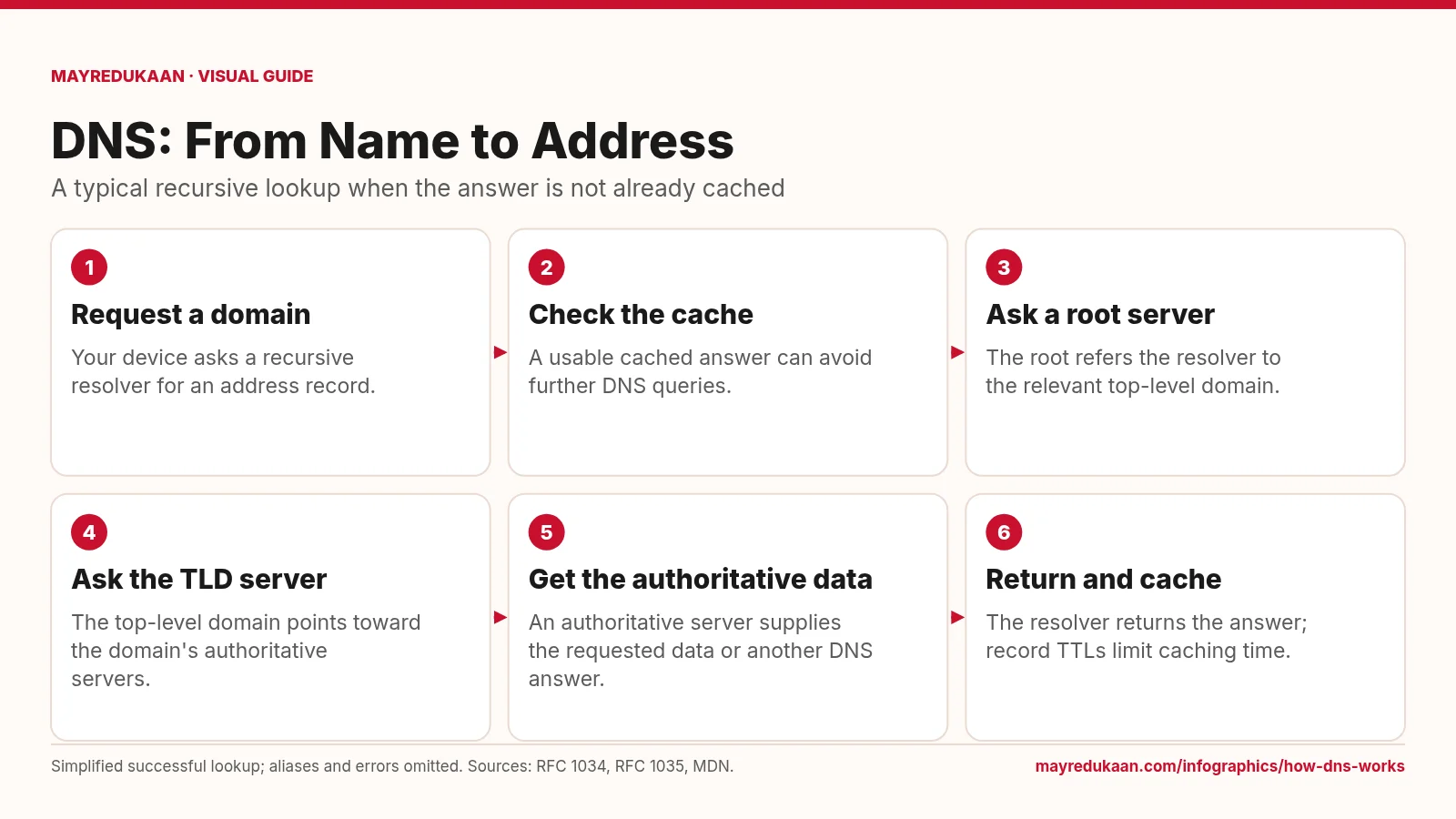
How DNS works
DNS resolves names through a distributed hierarchy, while caching can shorten the lookup.
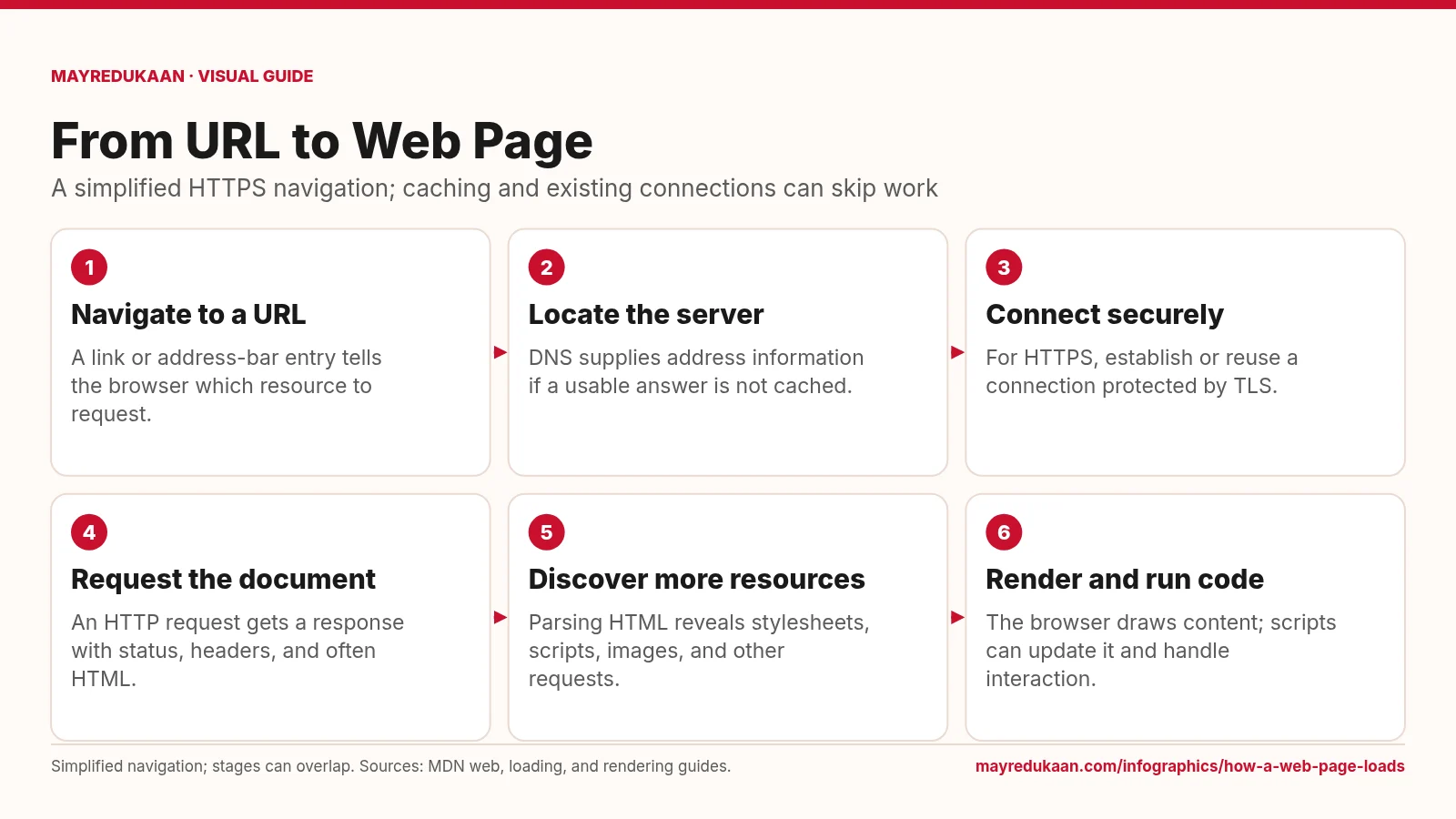
How a web page loads
Loading a page combines network requests with browser work, and those activities can overlap.
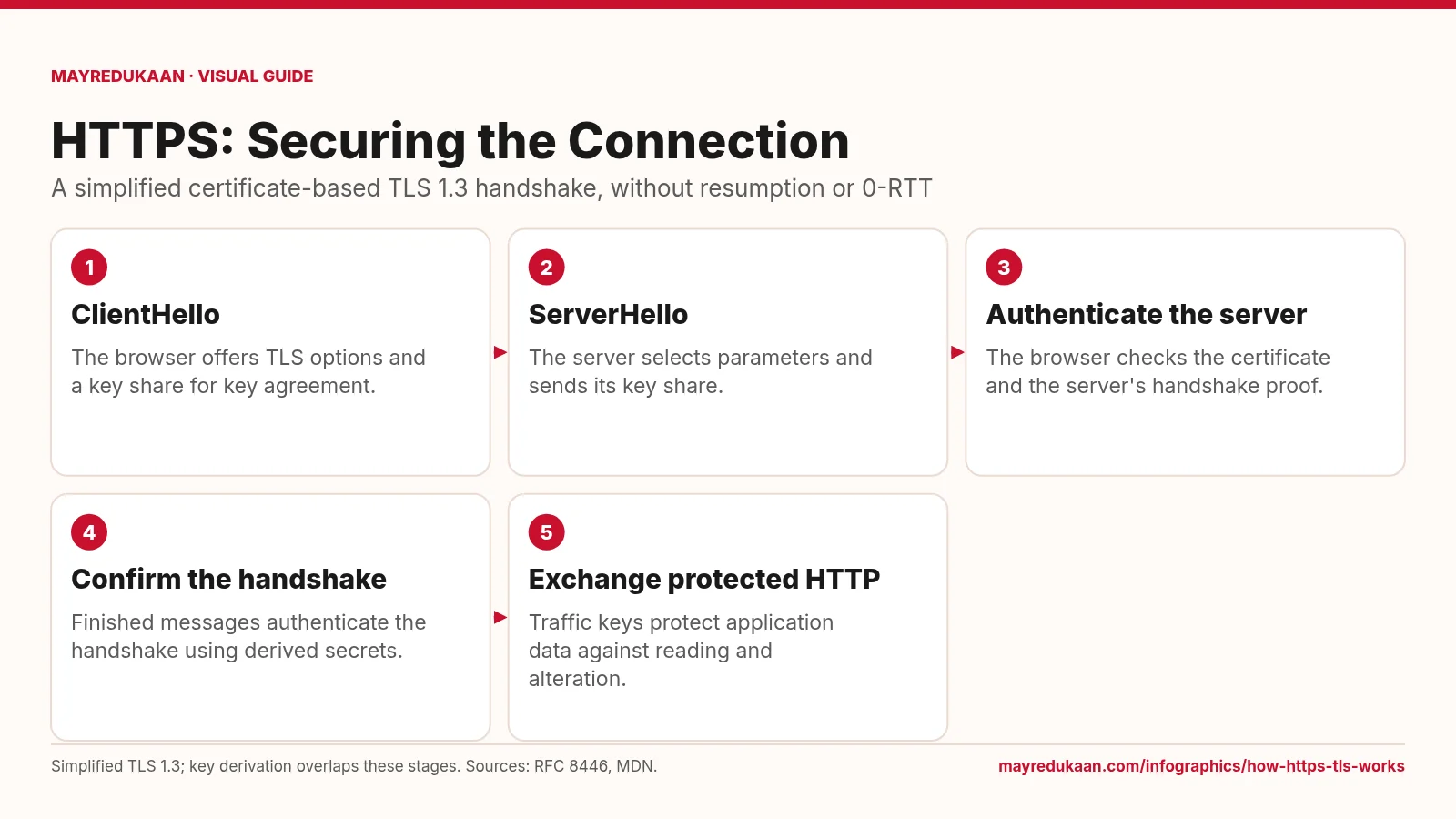
How HTTPS and TLS work
HTTPS uses TLS to authenticate the connection and protect HTTP data in transit.
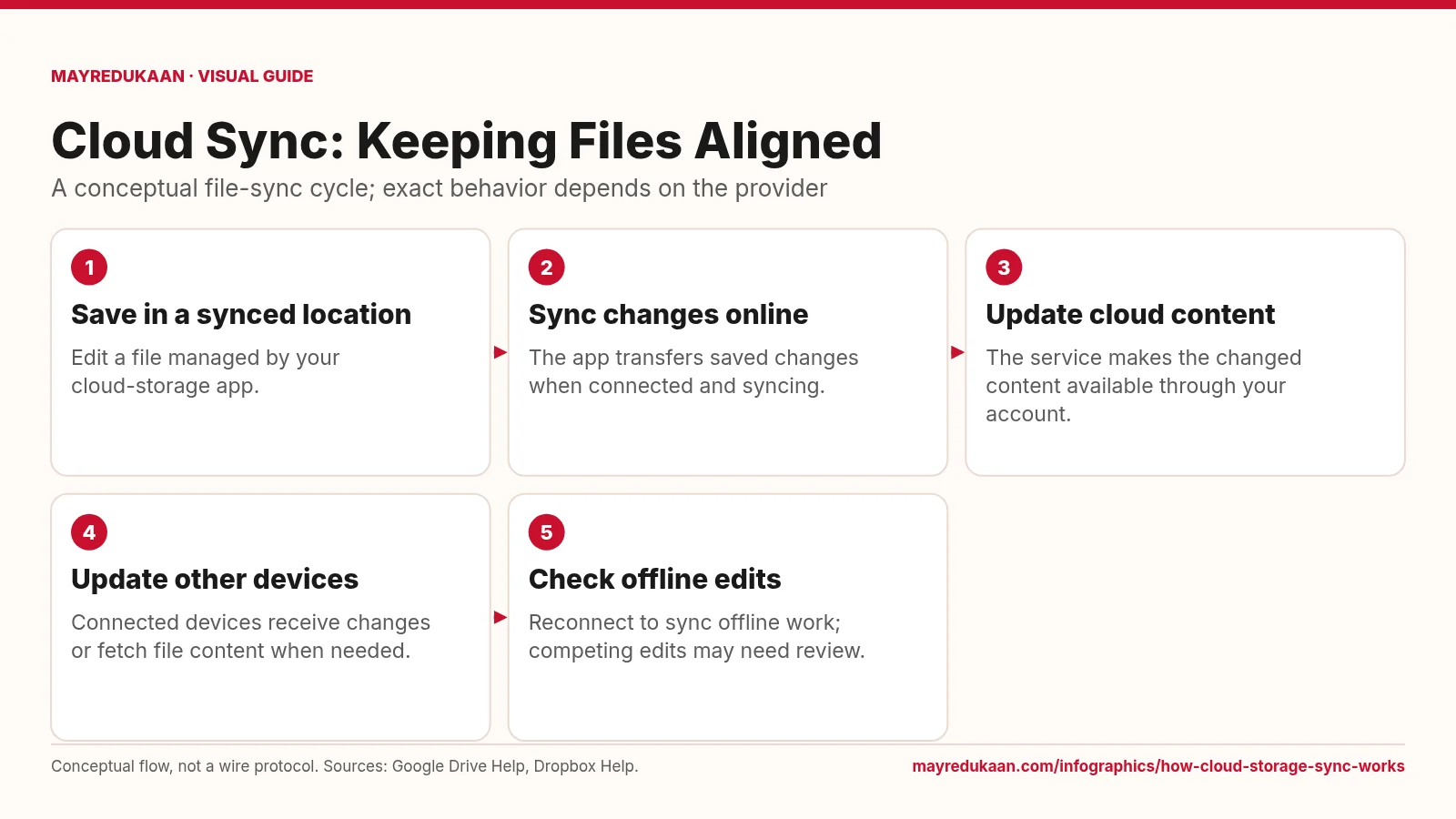
How cloud storage sync works
Synchronization carries file changes across locations, but offline availability and conflict handling vary.
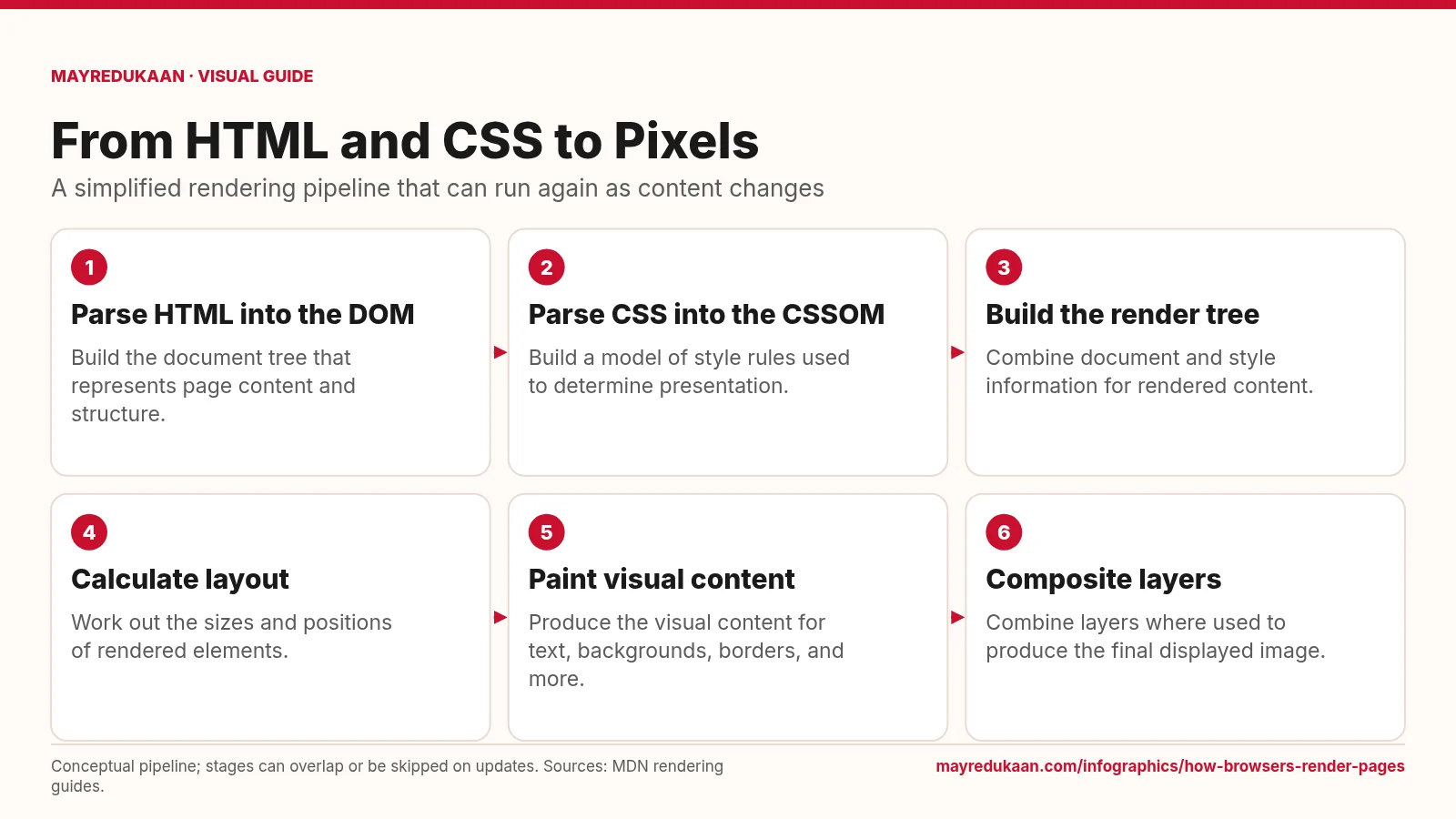
How browsers render pages
Rendering turns document structure and styling into a displayed image, then repeats relevant work when the page changes.
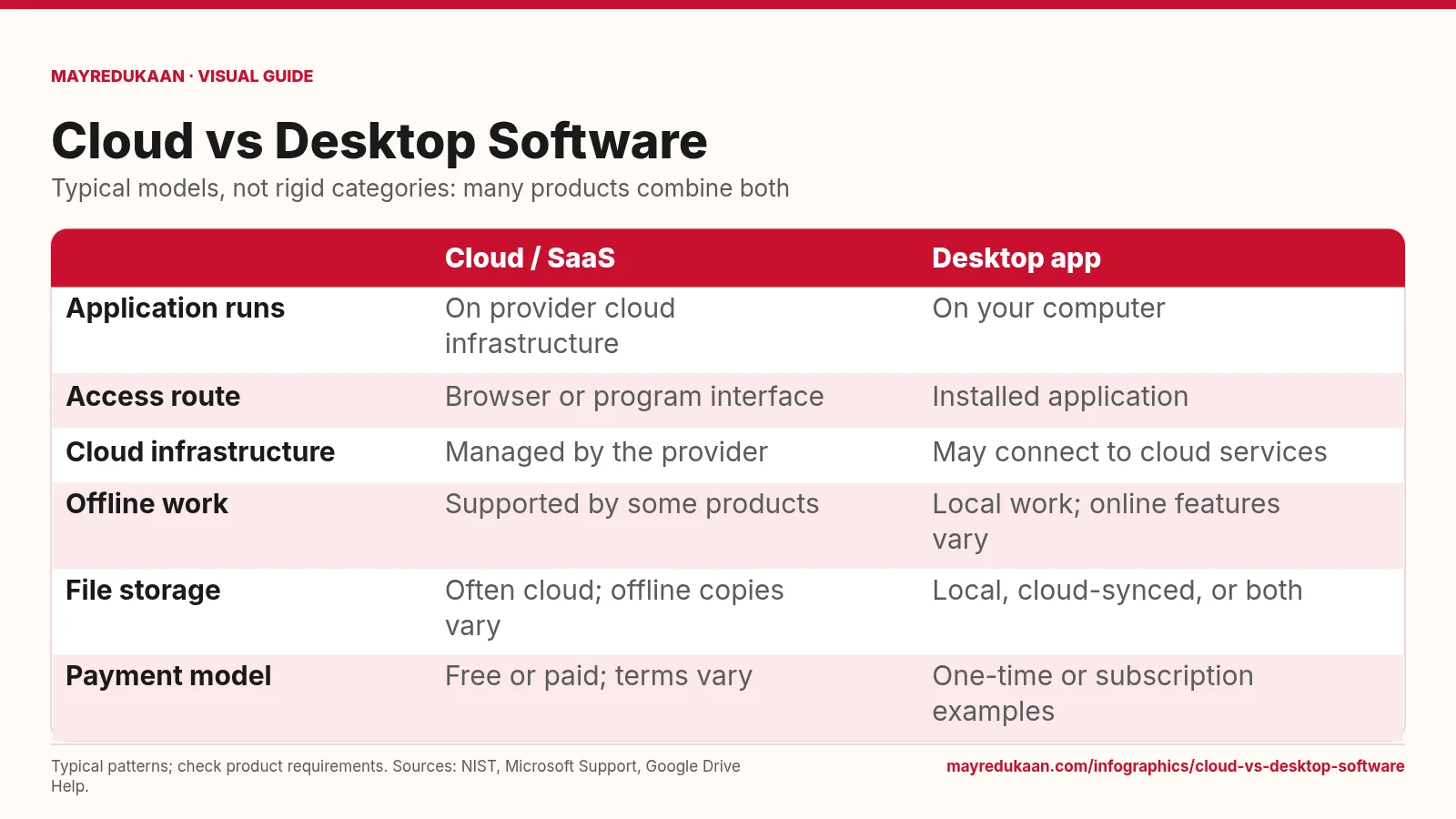
Cloud vs desktop software
Where an application runs is a different question from where files are stored or how the software is paid for.
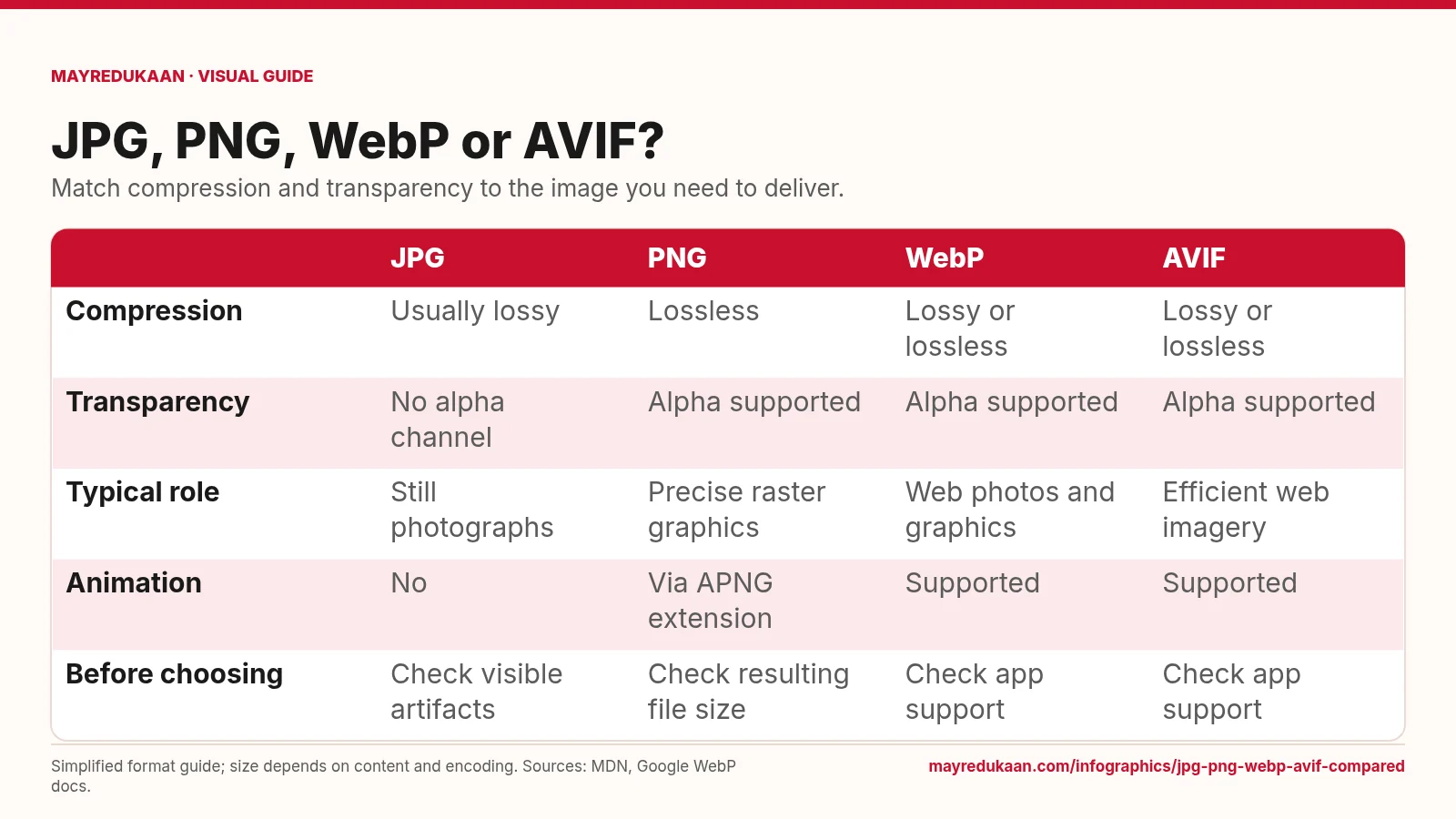
JPG, PNG, WebP and AVIF compared
Choose a format by the features your image needs, not by an assumed file-size ranking.
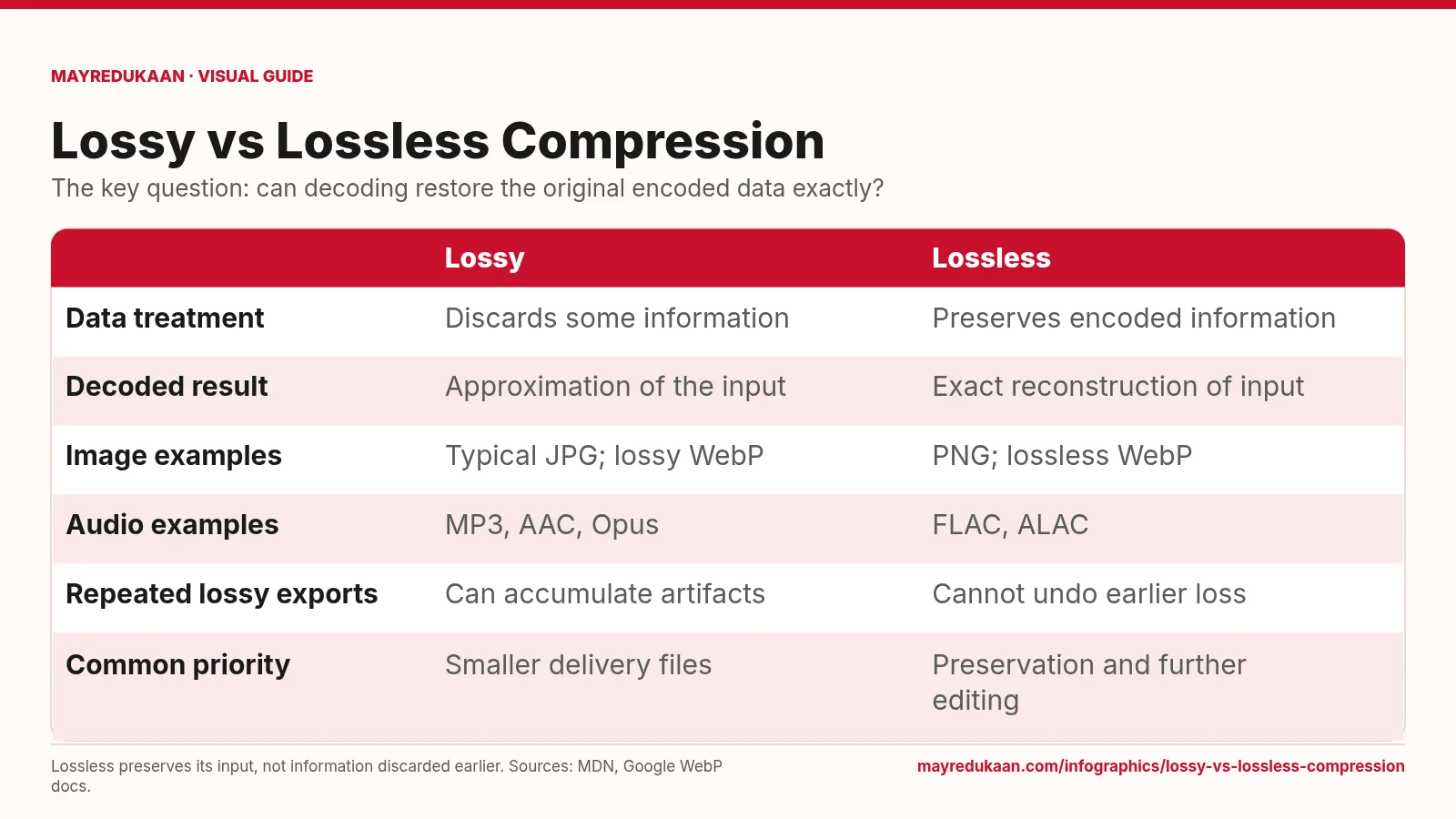
Lossy versus lossless compression
Lossless compression reconstructs its input exactly, but cannot repair information that was already discarded.
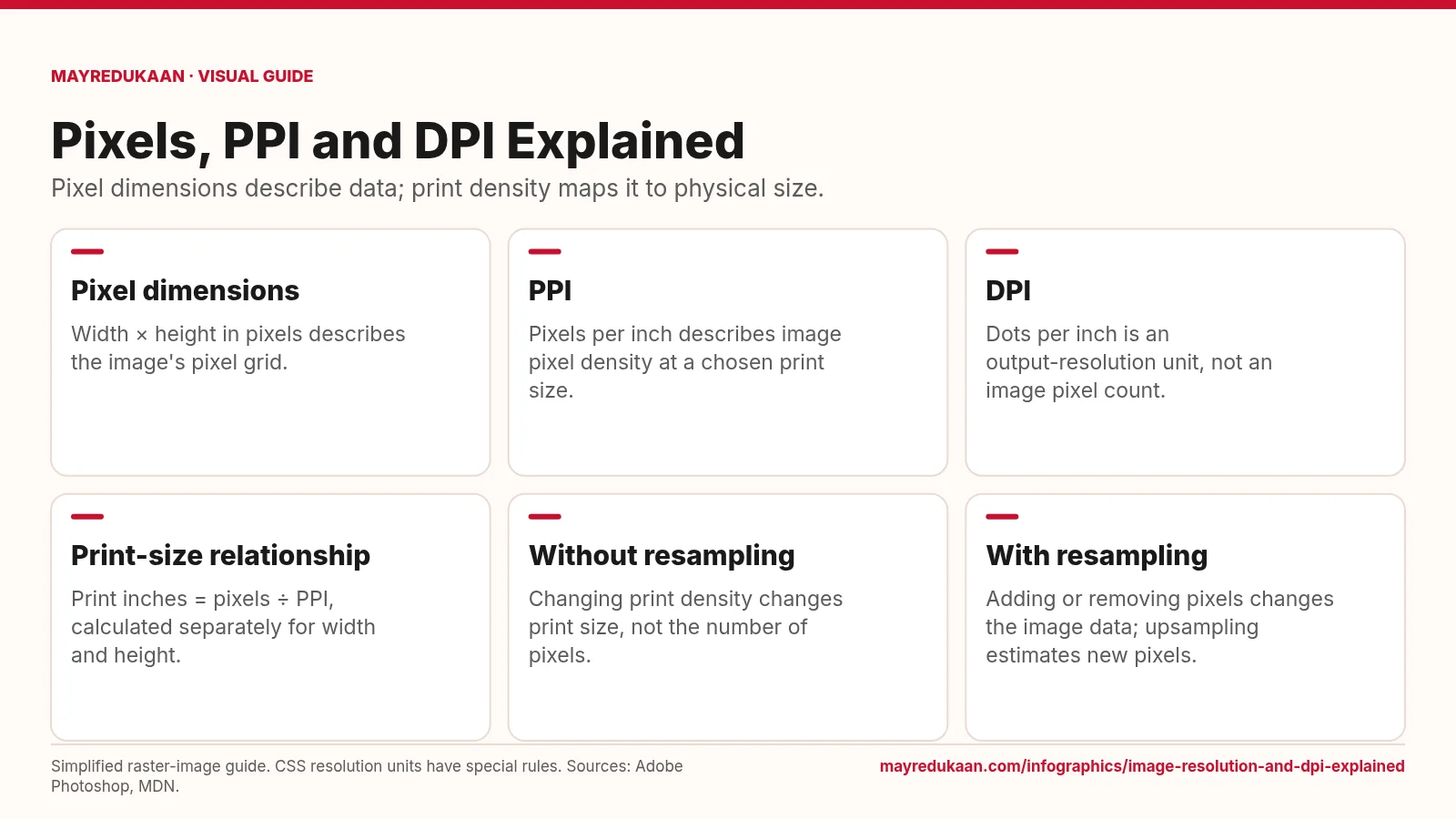
Image resolution and DPI explained
Changing a print-resolution setting is different from changing the image's pixel dimensions.
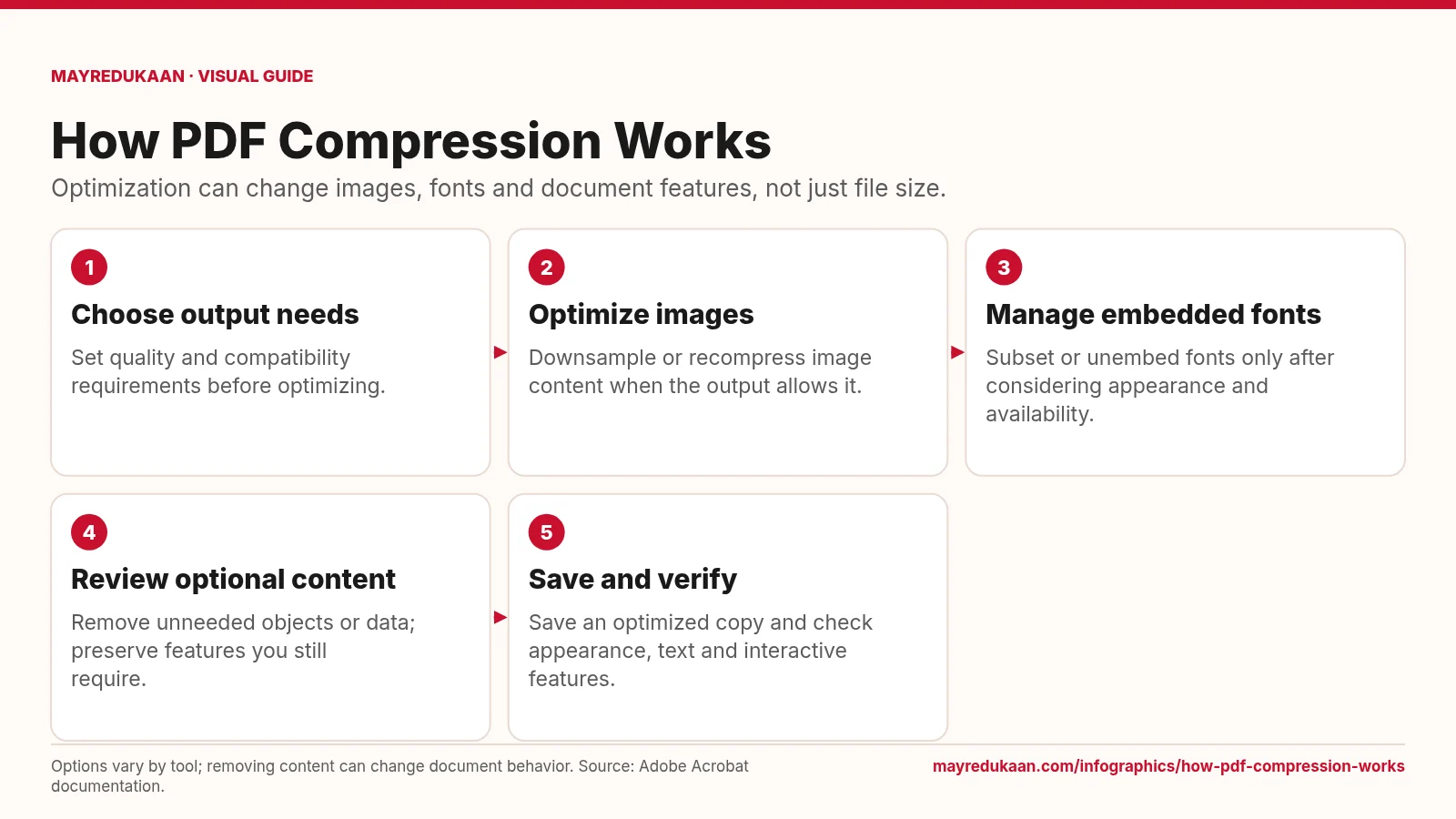
How PDF compression works
PDF optimization combines several operations whose effects depend on the document and selected settings.
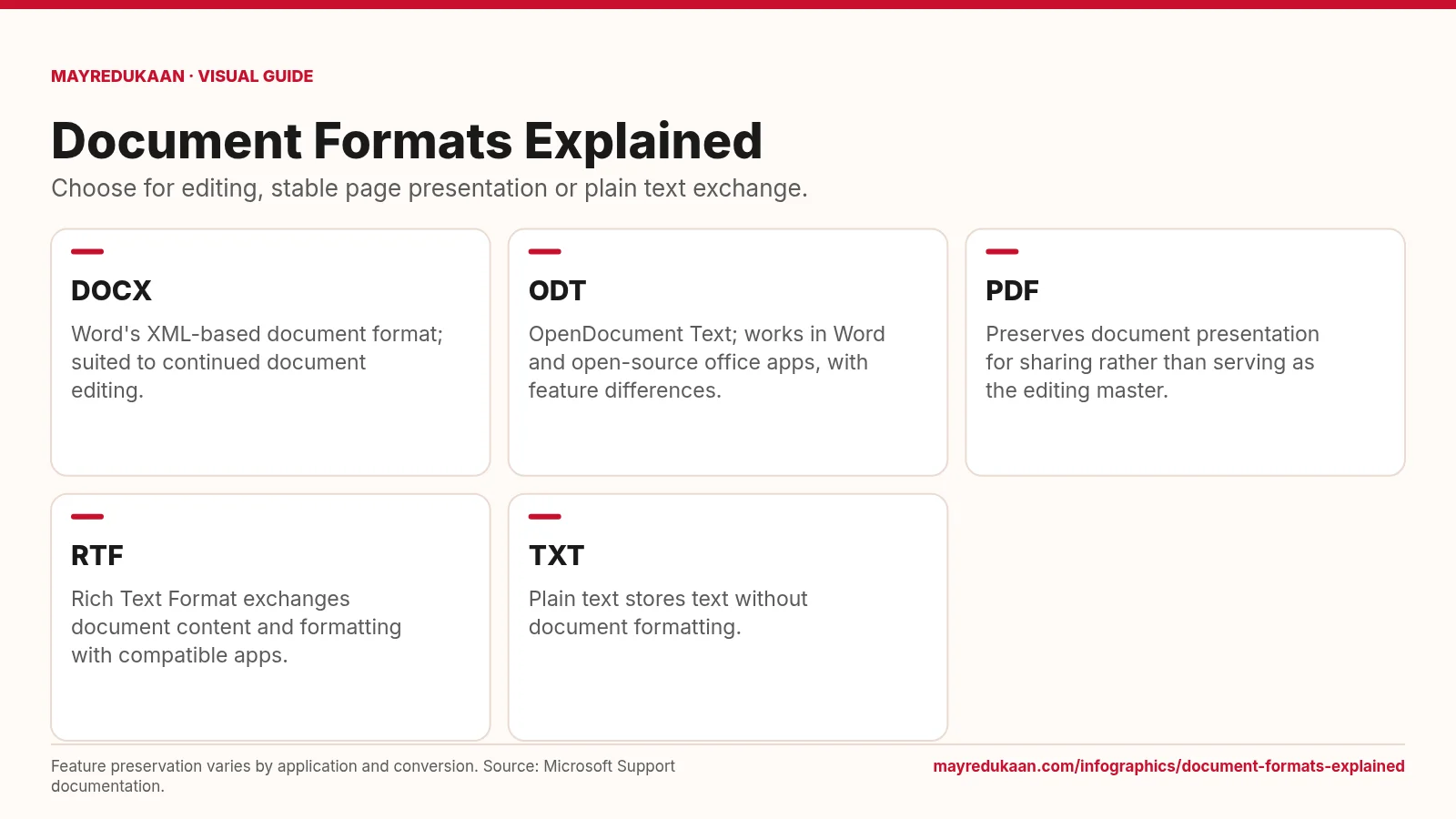
Document formats explained
Select a document format according to what the next person needs to read, edit or preserve.
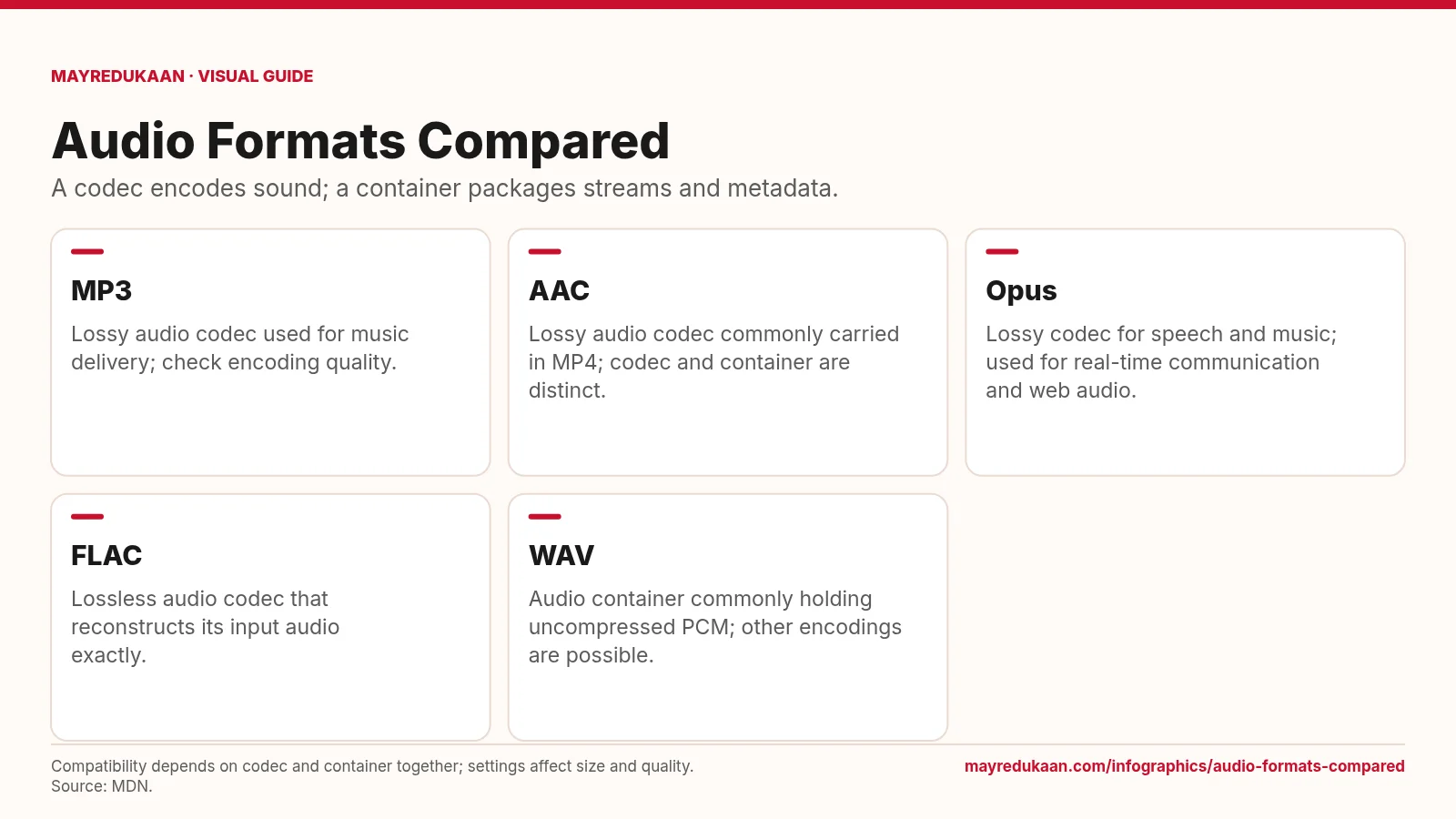
Audio formats compared
Audio format choices depend on encoding, packaging, compatibility and whether exact reconstruction is required.
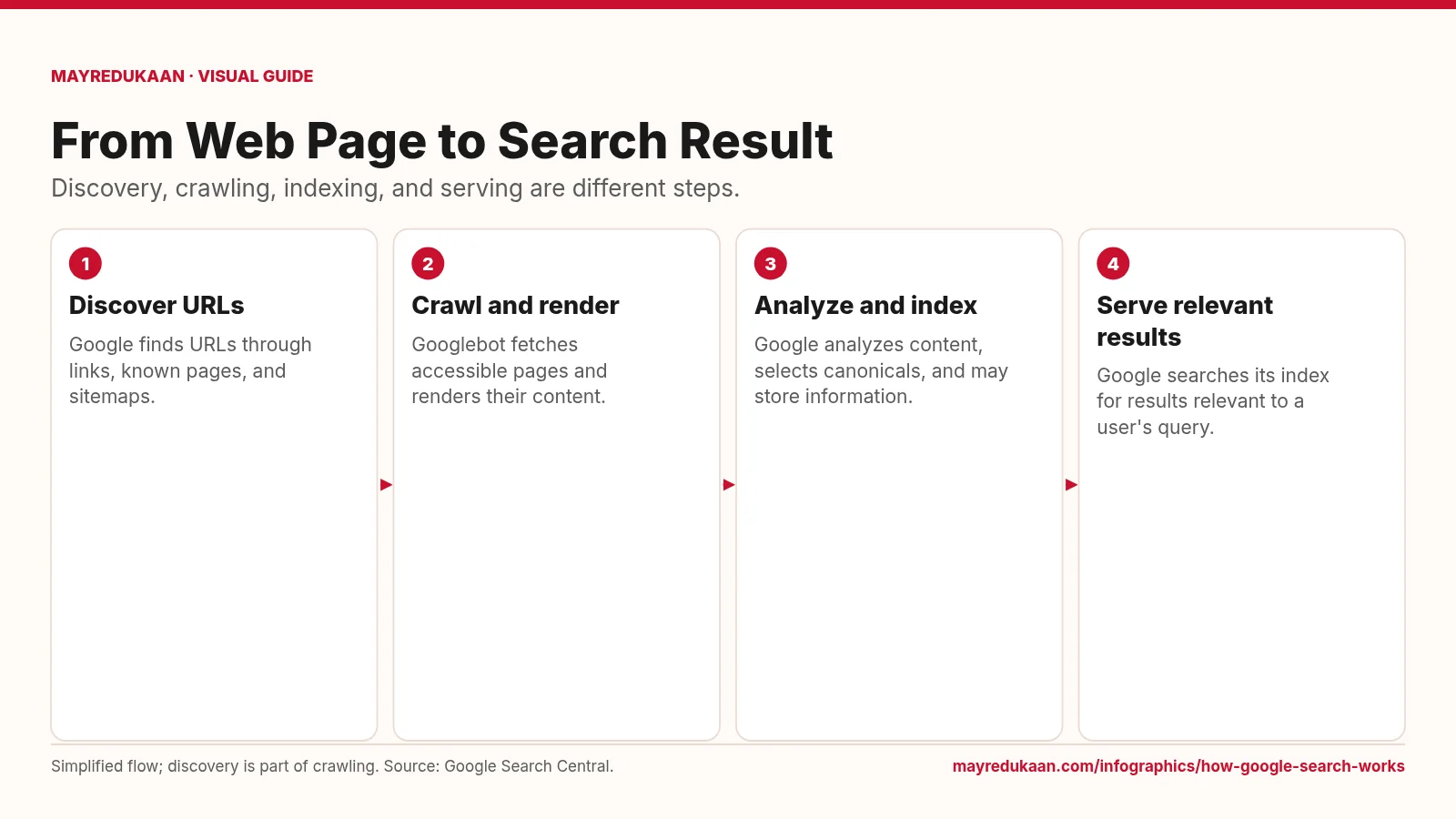
How Google Search Works
A page must be discovered and processed before its information can compete to appear for a search.
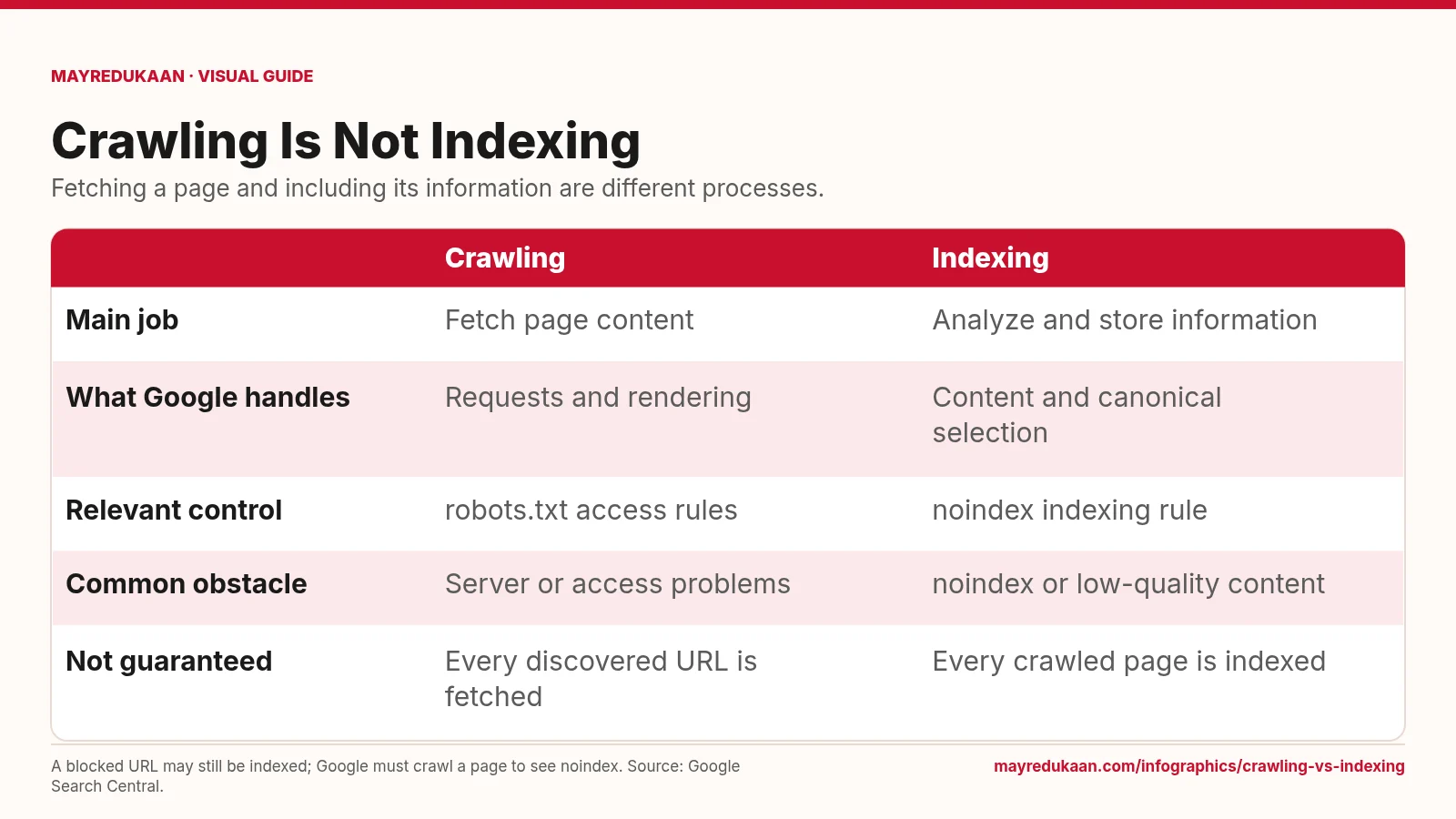
Crawling vs Indexing
Use crawl controls for fetching and indexing rules for whether content belongs in Search.
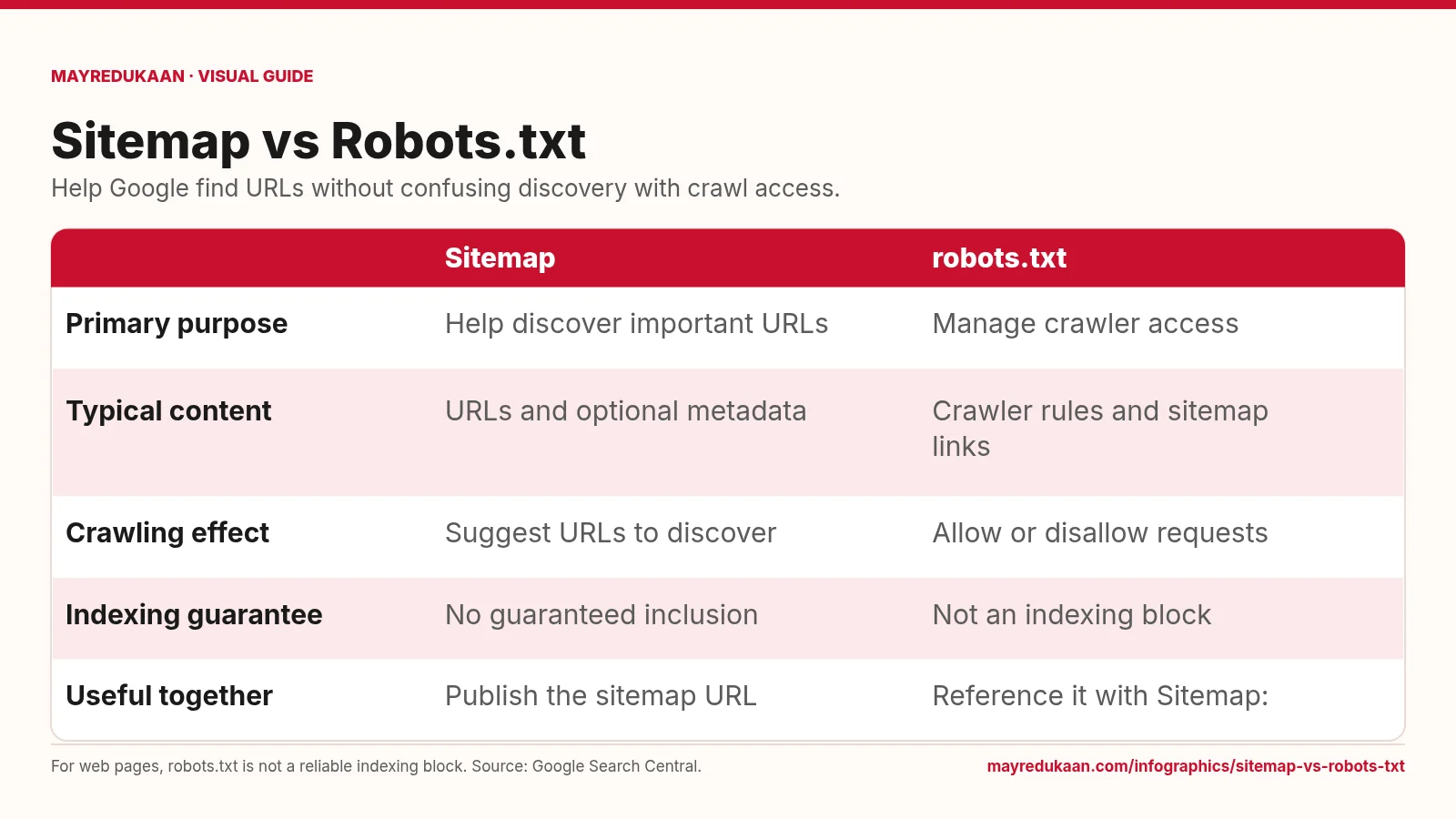
Sitemap vs Robots.txt
Sitemaps support URL discovery, while robots.txt sets crawl-access rules for compliant crawlers.
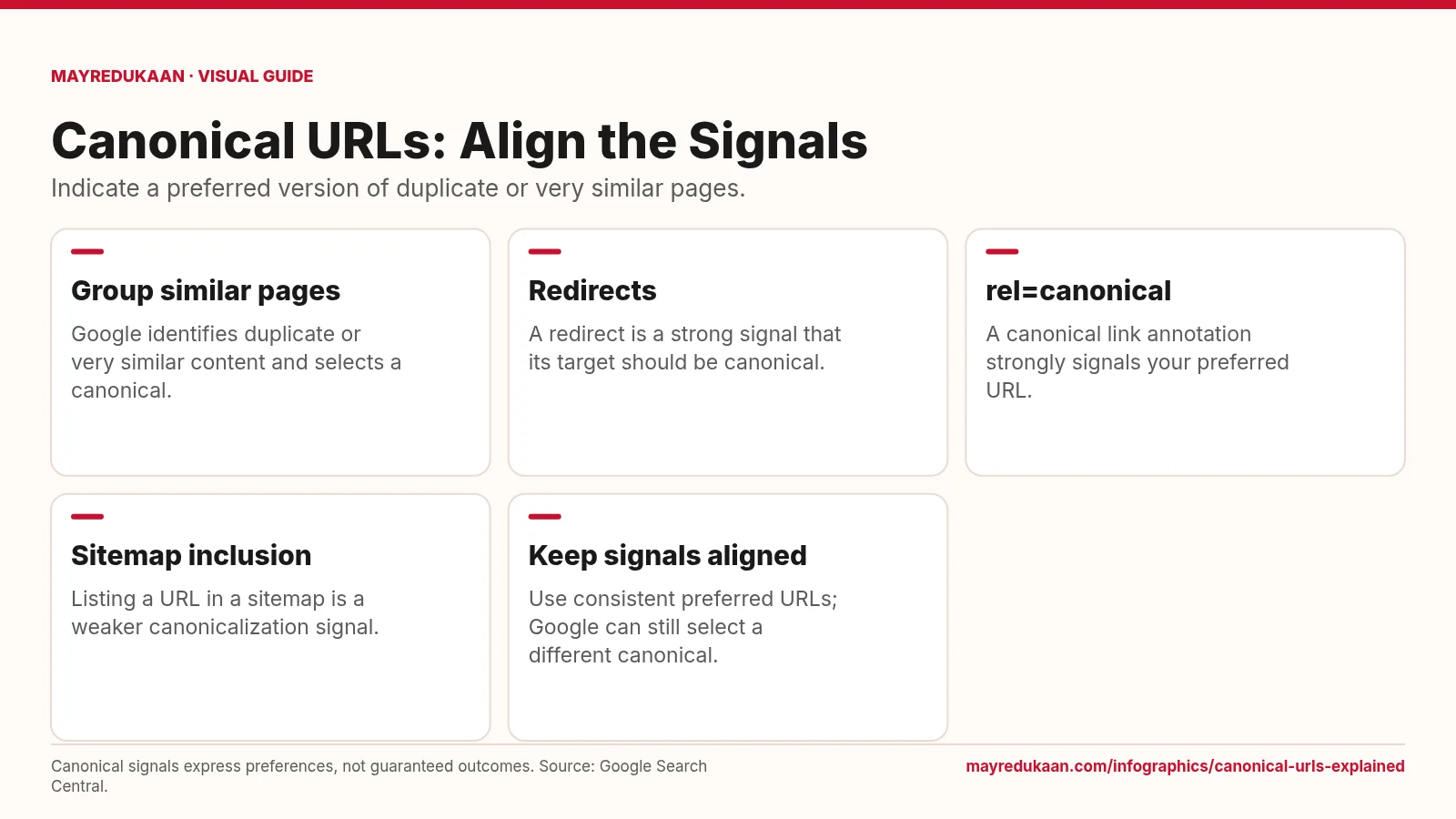
Canonical URLs Explained
Canonicalization helps Google choose a representative URL from duplicate or very similar pages.
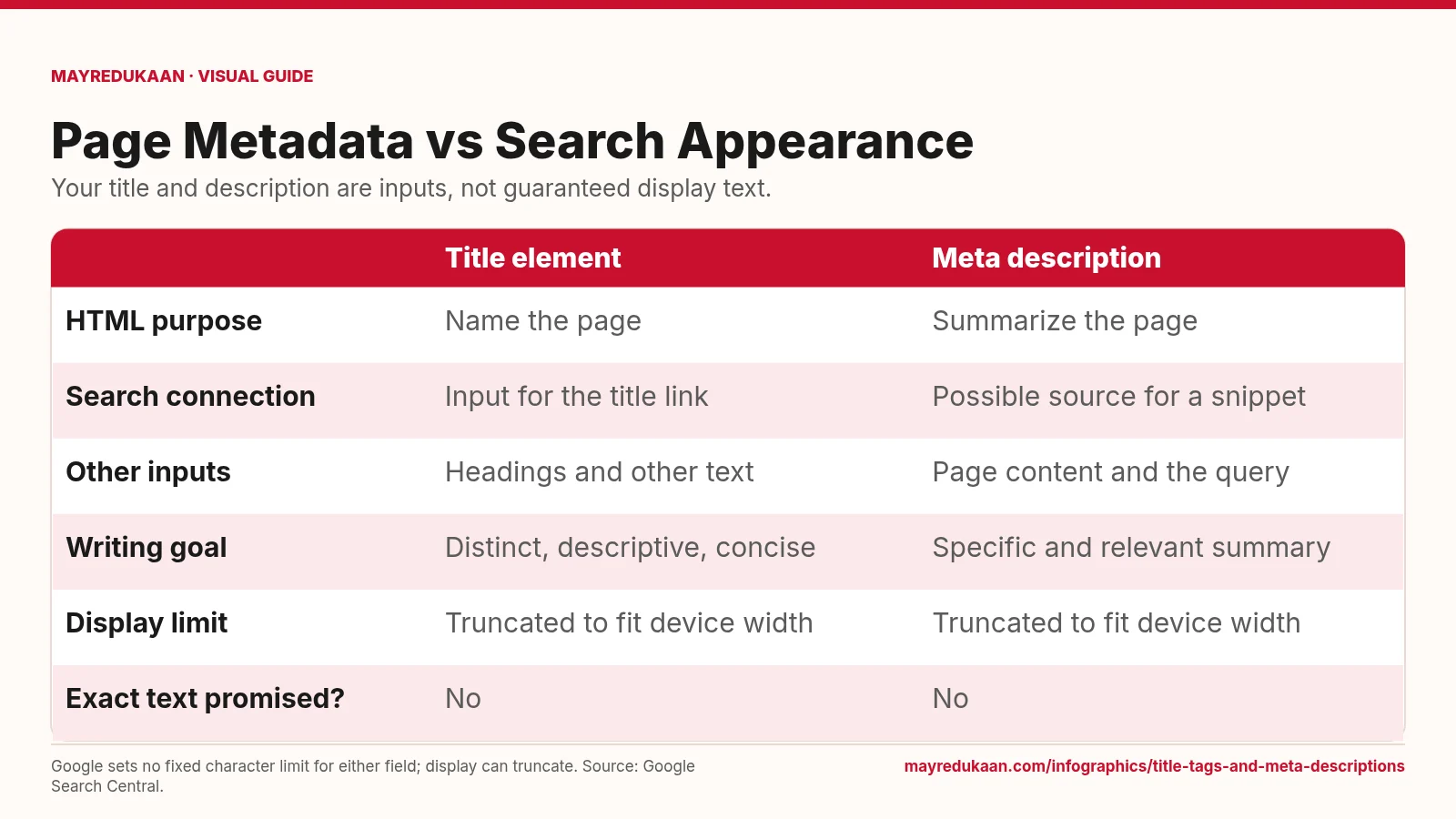
Title Tags and Meta Descriptions
Write accurate page-specific metadata while allowing for Google's automated title links and query-dependent snippets.
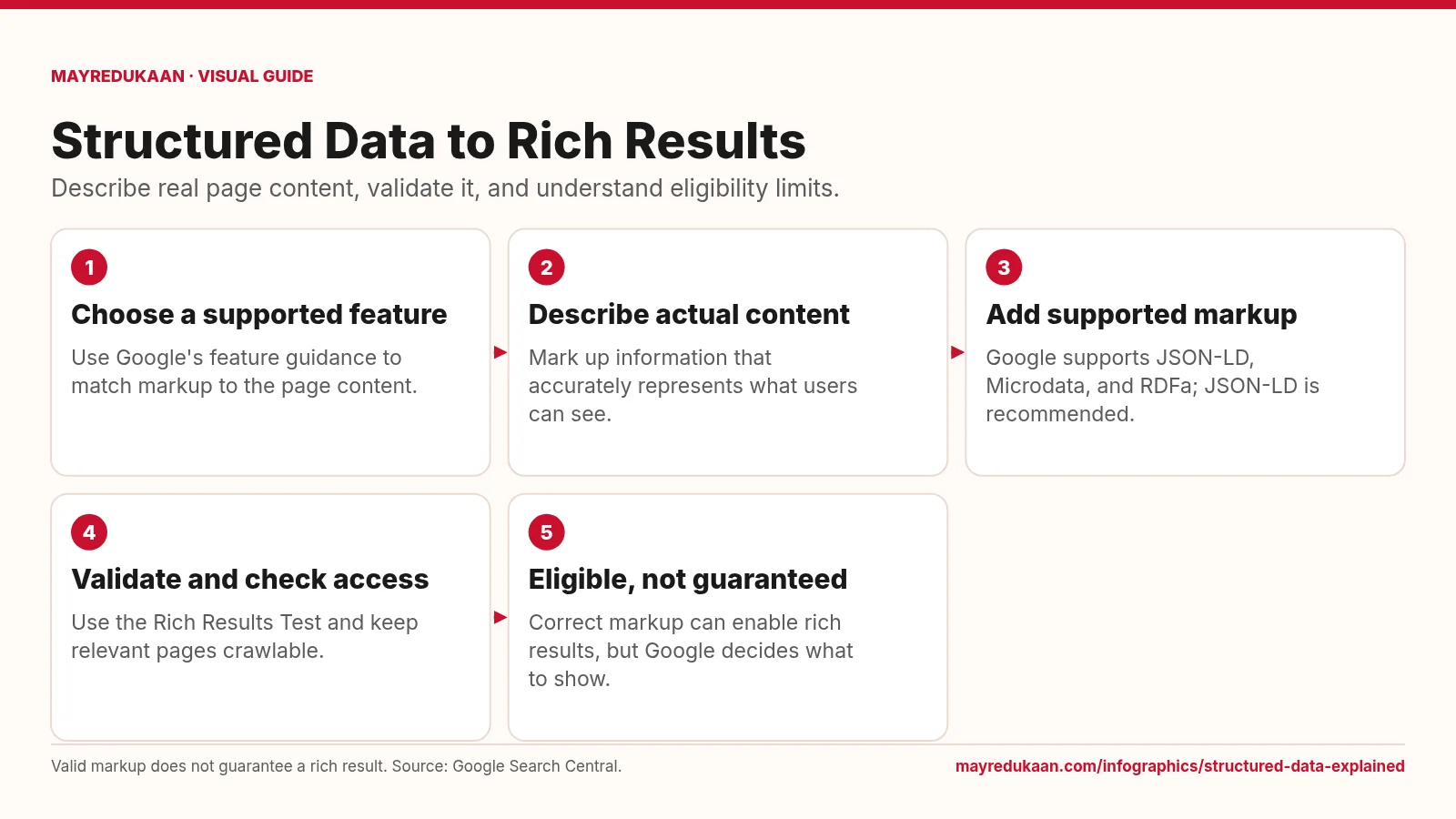
Structured Data Explained
Structured data helps Google understand content and can establish eligibility for supported rich results.
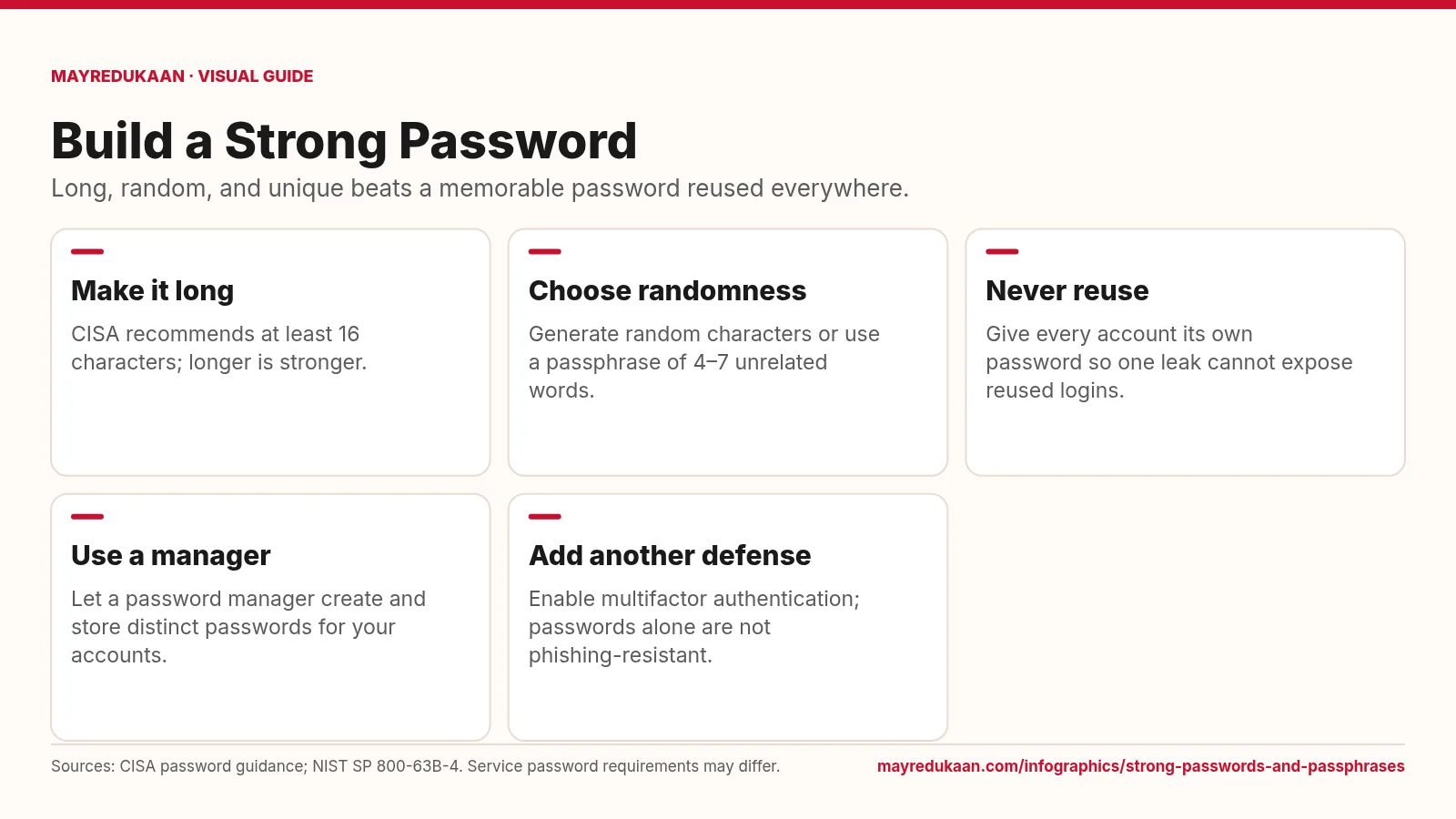
Strong passwords and passphrases
A strong password combines length, unpredictable selection, and exclusive use on one account.
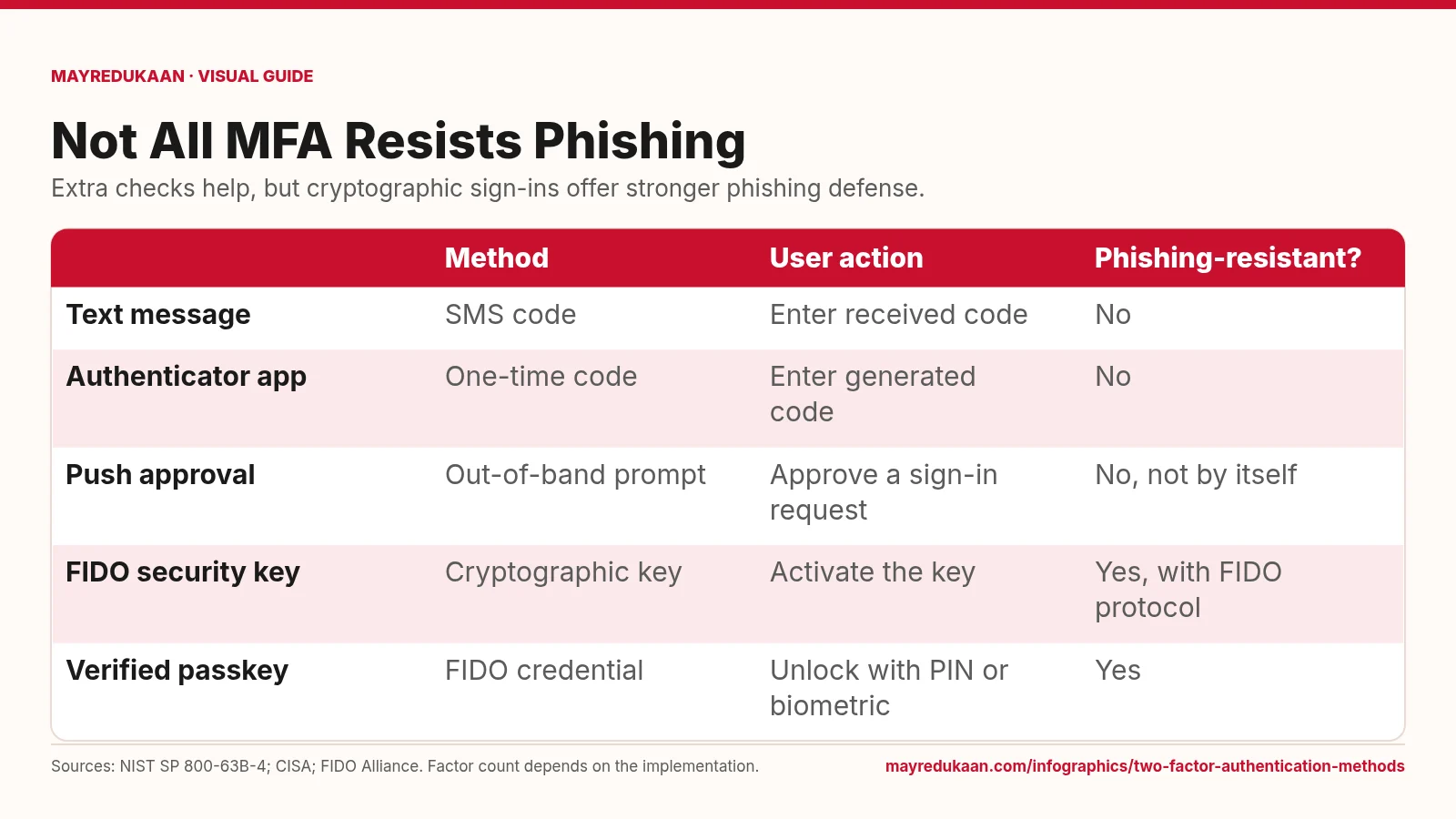
Two-factor authentication methods
Codes add a hurdle, while FIDO authentication binds the sign-in to the legitimate service.
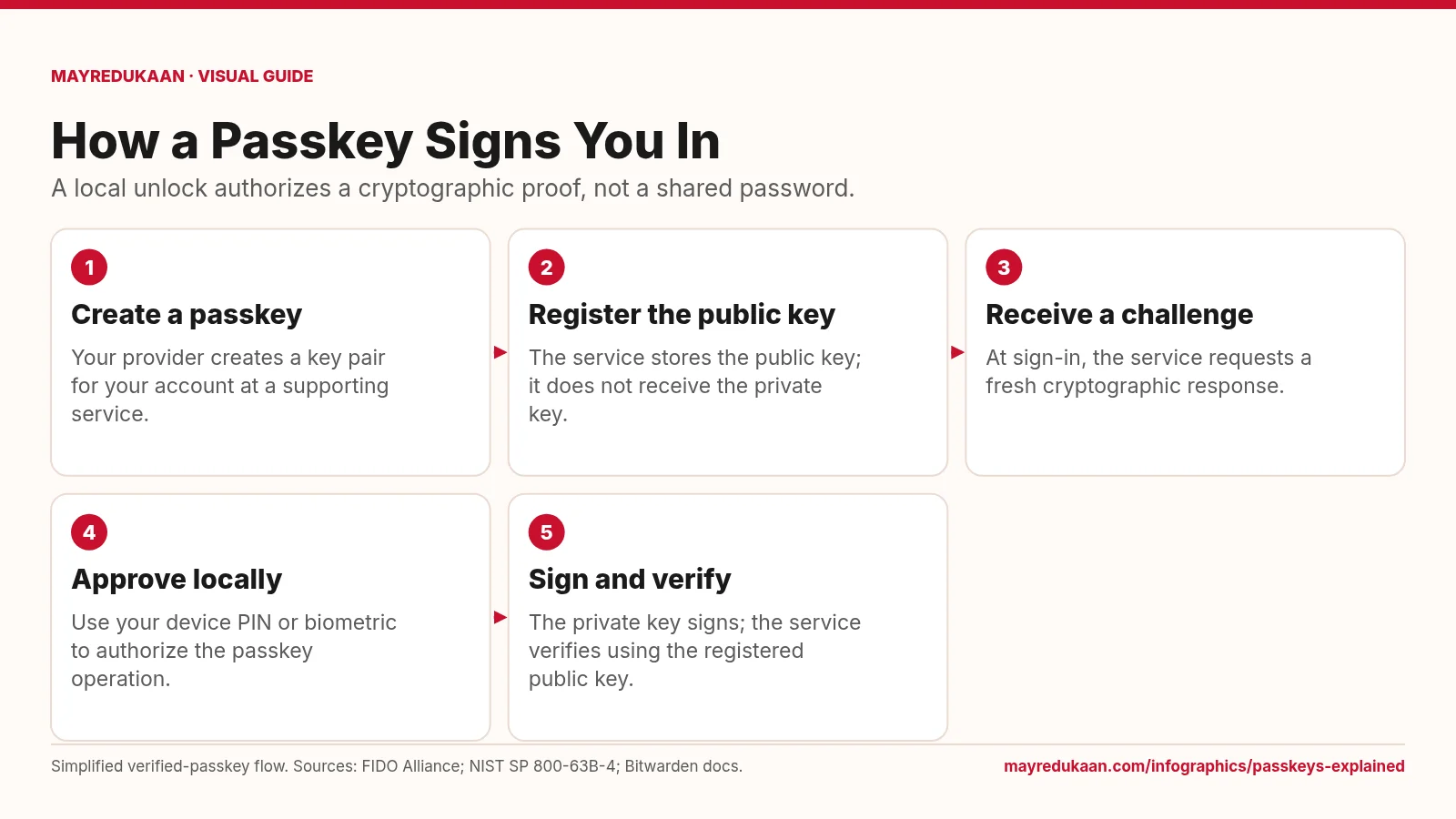
Passkeys explained
The service checks a cryptographic response while the private key remains with the user's passkey system.
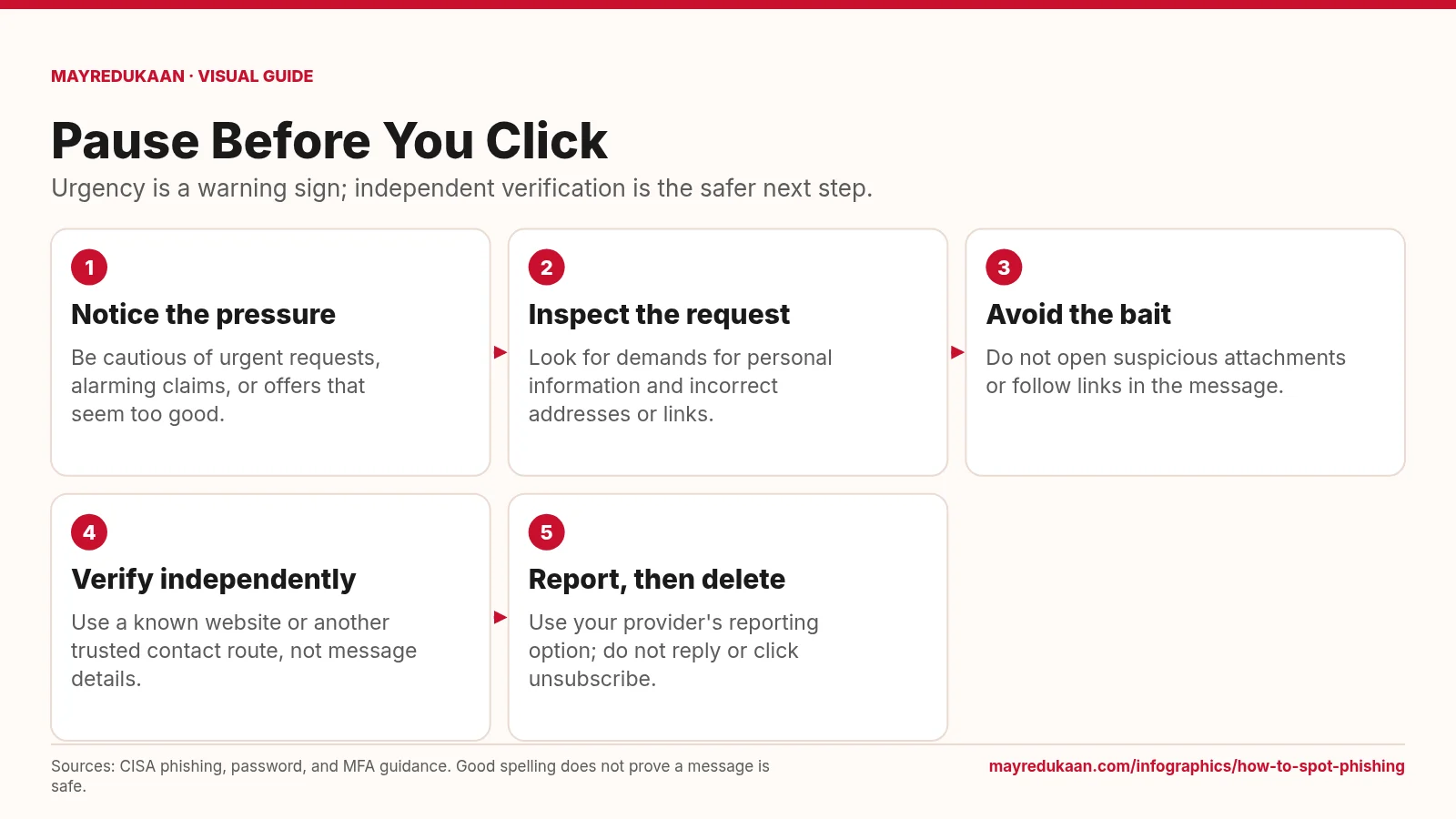
How to spot phishing
Treat suspicious messages as prompts to verify elsewhere, not instructions to act immediately.
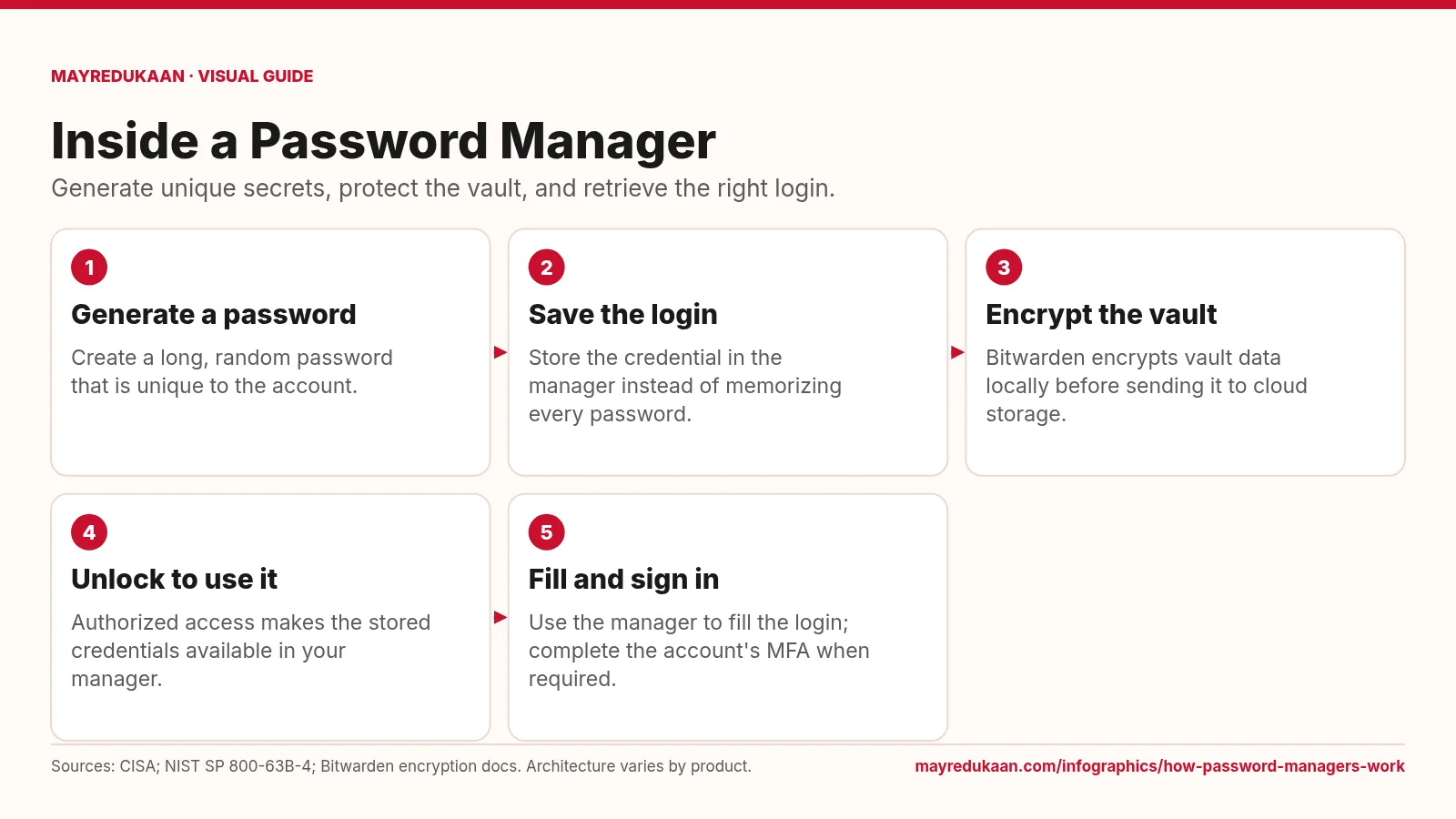
How password managers work
A password manager reduces the need to remember passwords while keeping account credentials distinct.
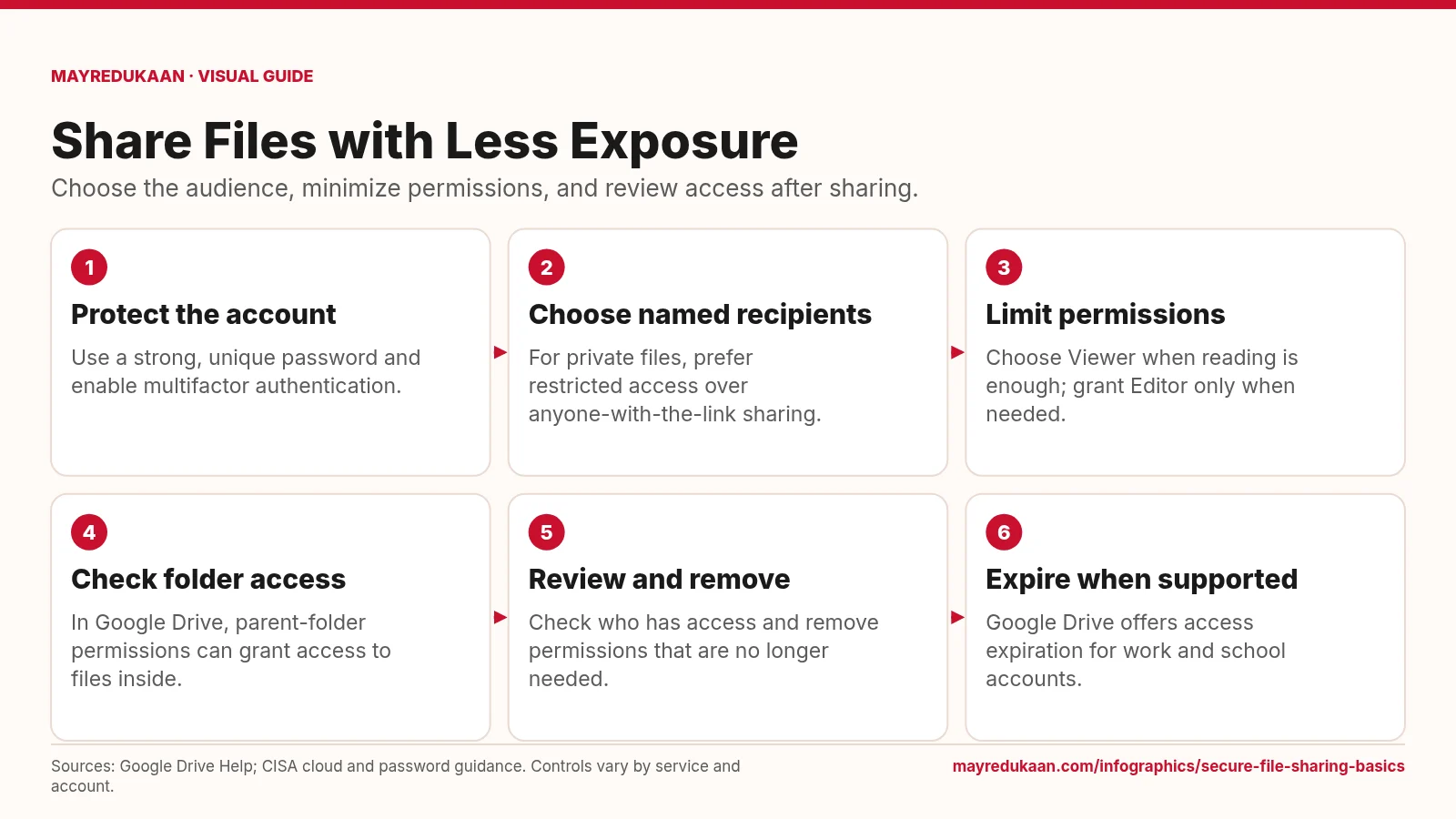
Secure file sharing basics
An encrypted storage service still needs deliberate choices about who can open and edit each file.
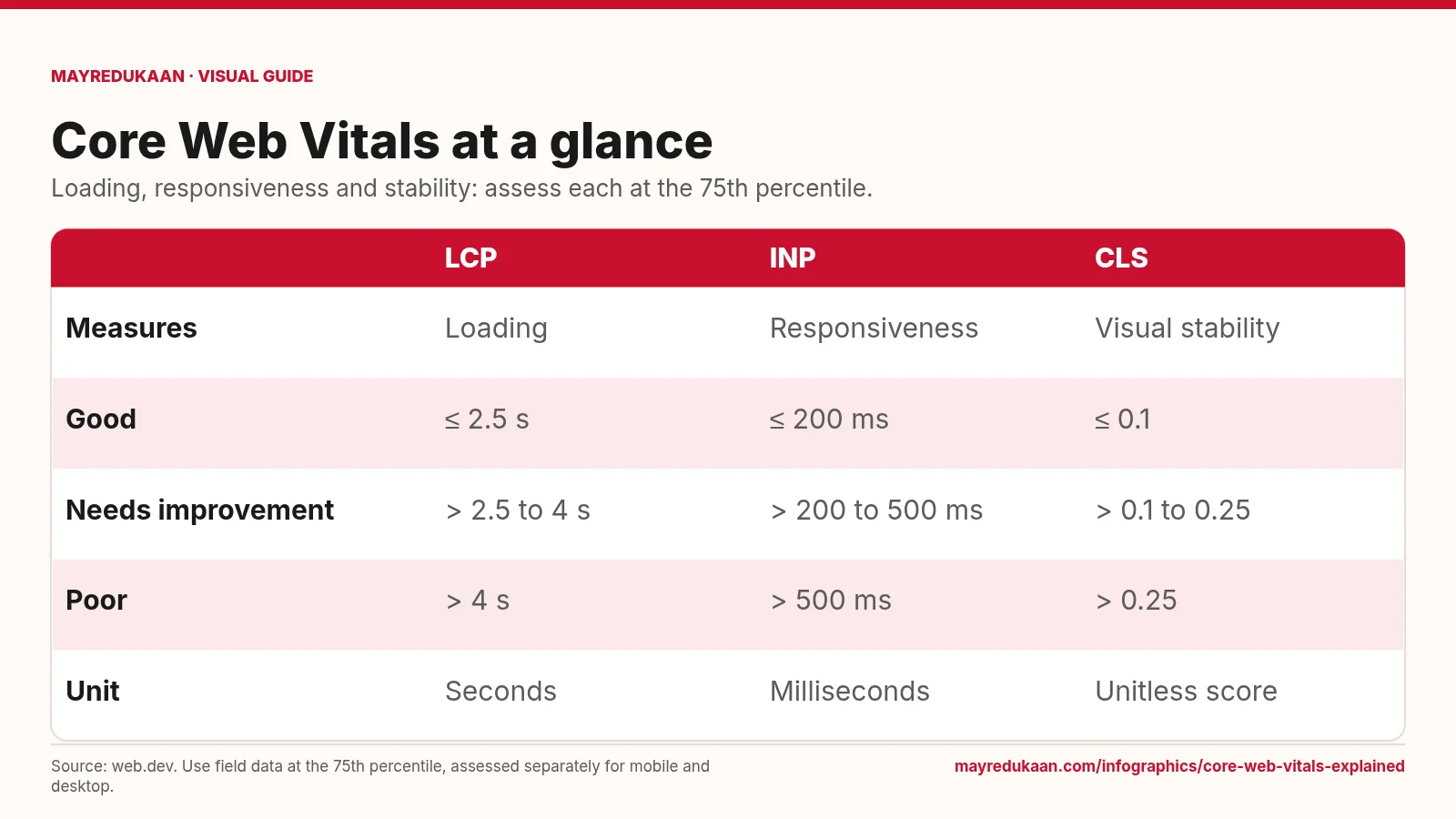
Core Web Vitals explained
Core Web Vitals evaluate three different aspects of a page's real-world user experience.
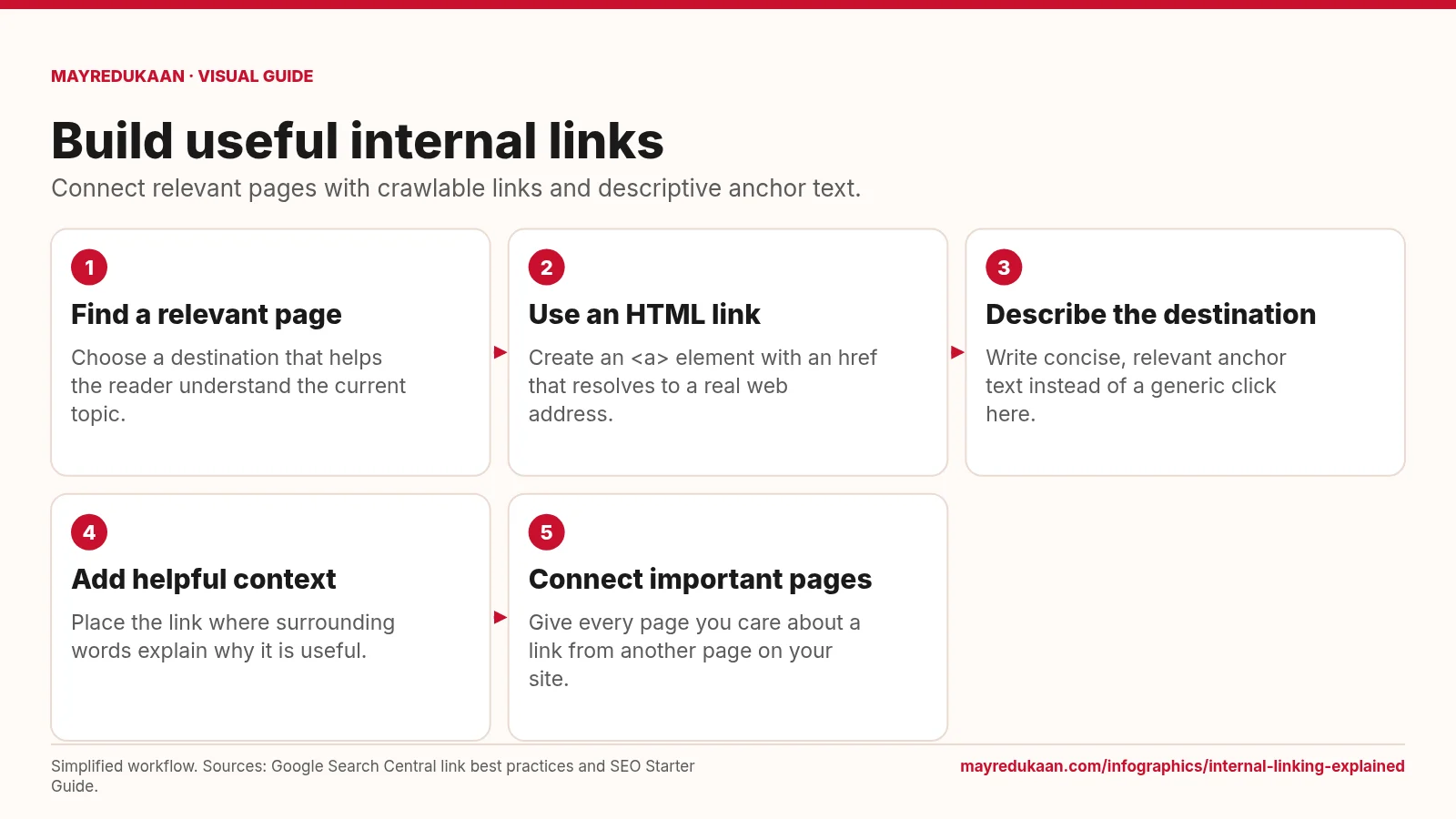
Internal linking explained
An effective internal link provides both a usable route and a clear reason to follow it.
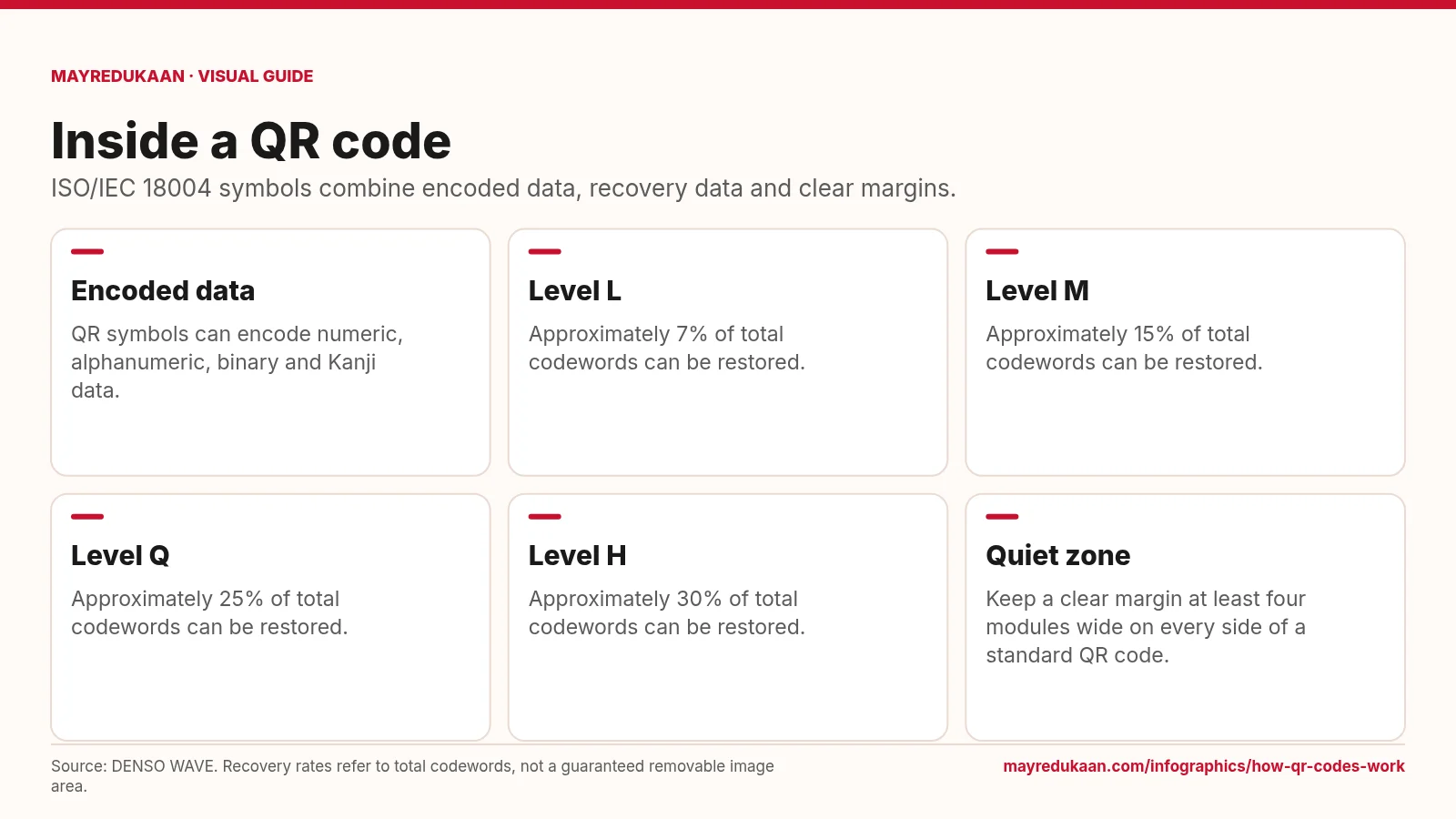
How QR codes work
QR error correction adds recoverability, but it does not make every pattern of damage harmless.
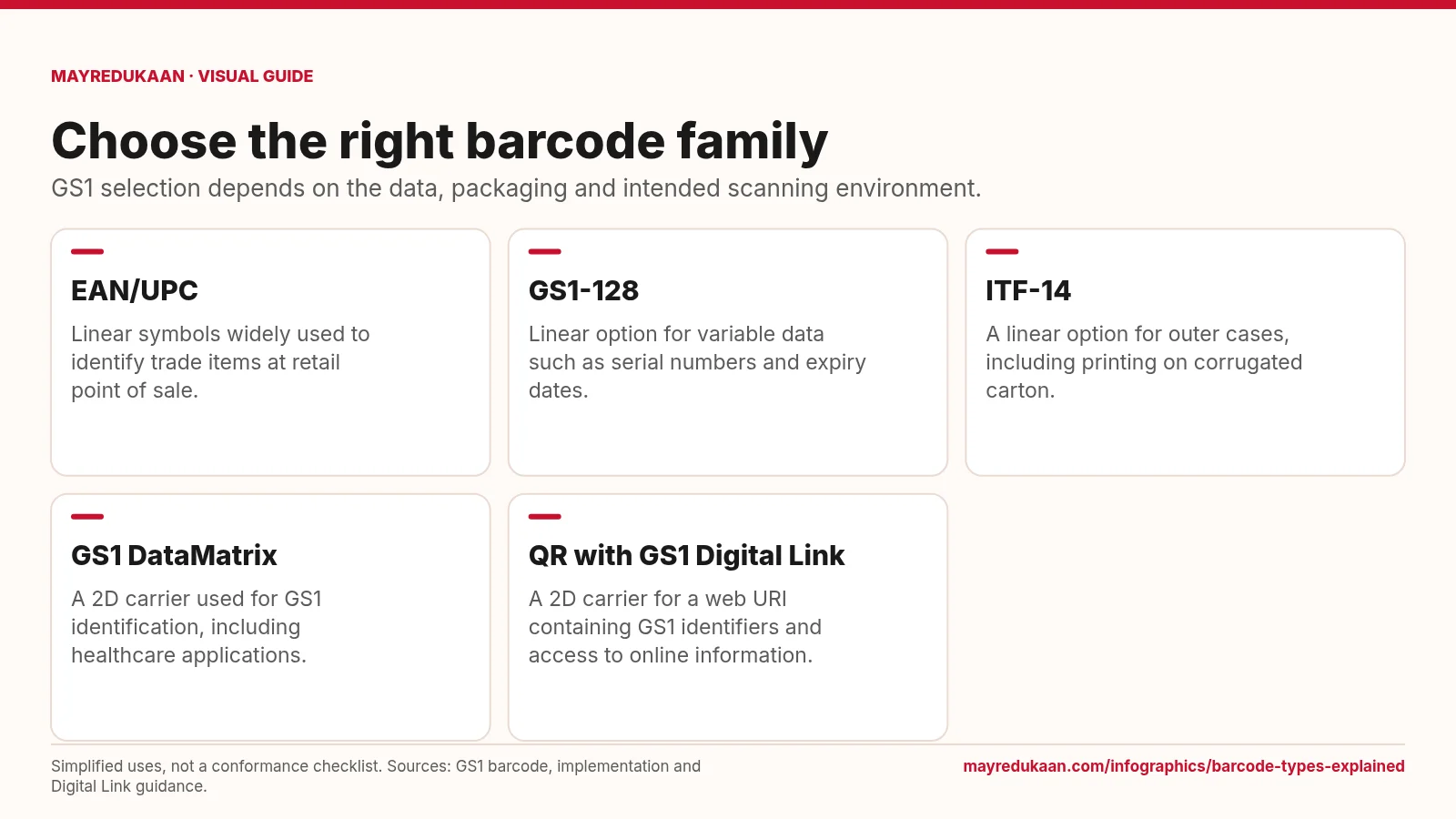
Barcode types explained
The barcode carrier, encoded data and scanning environment must work together.
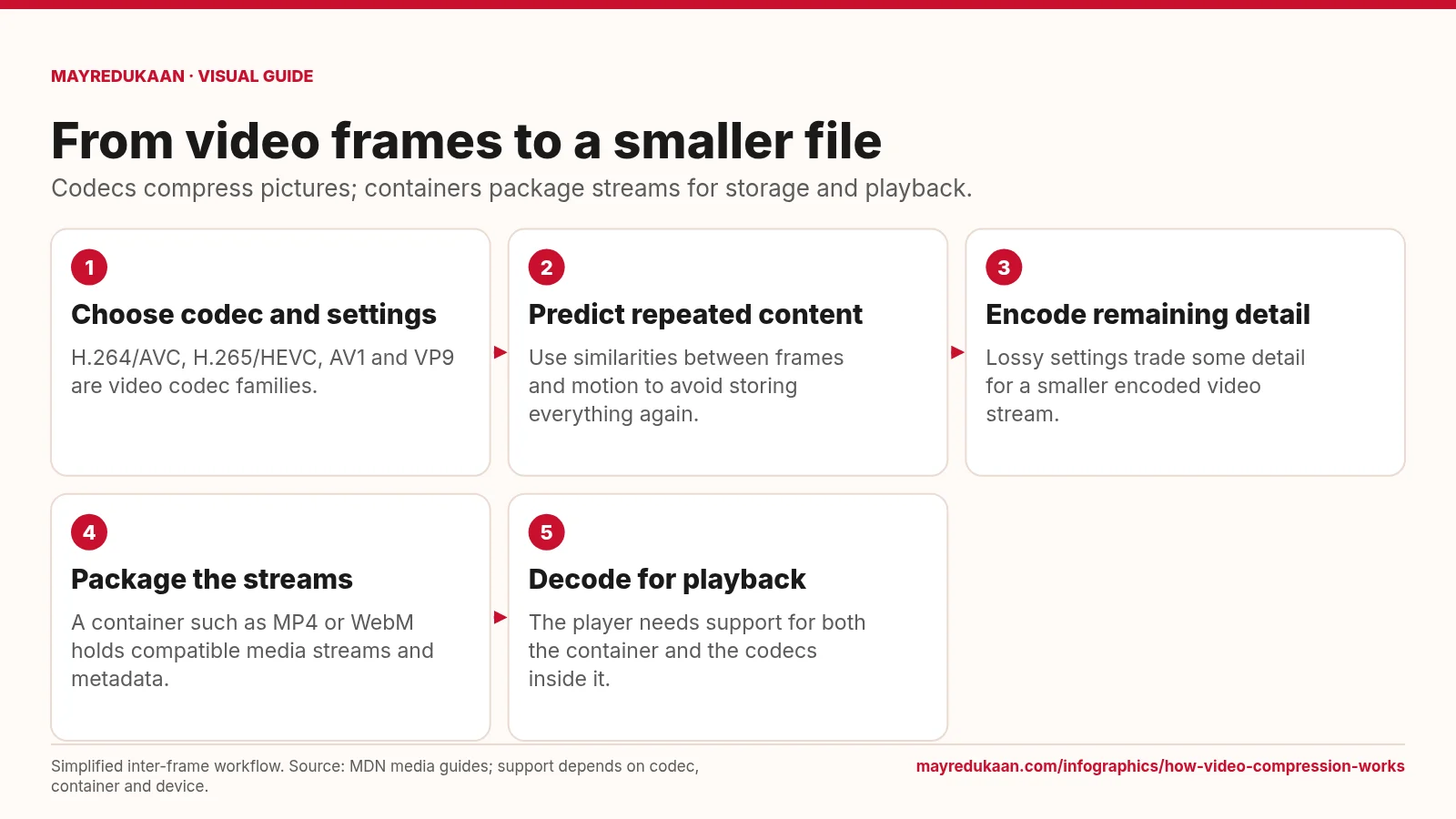
How video compression works
A filename extension describes the package, not every detail of how its video was compressed.
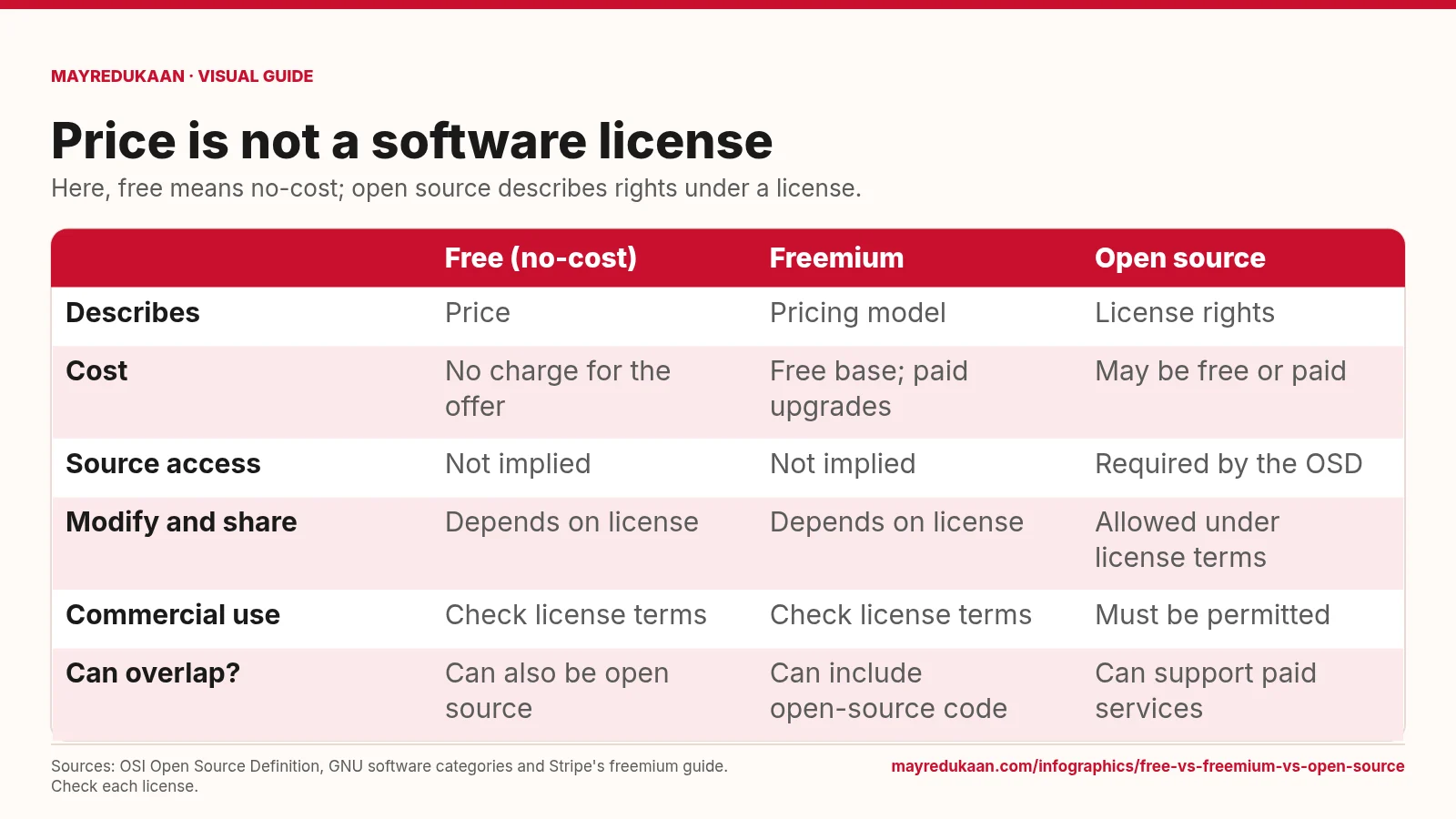
Free vs freemium vs open source
A zero price does not grant source-code rights, and open-source licensing does not prohibit charging money.