
Sitemap vs Robots.txt
By MayreDukaan Research · Researched 2026-11-17
A sitemap and a robots.txt file solve different problems. A sitemap gives search engines information about important URLs and can include details such as when a page was updated. A robots.txt file tells compliant crawlers which URLs they may request. One supports discovery; the other manages access. Neither should be treated as a switch that guarantees whether a web page appears in Google's index.
The two files can work together because robots.txt can reference a sitemap's location. That connection does not make their functions interchangeable. Listing a blocked page in a sitemap does not make its contents available to Googlebot. Likewise, blocking a web page in robots.txt does not reliably remove its URL from search results. Use each file for its intended task and keep indexing decisions separate.
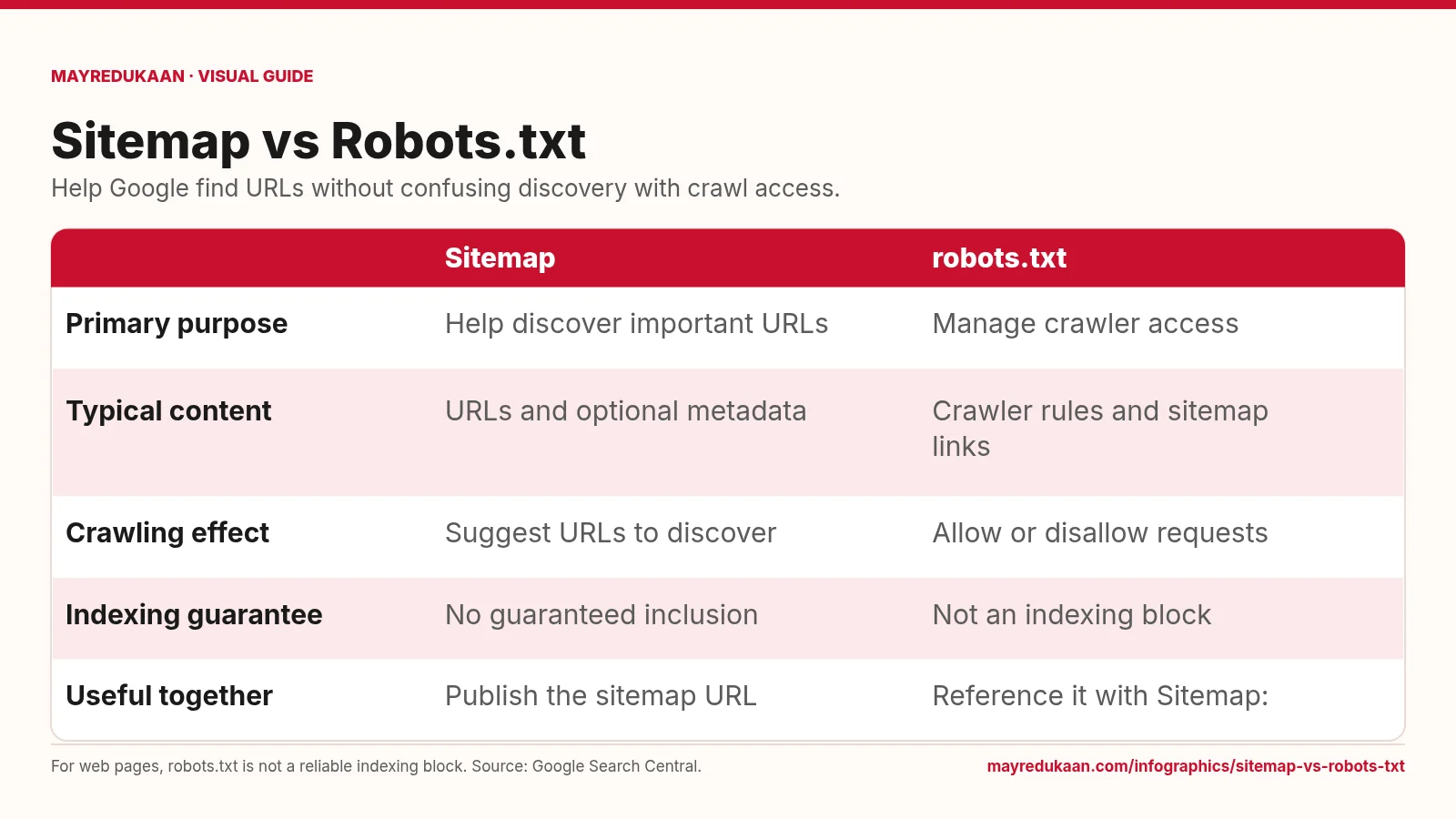
What the diagram shows
| Sitemap | robots.txt | |
|---|---|---|
| Primary purpose | Help discover important URLs | Manage crawler access |
| Typical content | URLs and optional metadata | Crawler rules and sitemap links |
| Crawling effect | Suggest URLs to discover | Allow or disallow requests |
| Indexing guarantee | No guaranteed inclusion | Not an indexing block |
| Useful together | Publish the sitemap URL | Reference it with Sitemap: |
For web pages, robots.txt is not a reliable indexing block. Source: Google Search Central.
Purpose and contents are different
The first two rows distinguish the files by what they communicate. A sitemap identifies pages or other files that a site considers important and can provide relevant metadata. Google's supported sitemap formats include XML, text, and feeds, so a sitemap is not necessarily an XML document. Robots.txt instead contains crawler-specific access rules and can also contain a reference to a sitemap. Its role is to manage requests, not describe the importance or content of each page. Reading the columns this way prevents the common mistake of treating a list of URLs and a set of access instructions as equivalent documents.
Discovery and crawl access do not guarantee indexing
The next two rows explain the limits. A sitemap helps Google discover URLs but does not guarantee that Google will crawl or index everything listed. Robots.txt can disallow crawling, but a blocked web page's URL may still appear in results when Google learns about it elsewhere. This is why the indexing row says neither file provides a simple inclusion guarantee. If your goal is to exclude a crawlable page from Search, a noindex instruction is the relevant mechanism. Google must be able to retrieve that instruction, so blocking the same page in robots.txt can defeat the intended approach.
Connect the files without mixing their jobs
The final row shows the legitimate connection between the two files: publish a sitemap and reference its location using a Sitemap: line in robots.txt. Google's sitemap documentation also describes submission through Search Console. A reference helps communicate where the sitemap lives; it does not override crawl restrictions or force inclusion. Google's sitemap guidance recommends listing the canonical URLs you want shown in results. Treat that list as a discovery signal that agrees with your preferred URLs, and keep robots.txt focused on access management. For sensitive information, use proper access controls rather than expecting either publicly available file to provide privacy.
Key facts
- A sitemap helps Google discover important URLs on a site.
- Google supports XML sitemaps, text sitemaps, and supported feed formats.
- A robots.txt file can include a reference to a sitemap.
- A sitemap does not guarantee crawling or indexing.
- A web page blocked by robots.txt can still have its URL appear in search results.
Frequently asked questions
Does every website need a sitemap?
Not necessarily; Google can usually discover most pages on a properly linked site, though a sitemap can help with large or complex sites.
Can robots.txt tell Google where my sitemap is?
Yes; a Sitemap: line can specify the sitemap's location.
Should a sitemap list my preferred canonical URLs?
Yes; Google's guidance recommends including the canonical URLs you want shown in search results.
Related free tools
Sources
- Learn about sitemaps — accessed 2026-11-17
- Build and submit a sitemap — accessed 2026-11-17
- Introduction to robots.txt — accessed 2026-11-17
- Block Search indexing with noindex — accessed 2026-11-17
More visual guides
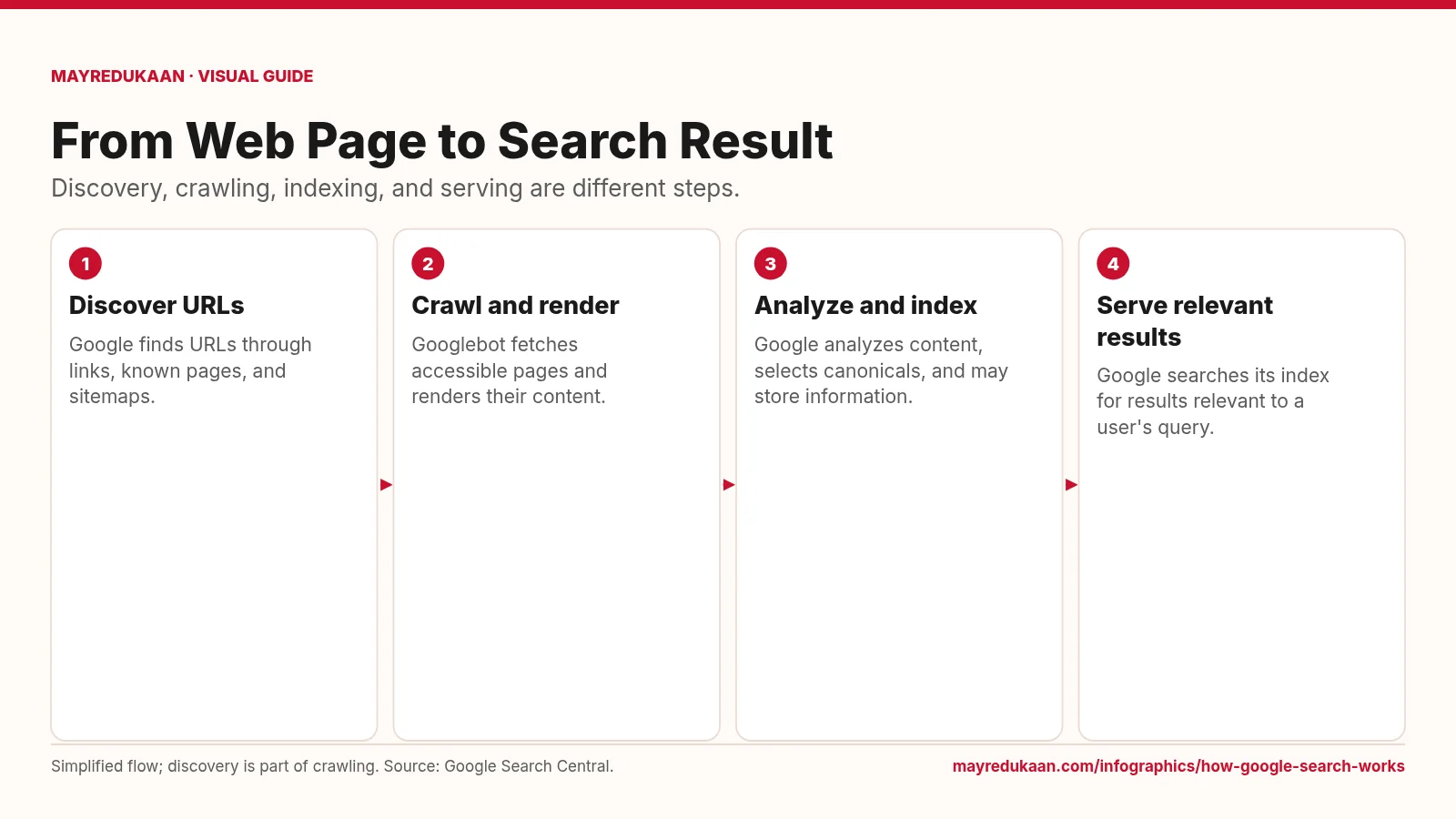
How Google Search Works
A page must be discovered and processed before its information can compete to appear for a search.
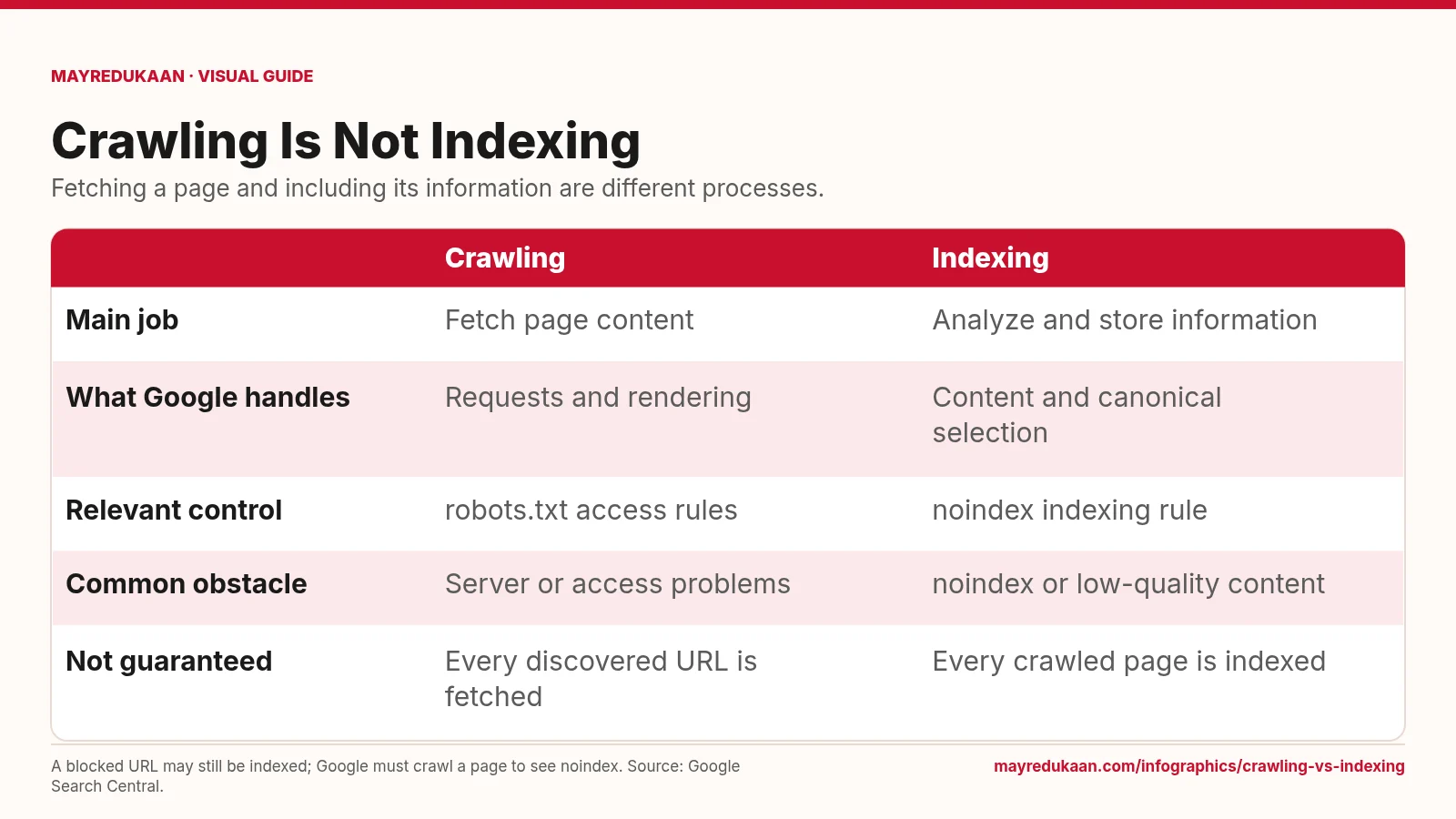
Crawling vs Indexing
Use crawl controls for fetching and indexing rules for whether content belongs in Search.
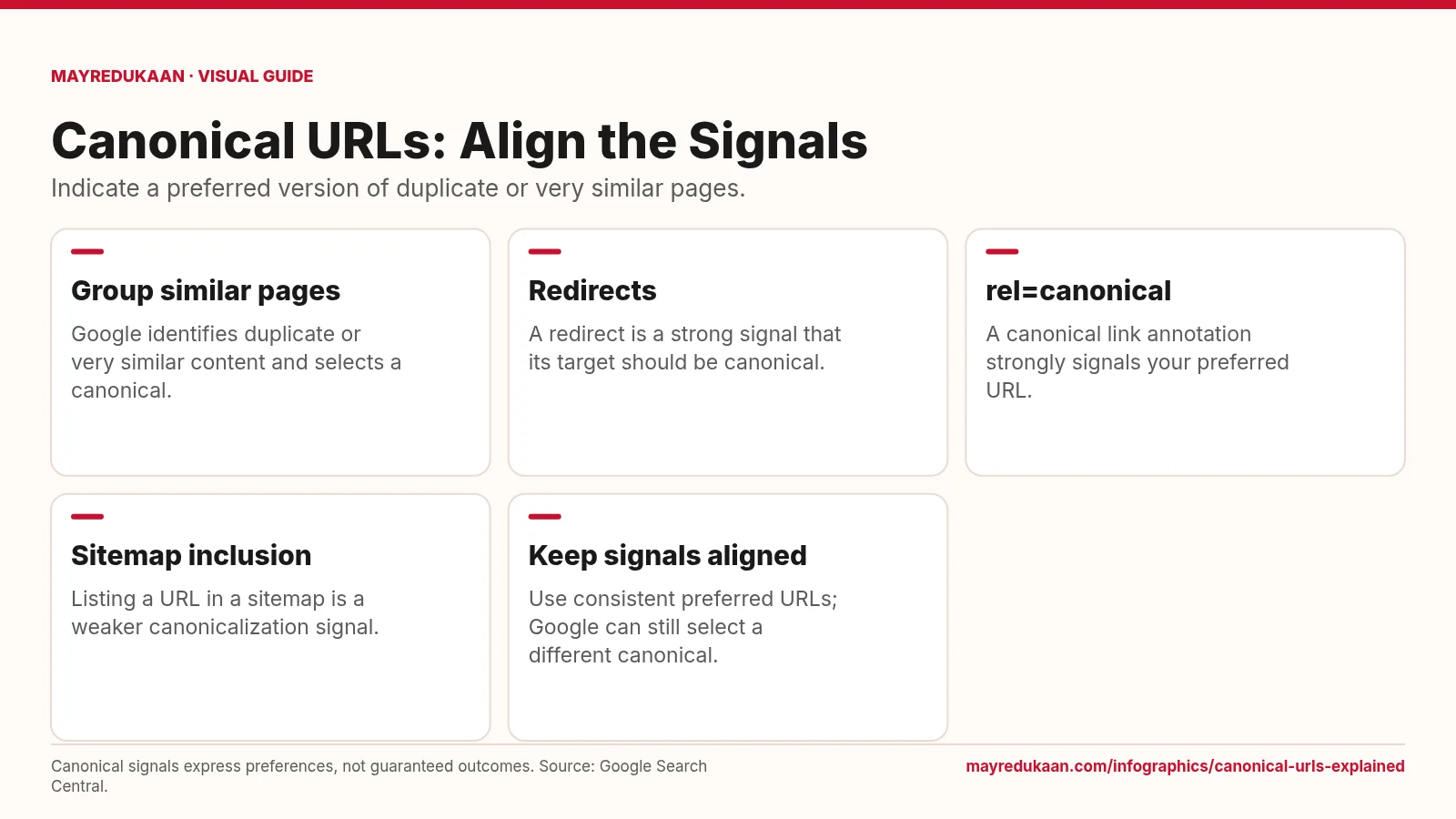
Canonical URLs Explained
Canonicalization helps Google choose a representative URL from duplicate or very similar pages.