
Lossy versus lossless compression
By MayreDukaan Research · Researched 2026-11-17
Compression reduces the data needed to represent content, but not all compression makes the same promise. A lossless codec lets its decoder reconstruct the original input exactly. A lossy codec trades away some information to obtain a more compact representation. That trade-off can be useful for distribution, but it means the decoded result is not an exact copy of the encoder's input. [1](https://developer.mozilla.org/en-US/docs/Web/Media/Guides/Formats/Audio_codecs)
The distinction applies to both images and audio. PNG and lossless WebP illustrate lossless image encoding, while ordinary JPG workflows illustrate lossy encoding. Keep the history of a file in mind: putting previously damaged or simplified content into a lossless format preserves that current version, not an earlier original that the new encoder never received. [2](https://developer.mozilla.org/en-US/docs/Web/Media/Guides/Formats/Image_types)
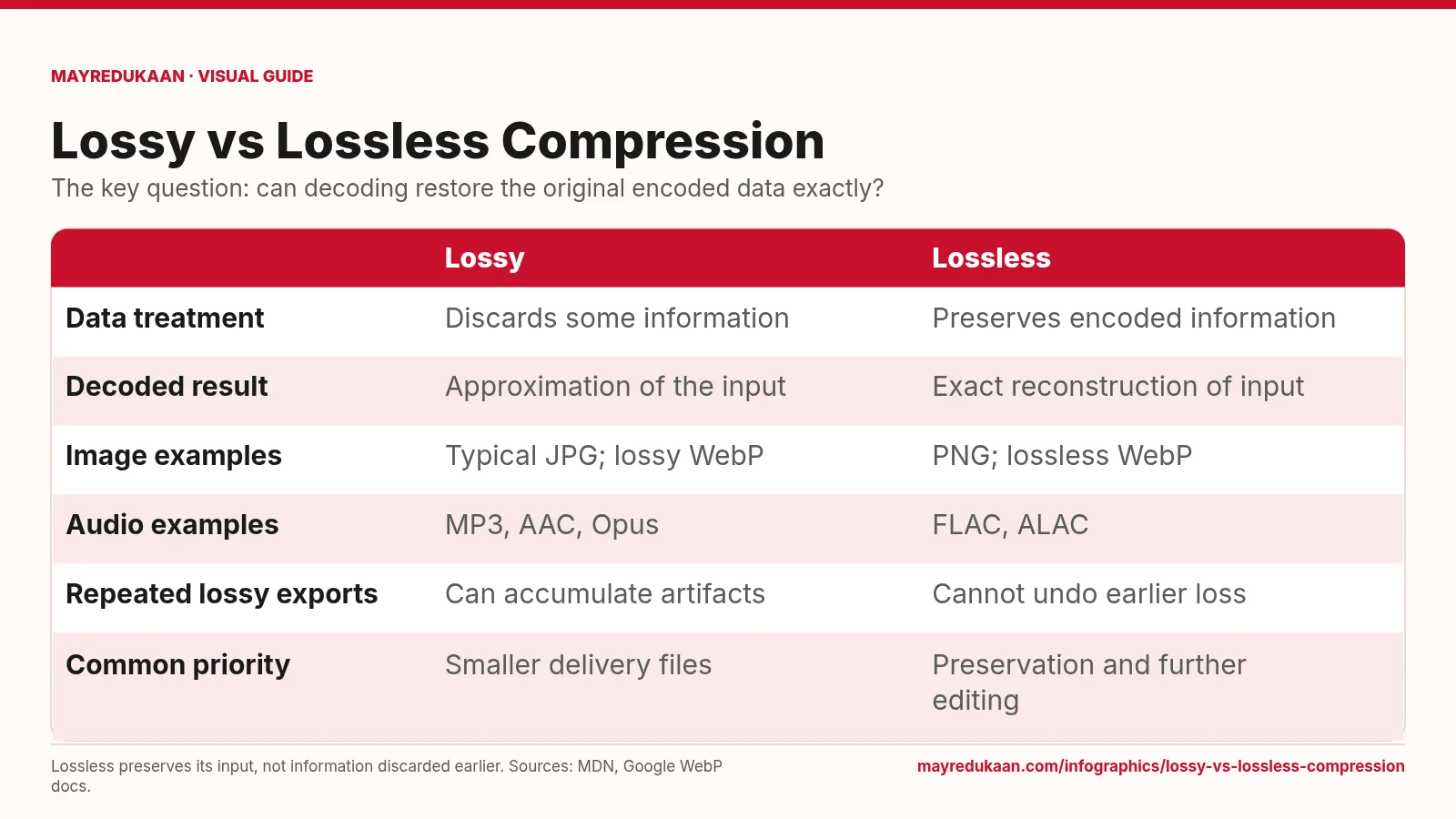
What the diagram shows
| Lossy | Lossless | |
|---|---|---|
| Data treatment | Discards some information | Preserves encoded information |
| Decoded result | Approximation of the input | Exact reconstruction of input |
| Image examples | Typical JPG; lossy WebP | PNG; lossless WebP |
| Audio examples | MP3, AAC, Opus | FLAC, ALAC |
| Repeated lossy exports | Can accumulate artifacts | Cannot undo earlier loss |
| Common priority | Smaller delivery files | Preservation and further editing |
Lossless preserves its input, not information discarded earlier. Sources: MDN, Google WebP docs.
Start with what the decoder can recover
The first two rows describe the defining difference rather than a visual quality score. Lossy compression discards information, and decoding produces an approximation of the input. Lossless compression preserves enough information to reconstruct the input exactly. A lossy result may still sound or look acceptable, because perceptual encoders exploit details people may notice less. That does not make the process reversible. Conversely, a lossless encoding can be smaller than an uncompressed representation without throwing content away, because compression and information loss are not synonyms. The exactness promise is about the data entering that encoding step. [1](https://developer.mozilla.org/en-US/docs/Web/Media/Guides/Formats/Audio_codecs)
Read examples as modes, not just extensions
The examples row lists typical JPG and lossy WebP on one side, with PNG and lossless WebP on the other. WebP appears in both columns deliberately: the format supports different compression modes. Google's documentation describes distinct approaches for those modes, including prediction and reversible reconstruction in lossless coding. The audio row gives MP3, AAC and Opus as lossy codecs, and FLAC and ALAC as lossless codecs. These examples make the broader point that knowing an extension is sometimes insufficient; you may need to inspect the codec and its settings to understand what an export actually preserves. [2](https://developers.google.com/speed/webp/docs/compression) [3](https://developer.mozilla.org/en-US/docs/Web/Media/Guides/Formats/Audio_codecs)
Separate delivery copies from preservation copies
The repeated-export row warns that additional lossy encoding can amplify artifacts. Saving the current decoded content losslessly avoids adding that particular lossy step, but it does not reverse earlier damage. The priority row therefore connects lossy encoding with compact delivery files and lossless encoding with preservation or further editing. These are workflow priorities, not guarantees that every lossy file is smaller than every lossless file. Content and codec settings still matter. For audio that will be mixed or recompressed, MDN specifically identifies lossless storage as a way to avoid amplifying artifacts through successive compression stages. [1](https://developer.mozilla.org/en-US/docs/Web/Media/Guides/Formats/Audio_codecs)
Key facts
- Lossless decoding reconstructs the input data exactly.
- Lossy compression discards some information.
- WebP provides separate lossy and lossless modes.
- FLAC and ALAC are lossless audio codecs.
- Repeated lossy audio compression can amplify artifacts.
Frequently asked questions
Does compressed mean lossy?
No; compression can be lossless and still reduce the size of the representation.
Will converting MP3 to FLAC restore the original recording?
No; FLAC can preserve the decoded MP3 audio but cannot recover information discarded by MP3 encoding.
Can the same image format support both approaches?
Yes; WebP supports distinct lossy and lossless modes.
Related free tools
Sources
- MDN: Web audio codec guide — accessed 2026-11-17
- MDN: Image file type and format guide — accessed 2026-11-17
- Google: WebP compression techniques — accessed 2026-11-17
More visual guides
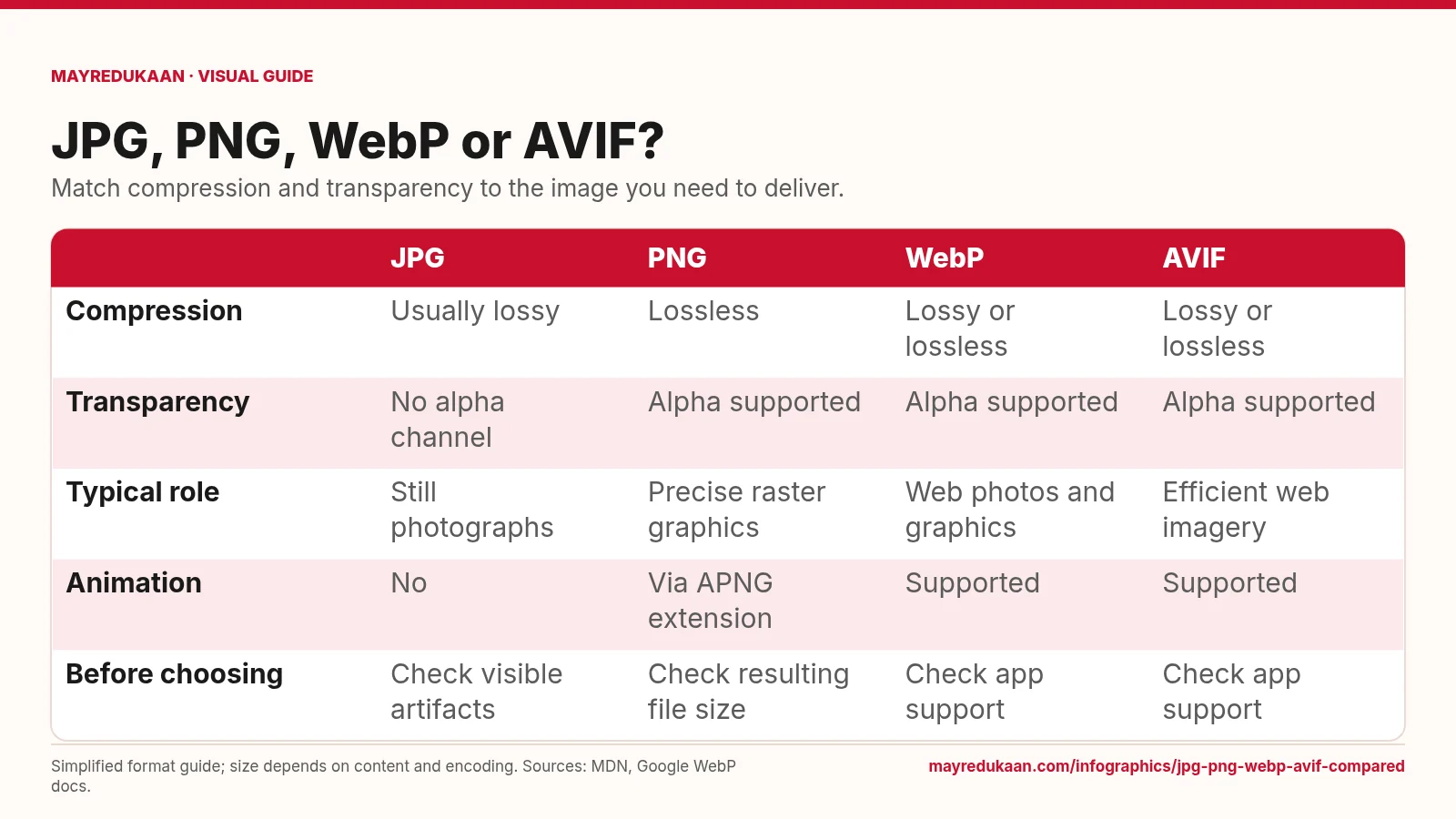
JPG, PNG, WebP and AVIF compared
Choose a format by the features your image needs, not by an assumed file-size ranking.
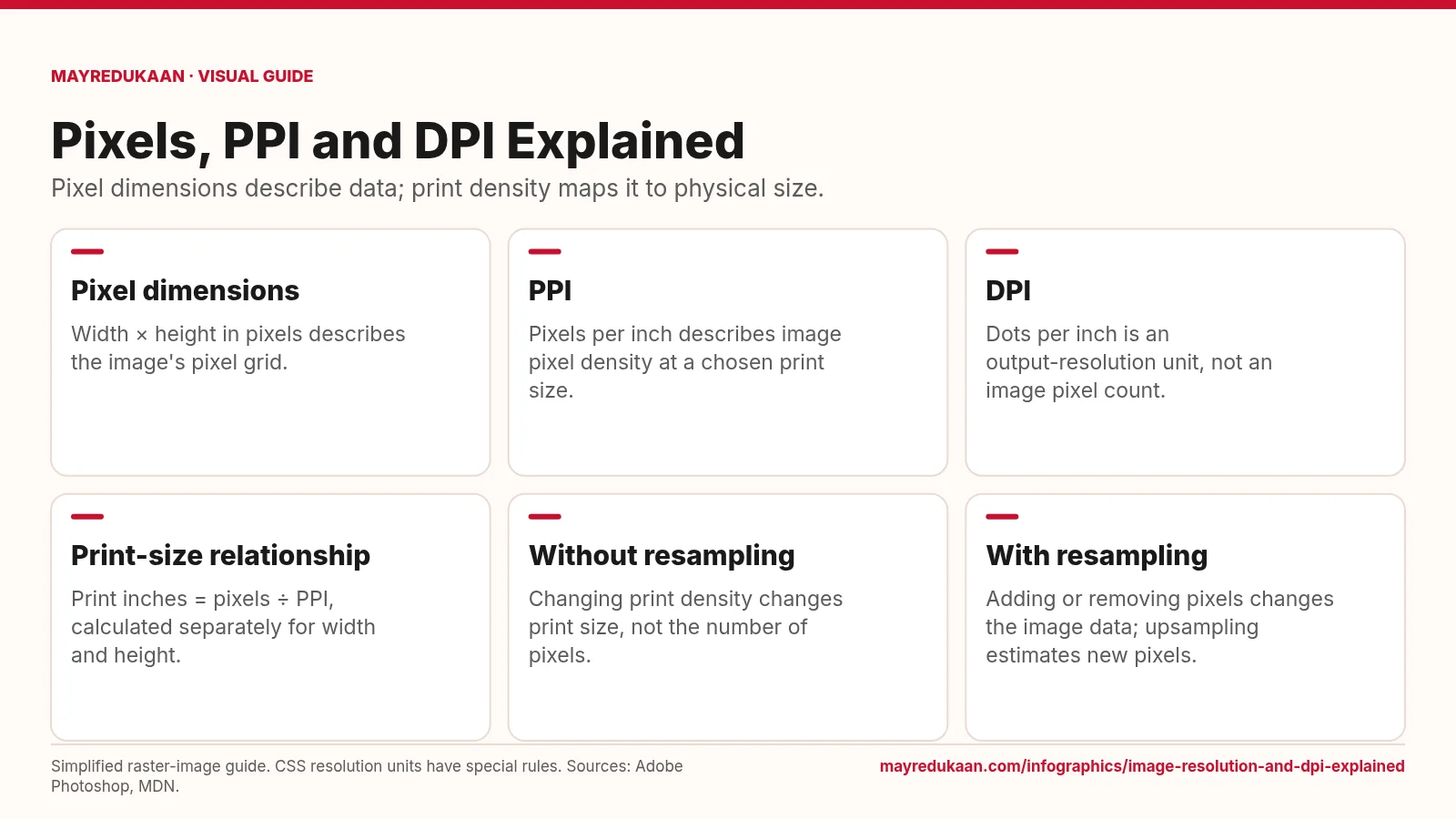
Image resolution and DPI explained
Changing a print-resolution setting is different from changing the image's pixel dimensions.
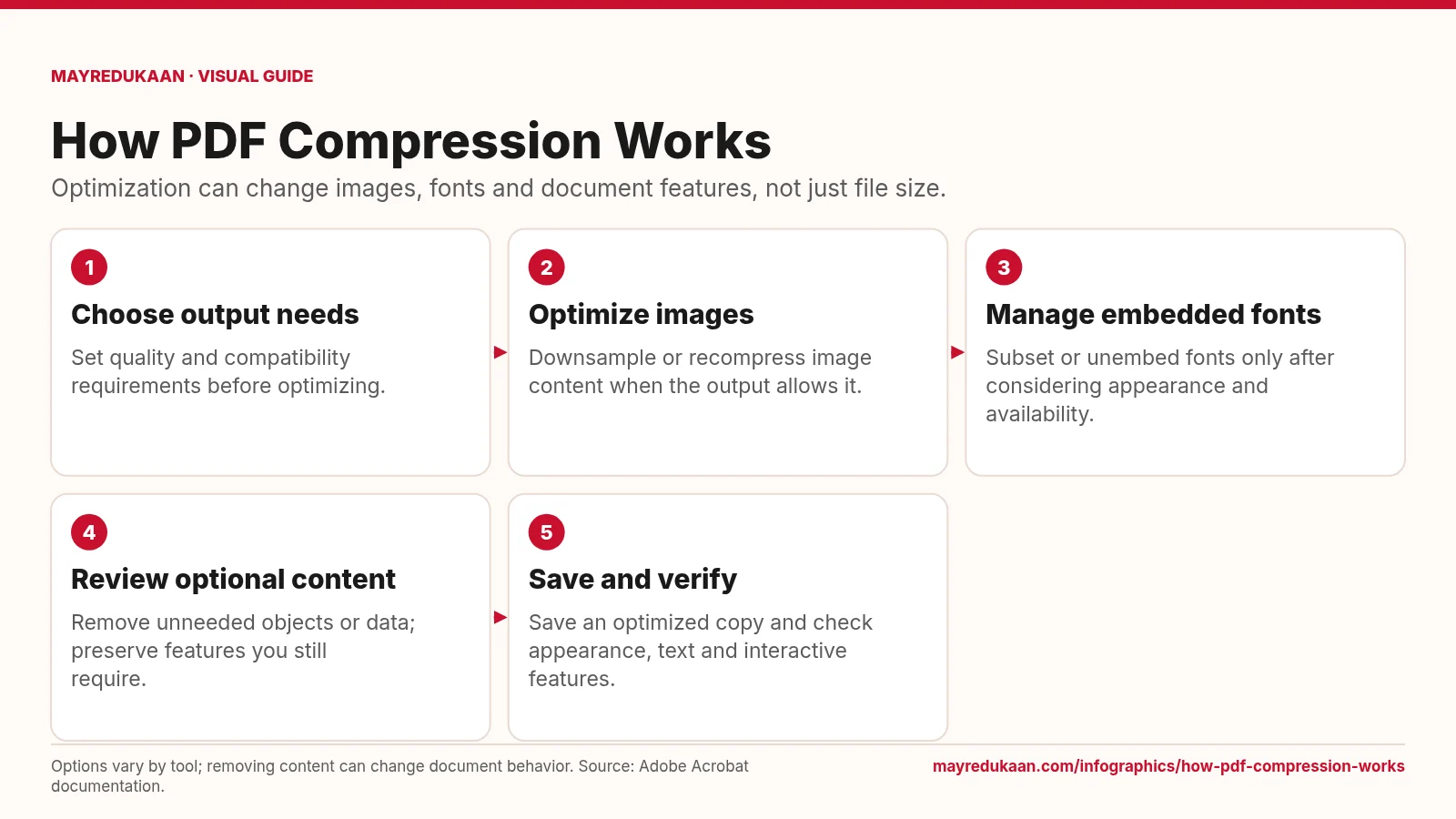
How PDF compression works
PDF optimization combines several operations whose effects depend on the document and selected settings.