
Internal linking explained
By MayreDukaan Research · Researched 2026-11-17
An internal link points from one page to another page on the same site. It gives readers a route to related information and gives Google a connection it can use to discover pages and understand relevance. Google Search Central recommends thinking about useful destinations, crawlable markup and meaningful link text together, rather than treating linking as a mechanical exercise in adding as many links as possible. [Source: Google, link best practices.]
The flow starts with the reader's next useful destination and ends with the wider structure of the site. Between those points, it checks the HTML link, the anchor text and the surrounding context. These are complementary checks: descriptive text does not repair a missing href, while technically crawlable markup does not make an irrelevant destination helpful. [Source: Google, link best practices.]
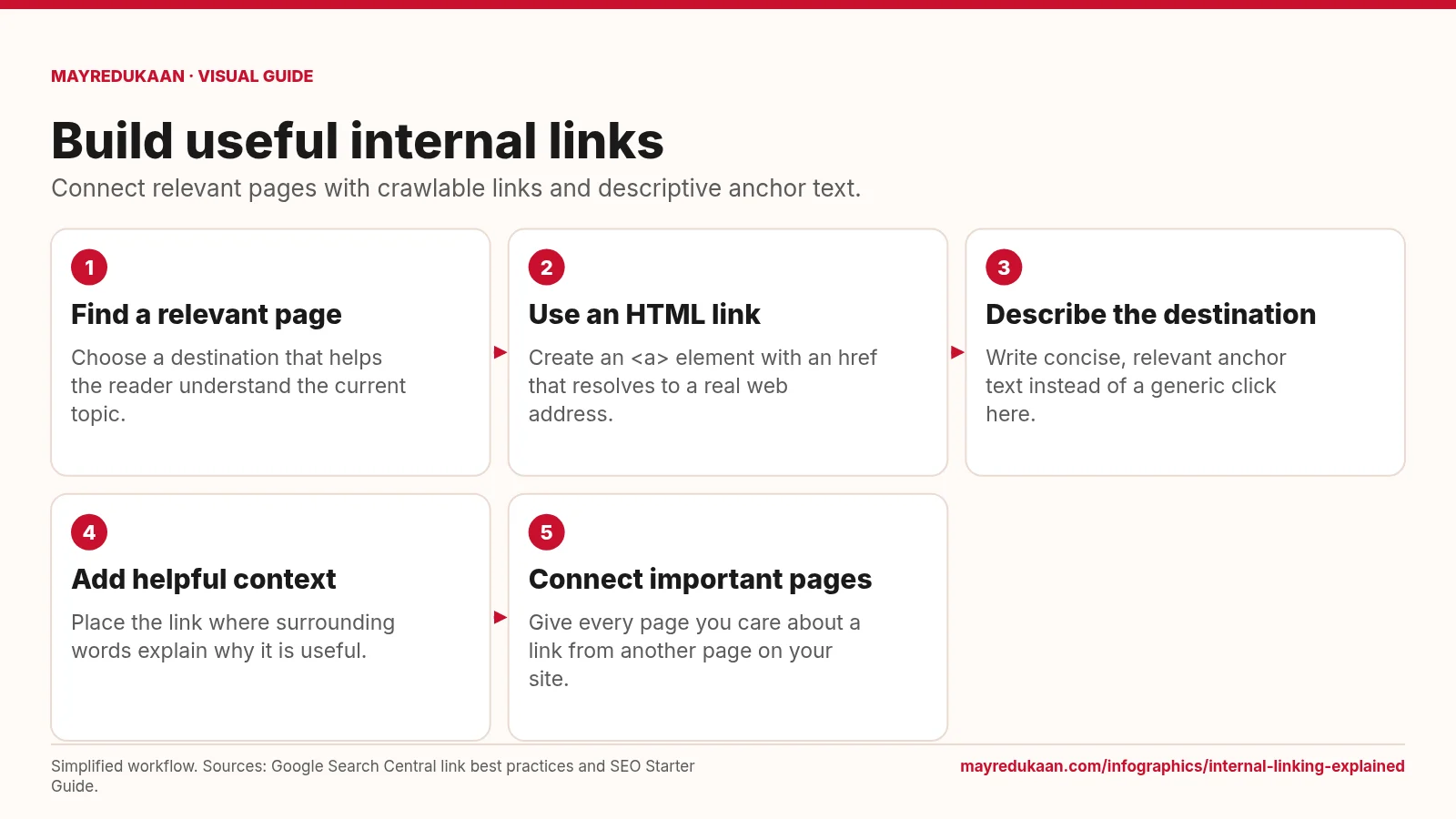
What the diagram shows
- Find a relevant page: Choose a destination that helps the reader understand the current topic.
- Use an HTML link: Create an <a> element with an href that resolves to a real web address.
- Describe the destination: Write concise, relevant anchor text instead of a generic click here.
- Add helpful context: Place the link where surrounding words explain why it is useful.
- Connect important pages: Give every page you care about a link from another page on your site.
Simplified workflow. Sources: Google Search Central link best practices and SEO Starter Guide.
Choose a destination and make it crawlable
The first step asks whether the destination genuinely adds useful information about the subject being discussed. Google recommends linking to resources that help readers understand a topic, including relevant pages elsewhere on your own site. The next step checks implementation. Google generally extracts links reliably from an HTML anchor element with an href attribute. That href should resolve to an actual web address; a relative URL can be valid. An element that only runs a script when clicked is not the same dependable signal. JavaScript-inserted links can still be crawlable when the resulting markup uses the recommended anchor and href structure. [Source: Google, link best practices.]
Explain the link with text and context
The middle steps concern meaning. Anchor text is the visible text of a link, and Google recommends wording that is descriptive, reasonably concise and relevant to both pages. Generic phrases such as click here do not explain the destination on their own. Write naturally rather than packing the anchor with keywords. Then read the sentence around the link: nearby words help readers and Google understand its purpose. Google also advises against chaining links directly together without surrounding context. If an image serves as a link, its alt text acts as the anchor text for Google's interpretation. [Source: Google, link best practices.]
Connect pages without inventing a quota
The final step broadens the view from a single sentence to the site. Google says every page you care about should have a link from at least one other page on your site. That does not create a universal target for how many links belong on each page. Its guidance explicitly says there is no magical ideal number and recommends judgment based on usefulness. Review links as routes through related material, not as guaranteed ranking boosts. Google's developer guidance also explains that its crawler follows links, sitemaps and redirects; linking is part of discovery, not a promise that every linked page will be indexed. [Sources: Google, link best practices and developer SEO guide.]
Key facts
- Internal links connect pages on the same site.
- Google generally needs an anchor element with an href attribute to crawl a link reliably.
- Relative URLs can be crawlable link destinations.
- Google recommends descriptive, concise and relevant anchor text.
- Google does not prescribe a magical ideal number of links per page.
Frequently asked questions
Can JavaScript create crawlable links?
Yes, when the resulting links use anchor elements with href attributes that resolve to web addresses.
Should every anchor contain exact-match keywords?
No; Google recommends natural, descriptive text and warns against cramming keywords into anchors.
Can a sitemap replace all internal links?
Google's link guidance still recommends that every page you care about be linked from another page on your site.
Related free tools
Sources
- Google Search Central: Link best practices — accessed 2026-11-17
- Google Search Central: Get started with Search for developers — accessed 2026-11-17
- Google Search Central: SEO Starter Guide — accessed 2026-11-17
More visual guides
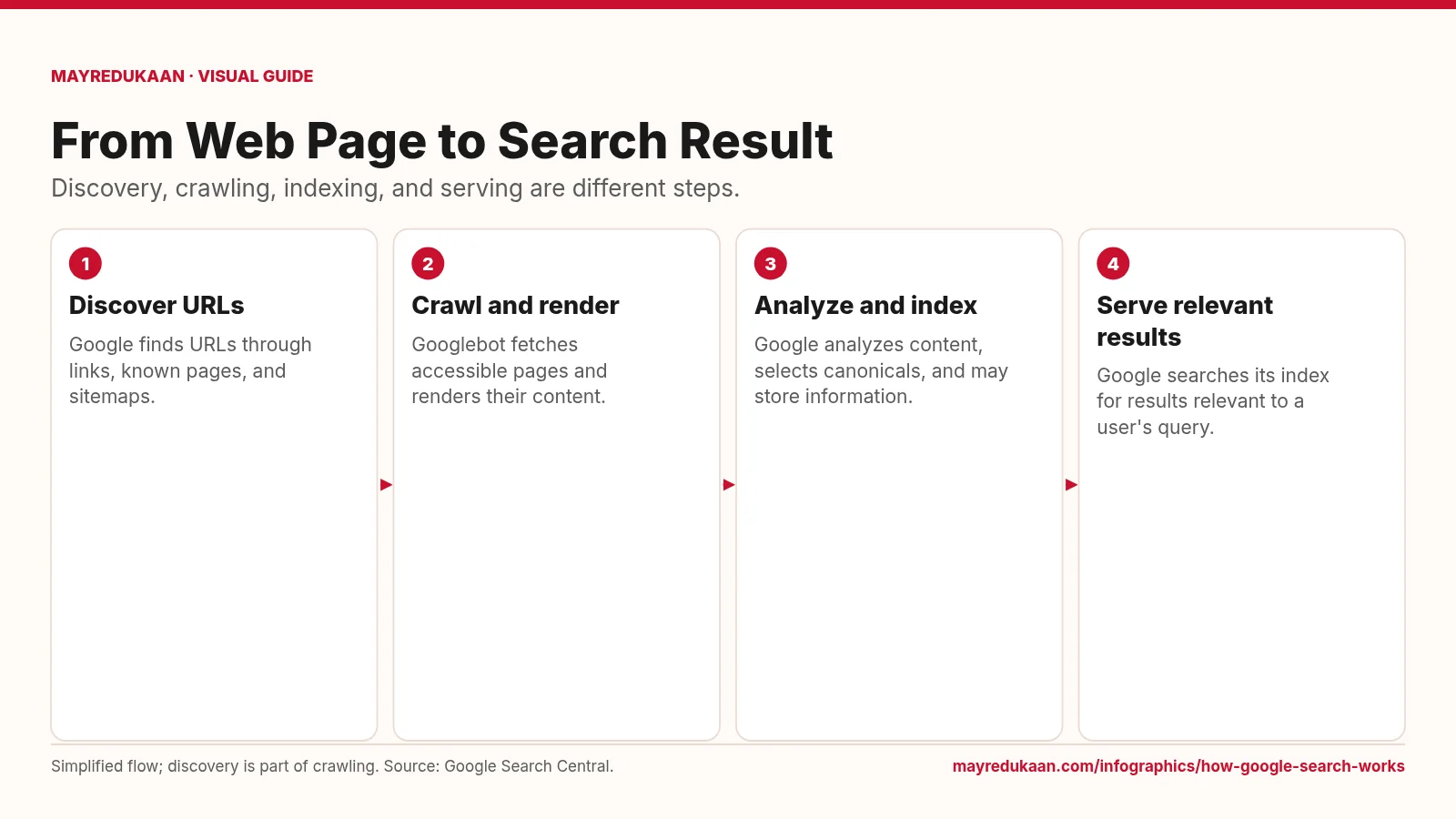
How Google Search Works
A page must be discovered and processed before its information can compete to appear for a search.
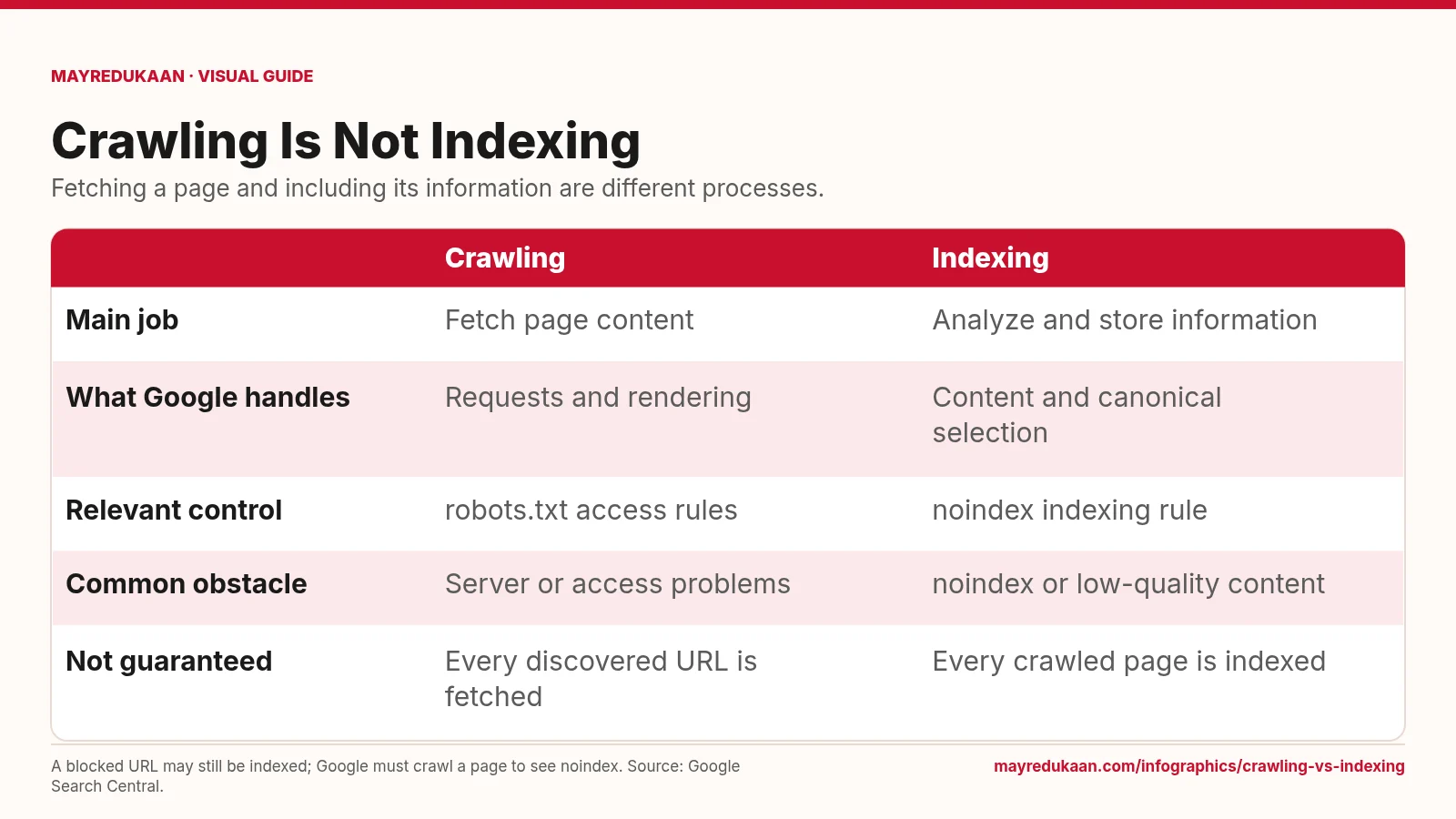
Crawling vs Indexing
Use crawl controls for fetching and indexing rules for whether content belongs in Search.
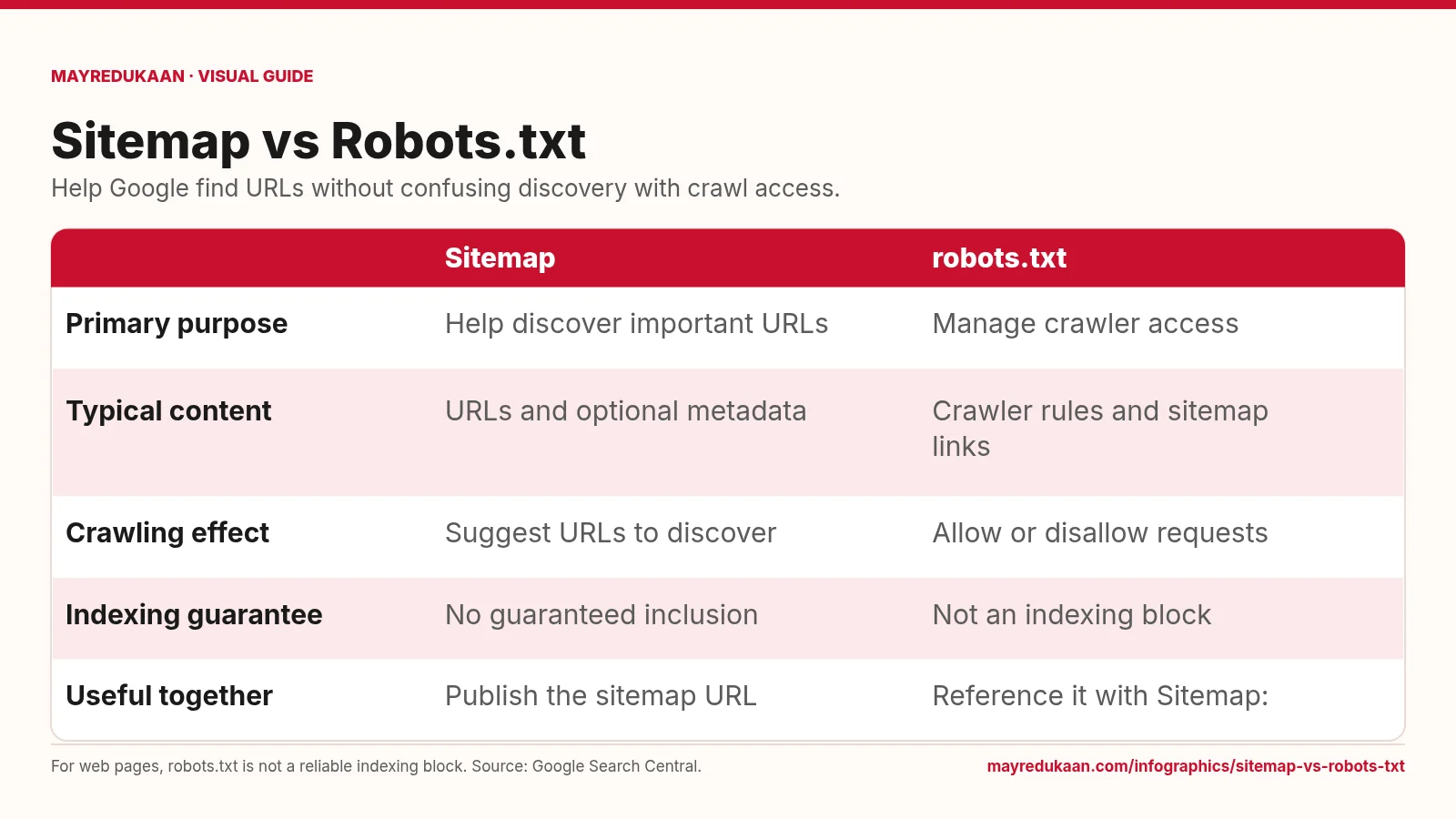
Sitemap vs Robots.txt
Sitemaps support URL discovery, while robots.txt sets crawl-access rules for compliant crawlers.