
Best Image Sizes for Pinterest: Ratios and Limits
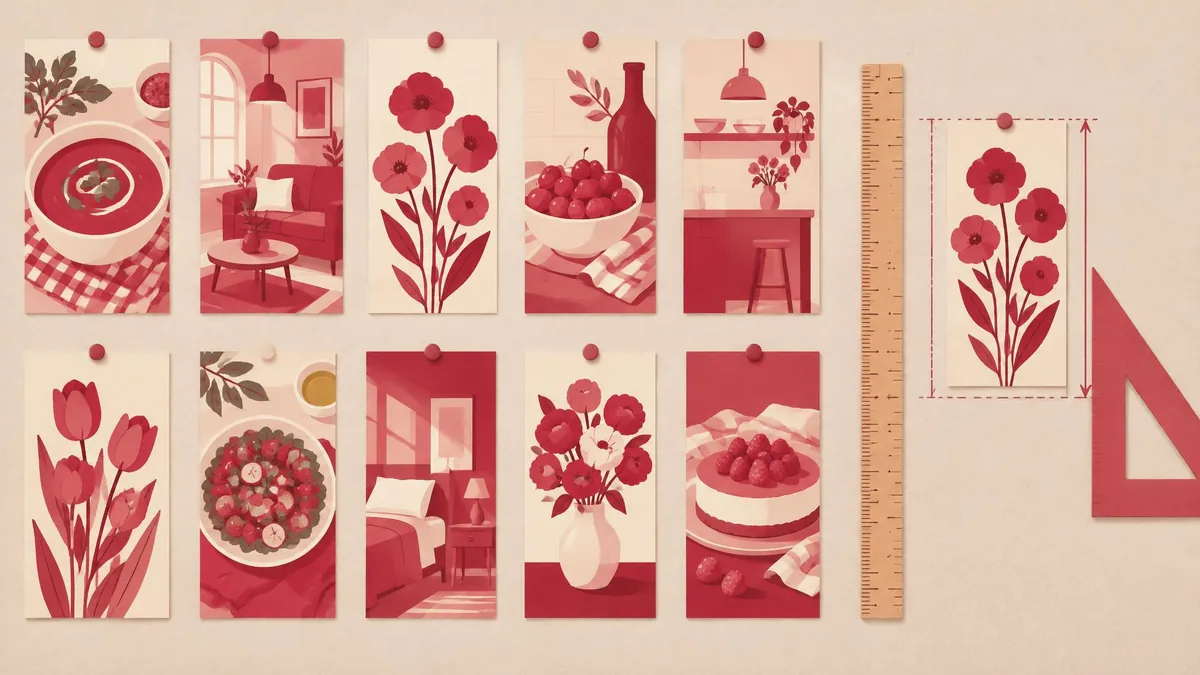
For a standard vertical Pinterest image, 1000 × 1500 pixels at a 2:3 aspect ratio is a sensible starting canvas. Pinterest explicitly recommends those dimensions for standard image ads and encourages a vertical 2:3 design in its business creative guidance. Do not confuse that recommendation with a universal mandatory size for every organic Pin or every ad format.
For a standard vertical Pinterest image, 1000 × 1500 pixels at a 2:3 aspect ratio is a sensible starting canvas. Pinterest explicitly recommends those dimensions for standard image ads and encourages a vertical 2:3 design in its business creative guidance. Do not confuse that recommendation with a universal mandatory size for every organic Pin or every ad format.
The specifications below were checked against Pinterest's official help and business pages on November 16, 2026. Upload limits differ by publishing route, so identify whether you are creating an organic image Pin or a standard image ad before exporting.
The dimensions and limits to know
| Publishing route | Image guidance | File guidance |
|---|---|---|
| Standard image ad | Recommended 2:3, or 1000 × 1500 pixels | PNG or JPEG; desktop maximum 20 MB, in-app maximum 32 MB |
| Organic image Pin on web | Use a composition appropriate to the feed; 2:3 is a practical vertical starting point | BMP, JPEG, PNG, TIFF or WebP; maximum 20 MB |
| Organic image Pin on Android or iOS | Check the current creator interface and preview | Official organic help lists 1 GB recommended, not a 32 MB ad limit |
The sources for these separate rows are Pinterest's standard ad specifications and organic Pin specifications. The organic mobile figure is reproduced as a recommendation, not presented as a documented maximum or a sensible target size for everyday images.
For a simple reusable workflow across organic and standard ad preparation, a 1000 × 1500 PNG or JPEG comfortably below 20 MB is a conservative export choice. It does not replace the requirements for other placements, collections or video.
Why aspect ratio matters more than a filename
Aspect ratio is width divided by height. A 2:3 image is two units wide for every three units tall. Both 1000 × 1500 and 2000 × 3000 have the same proportions, although the latter contains more pixels.
A square source cannot become a true 2:3 composition merely by being renamed or saved as PNG. You must either crop part of the square or place it on a taller canvas with additional space. Stretching it to fill a tall rectangle distorts products, faces and lettering.
Pinterest warns that images extending beyond its recommended standard-ad proportions may be cut off in feeds. Its creative guidance also encourages vertical layouts for mobile viewing. Treat that as a reason to compose deliberately, not as a rule that longer imagery can never be uploaded.
Build a 1000 × 1500 image without stretching
Start in a design editor with a 1000-pixel-wide, 1500-pixel-tall canvas. Place the image proportionally, then decide whether cropping or added canvas space serves the content best. A product close-up may need a different crop from a recipe or instructional graphic.
Keep the main subject and essential wording away from fragile outer edges. Preview the design at a small mobile-like display size. If the main message disappears when reduced, increasing export quality will not solve the composition problem; use larger type or a simpler layout.
Do not invent a universal safe-zone template from another placement's numbers. Pinterest's organic specifications contain safe-zone guidance, but that should not be blindly transferred to every image, ad or canvas size. Confirm the relevant placement and use the actual publishing preview.
What MayreDukaan can do during preparation
The image resizer accepts a width and calculates a proportional height. It does not expose independent width and height controls for forcing arbitrary dimensions.
For an image that is already 2:3, setting the width to 1000 gives the proportional 1500-pixel height. For a square source, the same operation gives a square result. Use a design editor to establish the desired canvas or crop first; resizing does not create a new aspect ratio.
After resizing, open the downloaded result and verify the actual dimensions. Do not upscale a tiny image and expect newly recovered detail. A larger pixel count can still look soft if the source did not contain enough information.
If your issue is byte size rather than dimensions, follow the existing image compression guide. It covers a different step from composing the Pinterest canvas.
PNG, JPEG or WebP?
Pinterest's organic image help currently lists more formats than its standard image ad guidance. In particular, WebP appears in the organic list, while the standard image ad list specifies PNG or JPEG. Do not use the organic list as proof that an ad workflow accepts the same formats.
For ads, Pinterest also recommends PNG in sRGB and says custom color profiles are not supported. Check the published result if exact brand colors matter. Its business help notes that uploaded images are converted to standard 8-bit RGB JPEGs, so a source PNG is not a promise that Pinterest delivers your untouched original file.
For a general explanation of the formats, see JPG, PNG and WebP compared. If you need a JPEG from a PNG source, PNG to JPG is available, but transparent areas become white. Choose that only when the flattened background is acceptable.
Understand platform-added background treatment
Pinterest says it can add a faint layer to Pins with white or near-white backgrounds in light mode, or black or near-black backgrounds in dark mode. Its help describes this treatment for organic and paid image Pins, not videos.
That means a subtle difference around a pale or dark background is not necessarily evidence that you exported the wrong dimensions. Compare the actual published Pin, your upload preview and the saved original before repeatedly changing color settings.
Keep image and video advice separate
A 9:16 full-screen video recommendation is not a replacement for the standard 2:3 image-ad recommendation. Pinterest's organic help separately discusses video containers, encoding, lengths and dimensions. This guide concerns image preparation, not a universal specification for all Pinterest media.
When adapting the same artwork to other networks, create separate exports instead of assuming one crop fits every placement. The existing Instagram size guide explains that separate workflow without making Pinterest dimensions do double duty.
Before publishing, verify the route, extension, pixel dimensions and byte size. Check the crop in the destination preview and read essential wording at the size users will actually see. A correct 1000 × 1500 export is a good foundation, but readable composition and an accurate route-specific upload check are what make it usable.
Frequently asked questions
What is a good standard Pinterest image size?
1000 × 1500 pixels at 2:3 is Pinterest’s standard image-ad recommendation and a practical vertical starting point.
Is the image limit always 20 MB?
No. Standard ads list 20 MB desktop and 32 MB in-app; organic help lists a separate mobile recommendation.
Does Pinterest accept WebP?
Organic image specifications list WebP, but standard image ads list PNG or JPEG.
Useful on MayreDukaan
Sources
- Pinterest: Standard ad specifications
- Pinterest: Organic Pin specifications
- Pinterest Business: Creative best practices
Facts last checked against these sources on 16 Nov 2026, 06:47 Pakistan time.
Images: Illustration created for MayreDukaan (not a photo)
More trending articles
 International EntertainmentWhere to Watch TV Series: Find Legal Platforms16 Nov 2026 · 3 min read
 PDF and Document ToolsPowerPoint to PDF: Export Slides or Handouts Safely16 Nov 2026 · 5 min read
 Android and SmartphonesGalaxy S27 Ultra: What Is and Is Not Confirmed16 Nov 2026 · 5 min read
 PDF and Document ToolsWord to PDF: Export Documents Ready for Sharing16 Nov 2026 · 5 min read