
MayreDukaan
Home
FeaturesBilling, stock, udhaar and reportsHow it worksSet up your shop in three stepsProduct previewReal screens from the appMeri Dukan OnlineRun your shop from your phoneShopkeeper guidesPractical how-to articlesServicesEverything on MayreDukaanFAQAnswers to common questions

Android app and web app • English and Urdu

Android Web app
Image toolsImage convertersVideo & audioText toolsCalculatorsUnit convertersGeneratorsDeveloper toolsYouTube toolsSEO toolsPDF toolsFile converters

Start here

Remove background from imageImage compressorYouTube thumbnail downloaderQR code generatorWord counterPDF mergerPercentage calculator
All free tools

Browse

Pakistani dramasOfficial channels, every episodeLatest episodesNewest uploads firstLatest dramasRecently updated serialsTrendingMost watched on YouTubeCompletedFinished serialsClassicOlder favouritesAll dramas A–ZBrowse the full list

Official channels

Har Pal GeoHUM TVARY Digital
Other channels

Watch by category

News10 official channelsEntertainment1 official channelIslamic1 official channelMusicChannels being verifiedSportsChannels being verifiedAll channelsSearch every live channel
TrendingAboutContact
Download App
Home/Infographics/Cybersecurity visual guides

Cybersecurity visual guides

Passwords, two-factor, passkeys and phishing in plain diagrams.
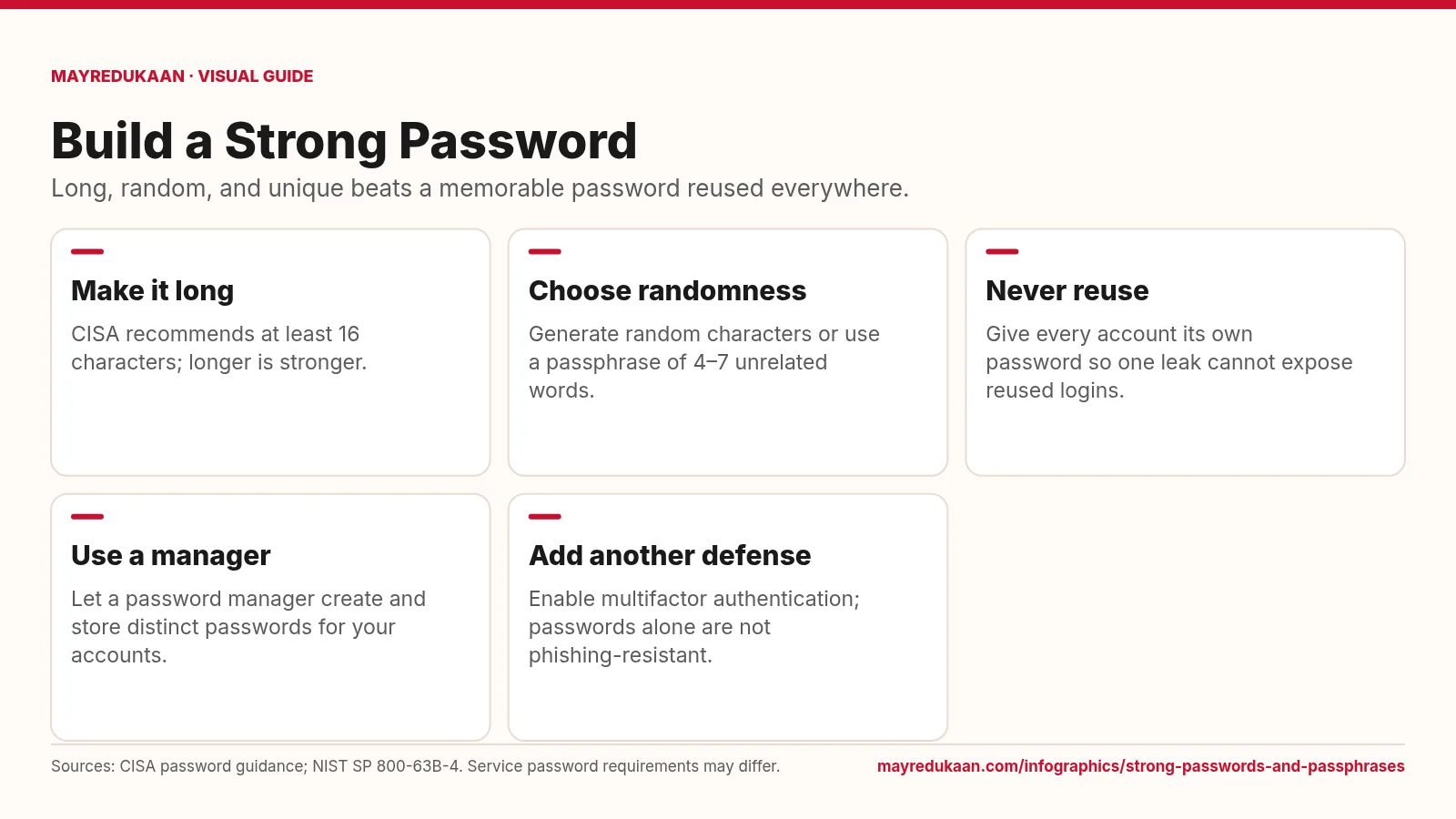
Five cards explain password length, random selection, unique passwords, password managers, and multifactor authentication.
Cybersecurity visual guides

Strong passwords and passphrases

A strong password combines length, unpredictable selection, and exclusive use on one account.
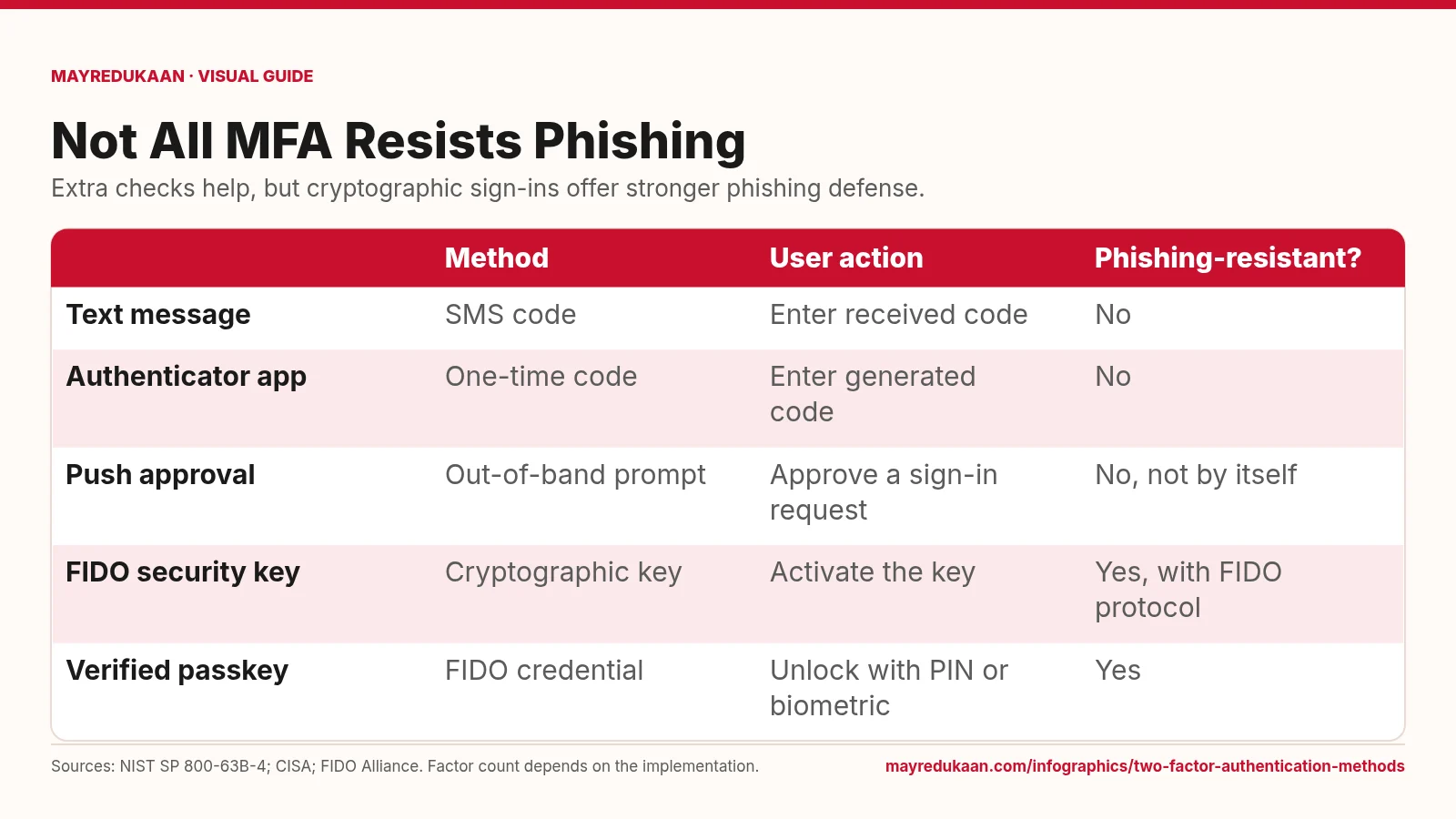
A comparison table contrasts SMS, app codes, push approvals, FIDO security keys, and verified passkeys by action and phishing resistance.
Cybersecurity visual guides

Two-factor authentication methods

Codes add a hurdle, while FIDO authentication binds the sign-in to the legitimate service.
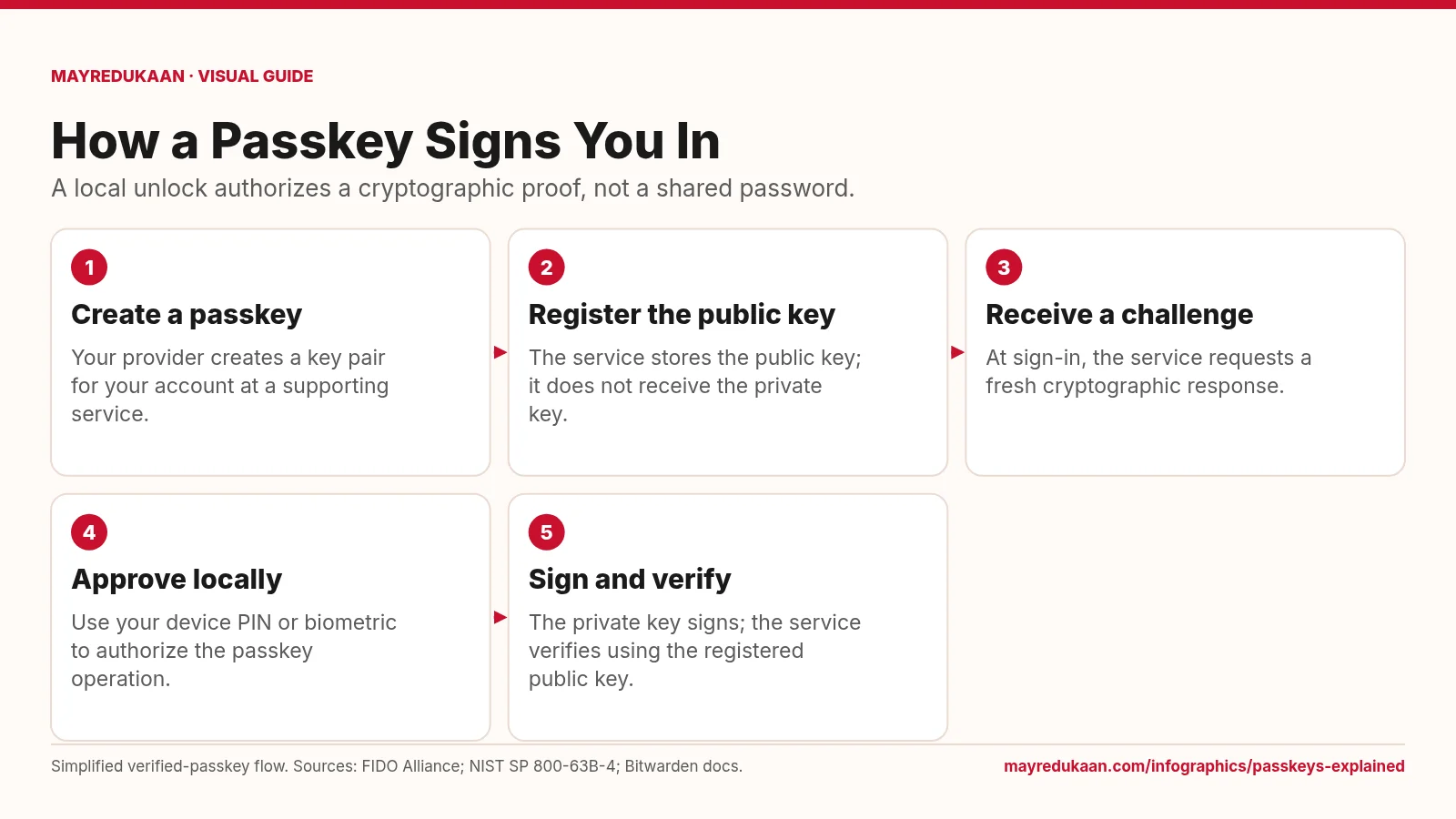
A five-step flow follows passkey creation, public-key registration, a sign-in challenge, local approval, and signature verification.
Cybersecurity visual guides

Passkeys explained

The service checks a cryptographic response while the private key remains with the user's passkey system.
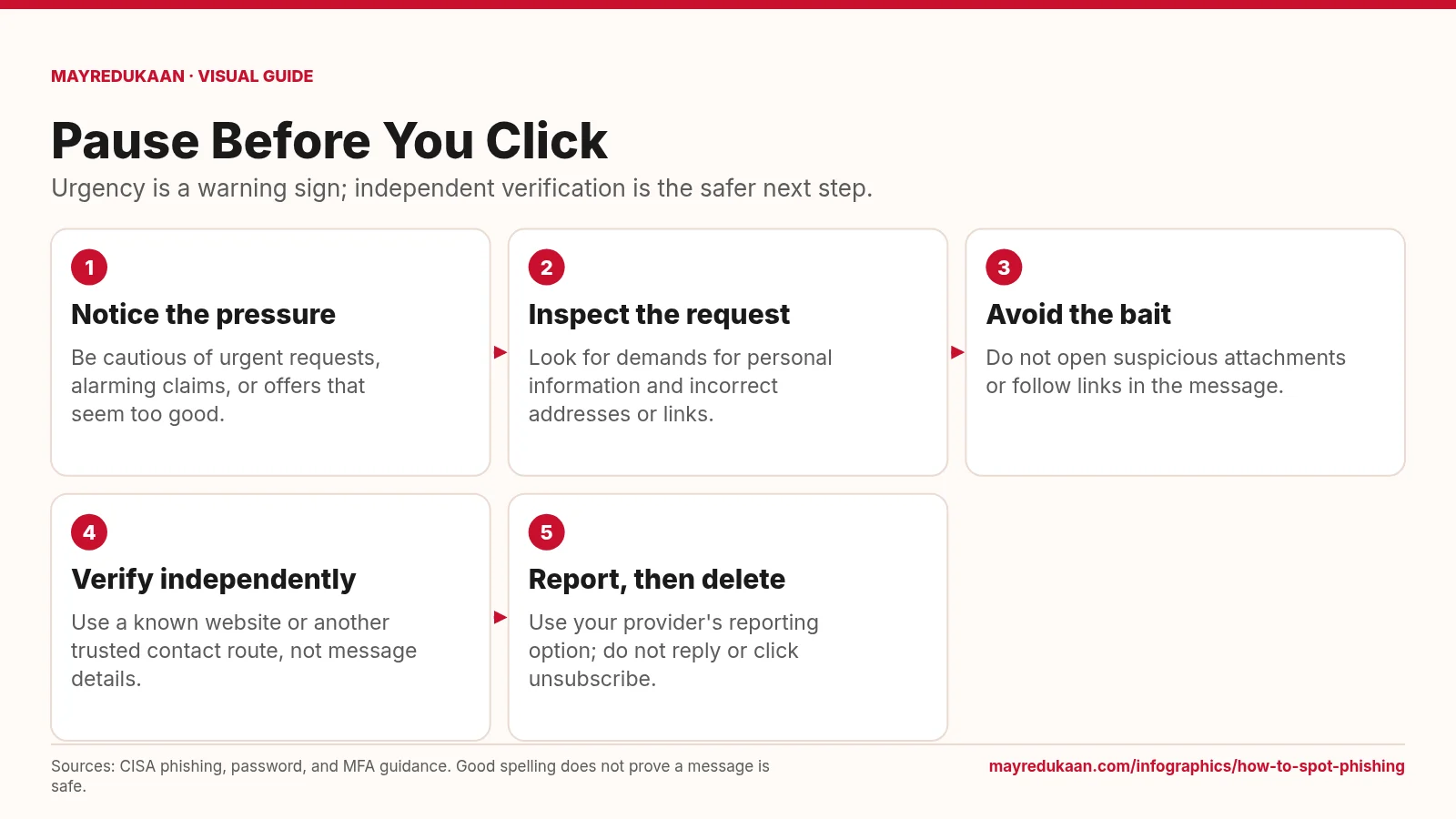
Five steps show how to notice pressure, inspect a request, avoid links, verify independently, and report then delete phishing.
Cybersecurity visual guides

How to spot phishing

Treat suspicious messages as prompts to verify elsewhere, not instructions to act immediately.
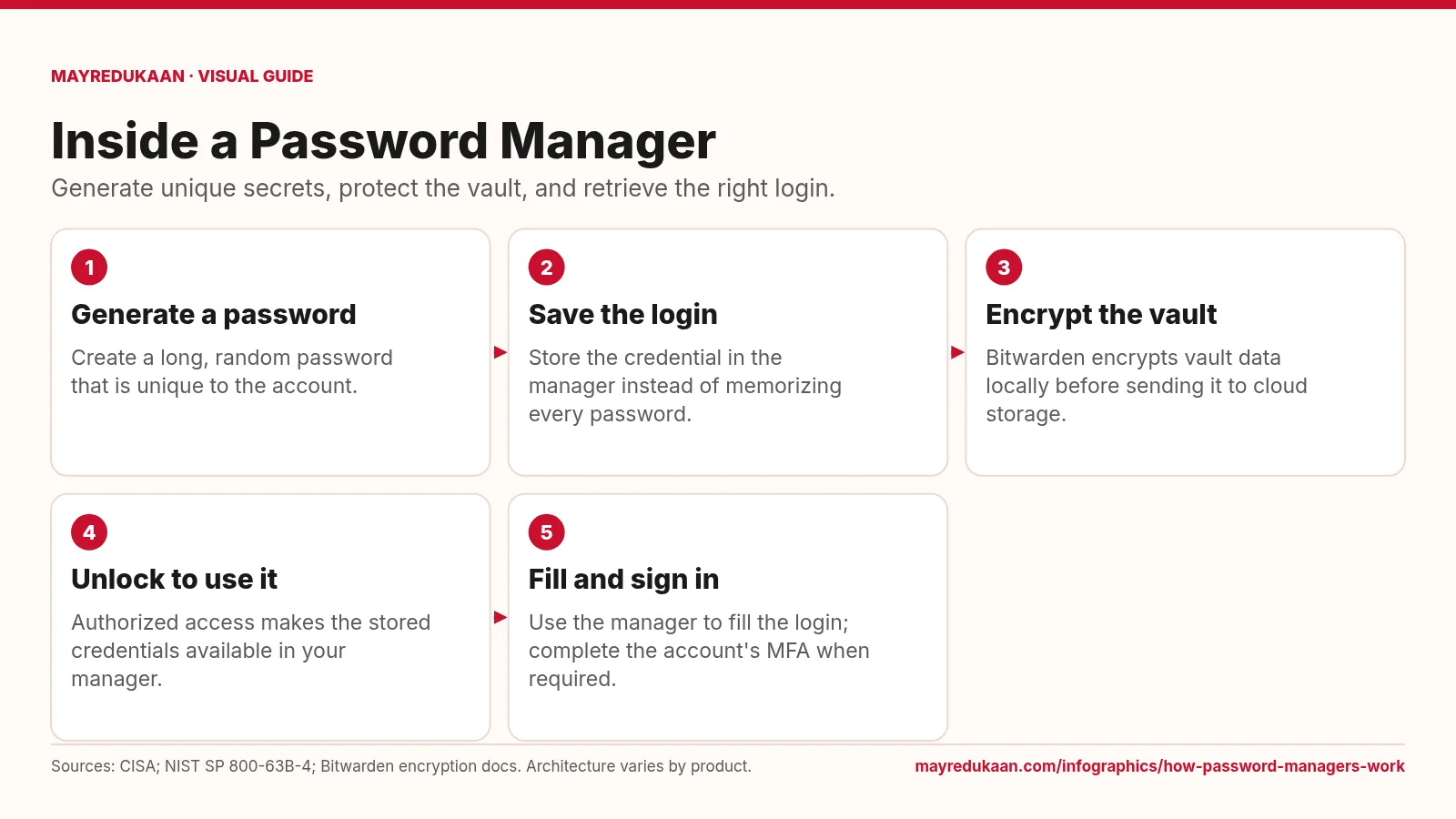
A five-step password manager flow shows generating a password, saving it, encrypting a vault, unlocking it, and filling a login.
Cybersecurity visual guides

How password managers work

A password manager reduces the need to remember passwords while keeping account credentials distinct.
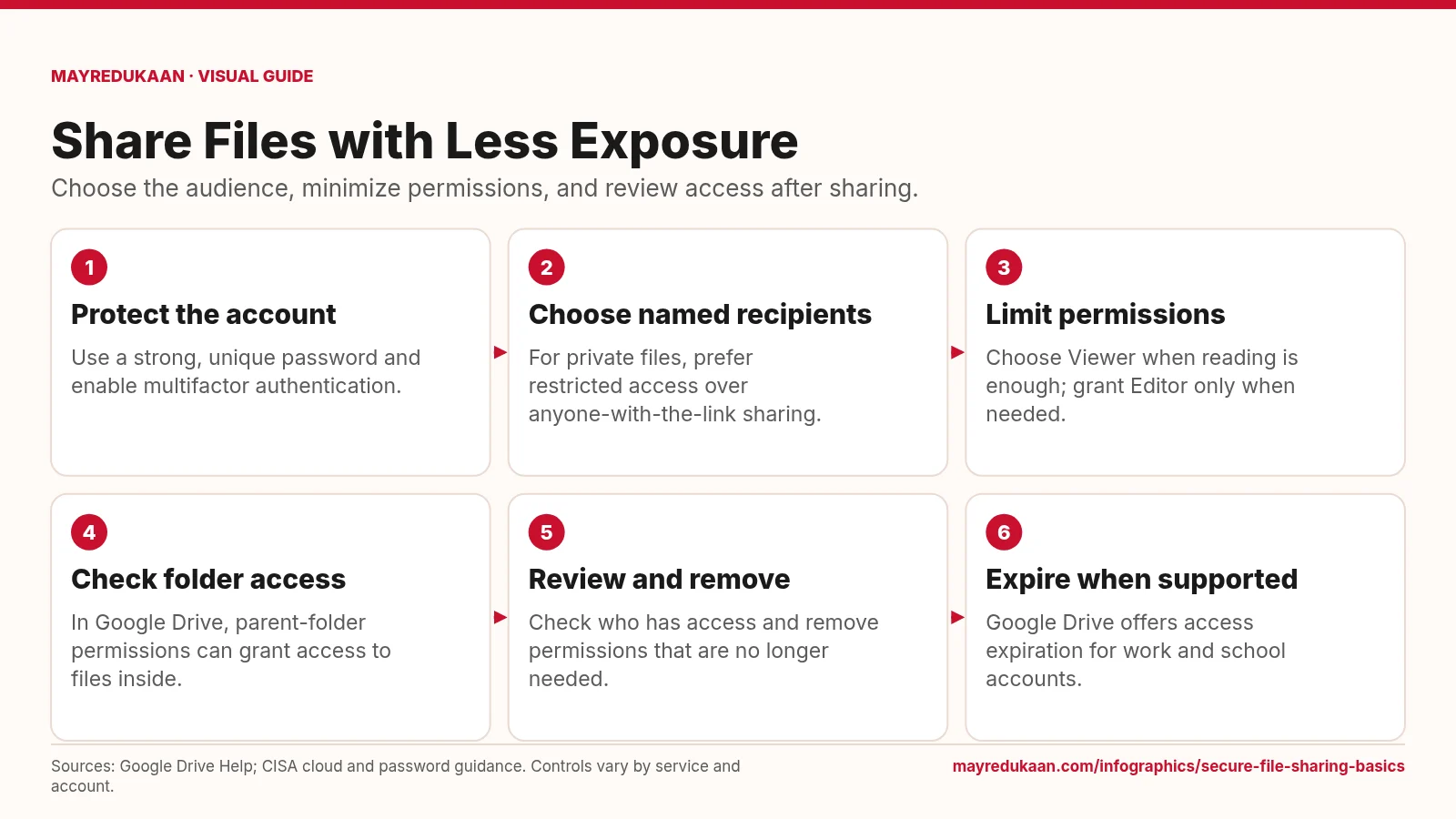
Six steps cover securing an account, restricting recipients, limiting roles, checking folder access, reviewing sharing, and using expiration.
Cybersecurity visual guides

Secure file sharing basics

An encrypted storage service still needs deliberate choices about who can open and edit each file.

MayreDukaan

A simple shop management app for small businesses, local shops, and growing brands — products, orders, sales, and customers in one workspace.

Product

FeaturesPOS billingInventory managementUdhaar & digital khataMeri Dukan OnlineShopkeeper guidesProduct PreviewServicesPakistani dramasPakistani live TVWeb app

Free tools

Remove backgroundImage to PDFCompress imageJPG to PNGVideo converterMP4 to MKVAudio converterMP3 to WAVQR code generatorWord counterPercentage calculatorLoan EMI calculatorYouTube thumbnail downloaderMerge PDFMeta tag analyzerAll free tools →Software comparisons →Infographics →

Legal

Privacy PolicyTerms of ServiceEULA

Contact

javediqbal4uafj@gmail.com
© 2026 MayreDukaan. All rights reserved.
Edit with